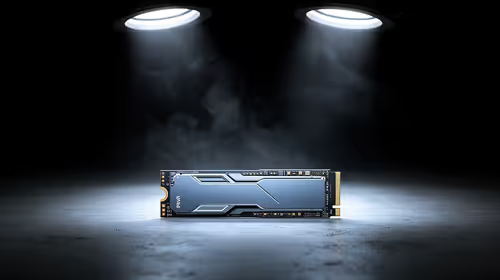
A desktop soundbar puts left and right audio in one narrow enclosure that can sit beneath a monitor. It can make a small desk feel less crowded than two separate speakers, but compact dimensions also shape stereo width, bass output and connection choices. The best pick starts with a tape measure and the devices you use every day.
Quick Answer
A desktop soundbar is a close-listening speaker bar designed to fit around a computer monitor and a limited desk surface. It can suit a South African home office, bedroom or student digs where separate speakers take up too much room. Check physical clearance, inputs, dialogue clarity and power requirements before choosing one.
🧩 Measure the desk before the sound
Look at the space between monitor stand feet, the height below the screen and where cables will exit the bar. A front-mounted volume control can be much easier to live with than one hidden behind the monitor, especially on a shallow desk. Upward-facing drivers also need room to work rather than being trapped under a shelf.
Soundbars are usually narrower than a television version, yet a product photo can still hide how much space an adapter or protruding connector needs. Measure the actual usable width, then allow room for a keyboard, mouse movement and any laptop stand or docking station already on the desk.
🔌 Pick an input that suits the computer
USB audio can provide a tidy digital connection and, on some compact models, power as well. Analogue input remains helpful for older PCs and simple switches between devices. Bluetooth adds convenience for a phone or tablet, but its response depends on the devices and codec, so a wired connection is the safer choice for rhythm games, editing or any work where video timing matters.
Consider how sound will move through the setup. If a monitor has a headphone output, it may pass audio from a console or laptop, but the result depends on that monitor's settings. Connecting directly to the PC can be simpler when the soundbar is mainly for desktop use.
✅ Compact does not mean broad stereo
A single bar can reproduce left and right channels, but its drivers sit much closer together than a pair of speakers placed at either side of a monitor. That creates a smaller stereo image. For clear dialogue, casual video and background music at a desk, this can be an acceptable trade-off. For precise positional audio or a wide music presentation, separate speakers may remain more convincing.
The speaker range offers a useful way to compare sizes and connection types. If you want an overview of popular current choices, browse the speaker best sellers. Portable placement and cable-free listening have their own constraints, which are easier to explore through the wireless speaker options.
🛡 Small-room habits matter
In a bedroom, shared flat or home office, clear speech at low volume can be more useful than maximum output. Put the bar on a stable surface, keep it clear of paper that may rattle, and avoid forcing a small enclosure to produce bass it cannot manage cleanly. A headphone option can also be considerate when late-night gaming would disturb someone nearby.
Power is another local check. Some small bars draw power from USB; others need their own adapter. Confirm that the supplied power arrangement is suitable for South African 230V sockets and that the cable length reaches the desk without an awkward extension trail.
Frequently Asked Questions
Is a desktop soundbar the same as a TV soundbar?
They use the same one-box idea, but desktop versions are generally smaller and intended for close listening at a computer.
Will a soundbar fit beneath my monitor?
Measure the clear width, height and cable space around the stand. Include controls and any upward-facing drivers in the calculation.
Is USB or Bluetooth better for a PC soundbar?
USB offers a direct digital route and can be tidier. Bluetooth is convenient, though wired audio is generally more dependable where timing matters.
Can a compact bar create real stereo?
It can play left and right channels, but close driver spacing makes the soundstage narrower than separate speakers positioned apart.
What is useful for a shared room?
Prioritise clear dialogue at low volume, simple controls and a size that leaves usable desk space. Headphones may still suit late sessions.
Does a desktop soundbar need its own power supply?
Some models use USB power while others need an adapter. Check the model's requirements and local socket compatibility before buying.
Ready to make desktop audio fit the room you have?
Compare speaker connections and dimensions before giving up valuable desk space.