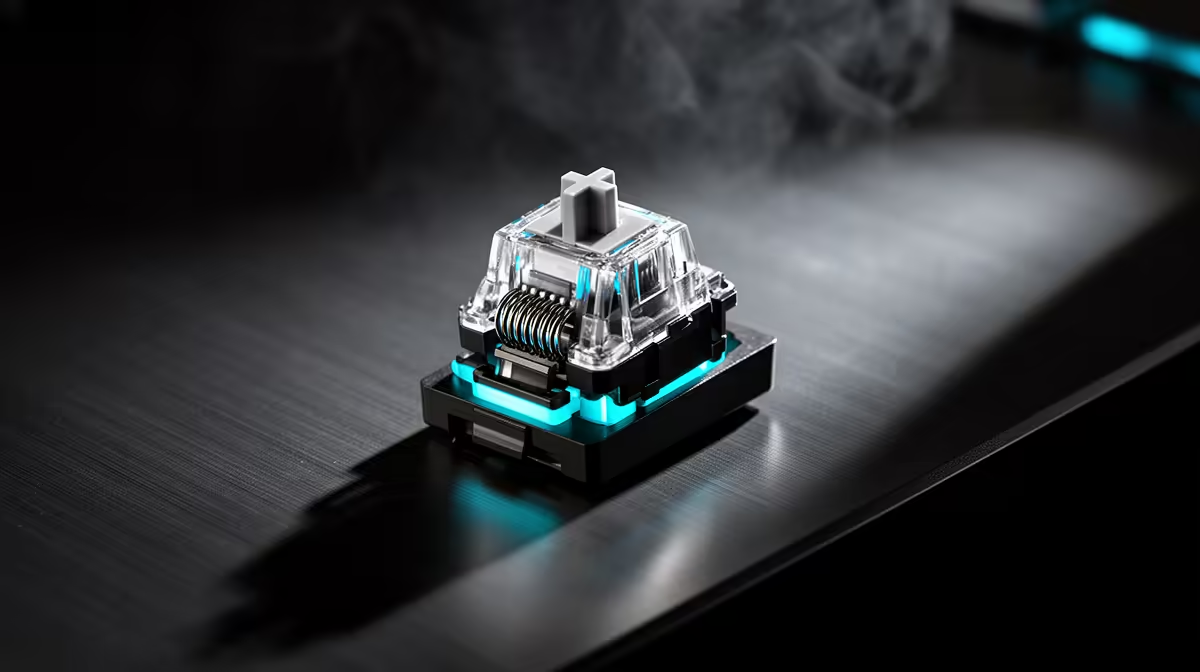
Magnetic sensing changes how a key is detected; it does not remove every sliding surface from the switch. Whether magnetic switches need lube depends on their mechanical construction and maker guidance, not the sensor label.
Quick Answer
Magnetic keyboard switches still contain moving stems, guides and springs, so the claim that they have no friction or metal spring is wrong. Some arrive factory-lubricated and some makers support user service. Do not add lubricant by default. The wrong product or amount can attract dust, change key feel or reach electronics. Follow the exact keyboard and switch guidance. Surface cleaning, careful keycap removal and calibration when requested are safer routine maintenance. Stabiliser lubrication is a separate job and also needs model-specific care.
Magnetic sensing does not remove movement
Hall-effect and TMR switches use a magnet and sensor for actuation. The stem still slides in a housing and a spring returns it.
That mechanical travel can feel smooth or scratchy depending on materials, tolerances and factory lubricant. Contactless sensing avoids electrical leaf contact; it does not make the key frictionless.
A noisy key may come from the keycap, switch guide, spring or stabiliser. Diagnose the source before opening anything.
Leave factory lubricant alone
Use the board for a few weeks and compare several keys. If the feel is consistent, cleaning and calibration are enough.
Do not spray aerosol or household oil into the switch. It can spread to the PCB, sensor area and keycaps.
If the maker supports switch disassembly and lubrication, use the named compatible product and method. Keep warranty terms in mind.
Clean before blaming friction
Disconnect the keyboard, remove supported keycaps and use a soft brush. Keep liquids and high-pressure air away from the switch openings.
Reassemble and test at default actuation. A switch that catches or reports unstable travel after cleaning deserves support.
Stabilisers on long keys can use their own factory treatment. Do not flood them or assume a switch guide applies.
Treat stabilisers as another mechanism
Space, Enter and Shift use stabilisers to keep the long keycap level. Their wires, housings and contact points can create rattle or friction even when the magnetic switch is smooth.
Remove a stabilised keycap only through the board's documented method. Clips and wires can bend when you pull from one side. Factory treatment may already be present.
If the maker supports stabiliser service, use the specified lubricant and tiny amount at the named contact point. Keep it away from the sensor, PCB and switch opening.
Test the long key at its edges and centre. A tilted keycap or wire problem needs a stabiliser fix, while an unstable actuation graph belongs to calibration or sensor support.
Keep a new board intact when warranty service is available. A sound change is not worth losing the repair path.
Browse gaming keyboard deals for complete magnetic-board features. The keyboard best sellers can help compare ownership and support.
FAQ
Do magnetic switches have springs and friction?
Yes. Their sensing is contactless, while the stem, guide and return spring still move.
Can lubricant damage the switch?
The wrong material or amount can contaminate the board and change feel. Follow the maker's service guidance.
Does a scratchy key need lube?
Check dust, keycap contact, stabilisers and switch damage first. A warranty route can be safer than opening a new board.
Clean the disconnected board, identify whether the noise comes from switch or stabiliser and lubricate only when the maker supports the exact service.