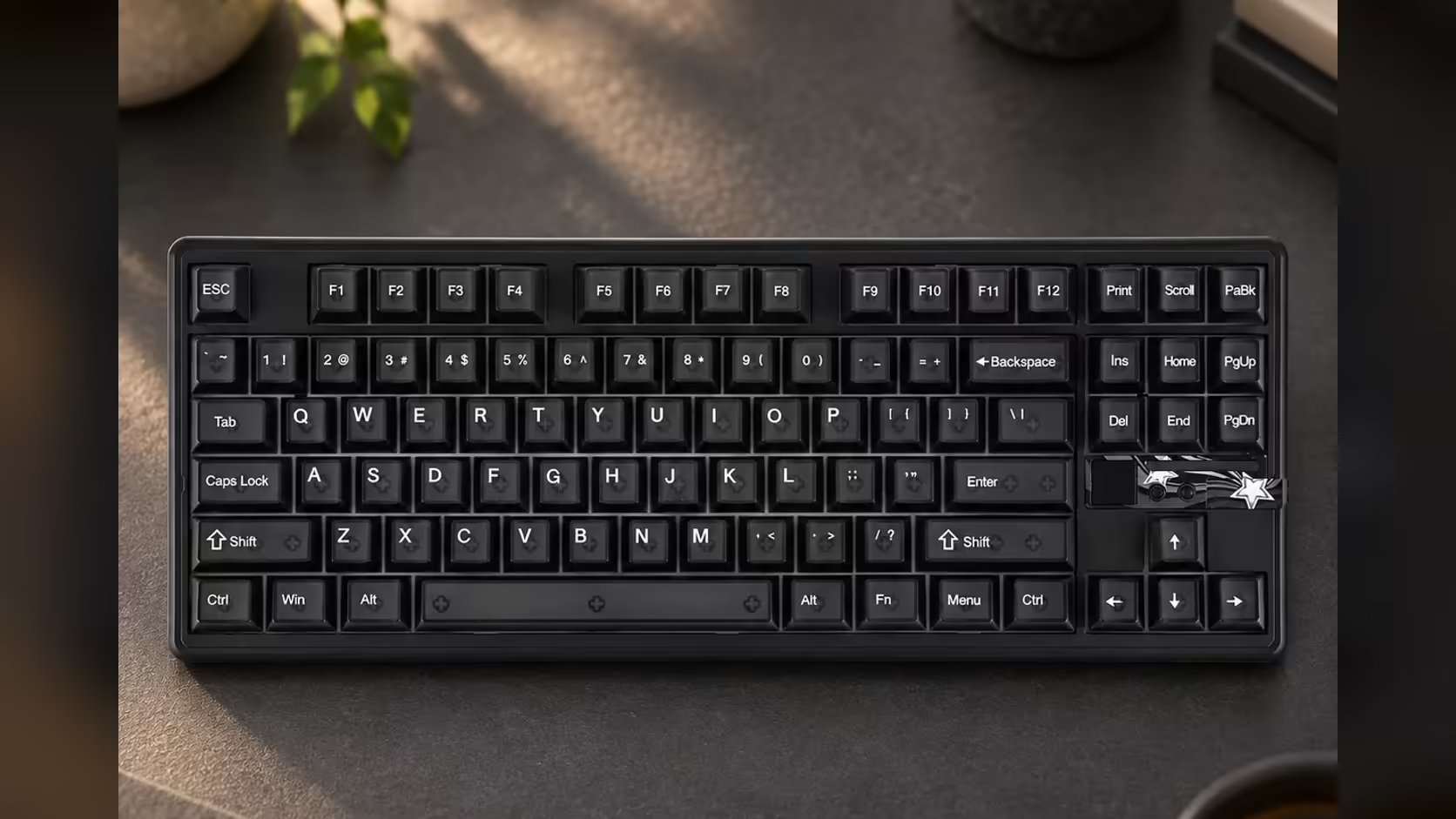
Mod-Tap and Toggle usually come up in conversations about tiny 60% and 65% boards, where there are not enough keys to go round and every key needs a second job. So it is fair to ask why a tenkeyless board like the AULA F87 Pro V2 carries them. The short answer: Mod-Tap and Toggle keys are not only about missing keys. They are about doing more with the keys under your fingers, and that is useful on any layout.
Quick Answer
Not strictly. The F87 Pro V2 holds on to the arrows and every navigation key, so it does not depend on Mod-Tap and Toggle the way a small board does. They add second jobs on top: Mod-Tap makes a key act as a modifier when held, and Toggle latches a state on or off with one press. SOCD sits alongside them, and Evetech carries the board at R899 with a 1 Year Local Warranty.
🔑 What each mode does
Mod-Tap in one line
Tap the key and it types its normal character; keep it pressed and it turns into Ctrl, Shift, Alt or whichever modifier you assigned. One key, two roles, decided by how long you press.
Toggle in one line
Press once to switch a function on, press again to switch it off. It is useful for anything you would otherwise have to hold down, such as a walk or crouch key in a game, or a shortcut layer you want to stay active while you work.
SOCD alongside them
SOCD referees the moment two opposite movement keys are down together, so a left-right strafe change is clean instead of stalling. It sits in the same advanced-key list on the F87 Pro V2.
🧭 Why a TKL still benefits
Smaller boards lean on these modes out of necessity. On a tenkeyless board, the benefit is comfort and efficiency rather than survival.
- Keep your hands still. A Mod-Tap on a key near your resting position can save a reach to a far-off Ctrl or Alt during long work sessions.
- Game without holding keys. A Toggle for a held action means one finger is freed for something else.
- Shortcut-heavy software. Editors, spreadsheets and creative tools reward any setup that puts modifiers closer to hand.
The navigation cluster stays complete regardless. Insert, Delete, Home, End and the page keys are all present, together with the arrows, so nothing is hidden behind a function layer that you would need these modes to recover.
⌨️ Could Mod-Tap slow down fast typing?
It can, if you put it on the wrong key. Because the keyboard waits to see whether you are tapping or holding, a Mod-Tap on a letter you roll quickly through while typing can occasionally trigger the modifier by mistake. The simple rule is to use it on keys you do not type in fast bursts, and to leave your main letters alone until you are used to how it behaves.
⚙️ The board behind the modes
Speed is the theme under the key modes too. Reports leave the board at what AULA calls dual 8000Hz, a 0.125ms gap, and Bluetooth covers the laptop or tablet on the side. A 10000mAh cell keeps it cable-free for long stretches. The rest is comfort and show: gaskets and seven damping layers under the keys, sockets that swap switches without solder, and a small LED grid above that pulses with your audio.
Browse Evetech's gaming keyboards to compare advanced key features across layouts, or check the keyboard best sellers for popular choices.
Frequently Asked Questions
What is Mod-Tap, simply?
A key that types normally when tapped and acts as a modifier, like Ctrl or Shift, when held.
And what does Toggle do?
It switches a function on with one press and off with the next, so you do not have to hold the key down.
Do small boards need these more than a TKL?
Yes. On 60% and 65% boards they replace missing keys. On a TKL they are a comfort and speed upgrade.
Can Mod-Tap cause typing errors?
If it sits on a letter you type quickly, a hold can be misread. Put it on keys you do not roll through in fast bursts.
Which other advanced key modes are included?
SOCD, which cleans up simultaneous opposing direction presses.
Is the navigation cluster really all there?
Yes. Only the number pad is missing; every arrow and navigation key has its own spot.
Ready to give your keys a second job?
Explore Evetech's gaming keyboards and see how the F87 Pro V2's key modes fit your games and shortcuts.