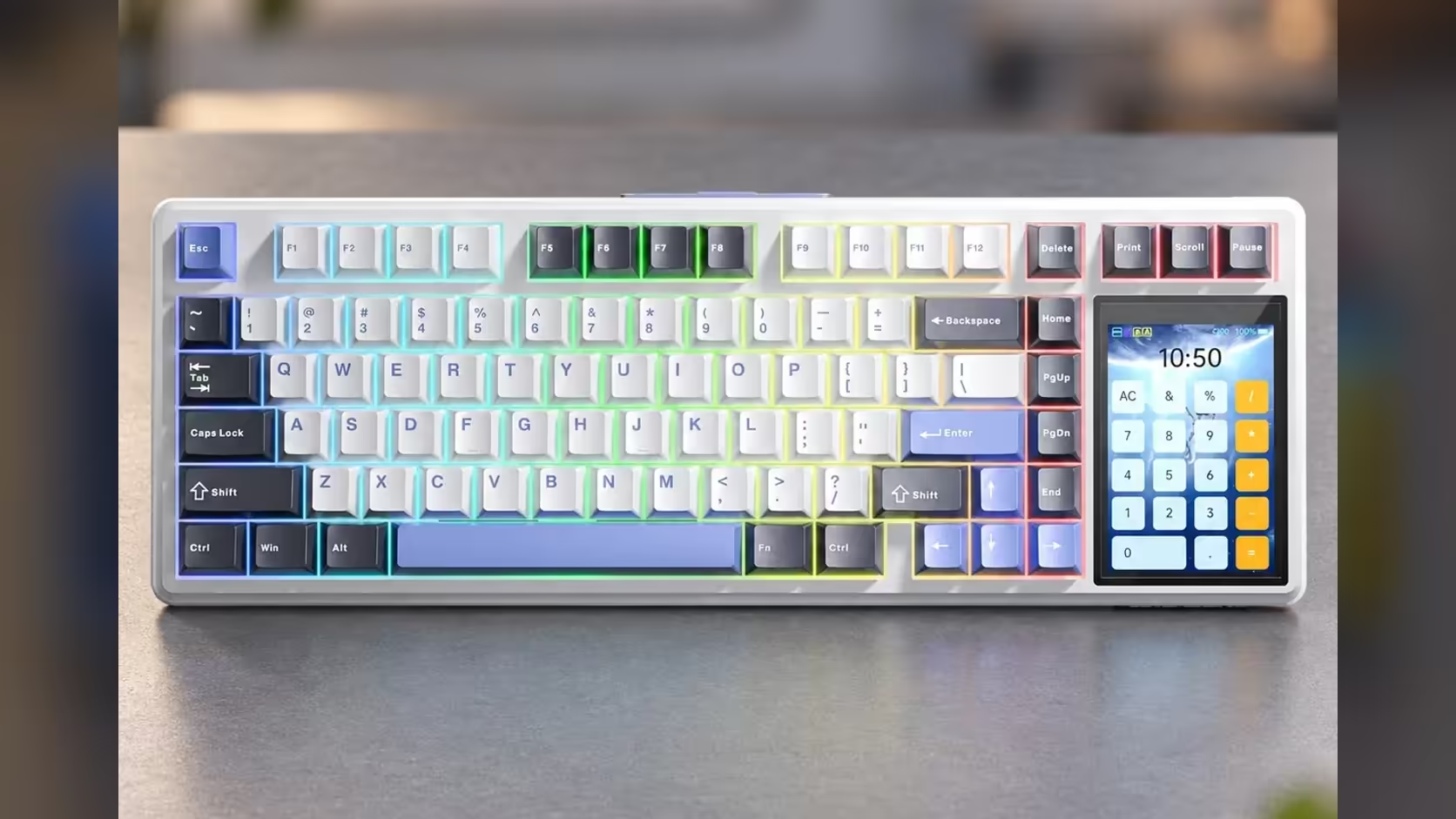
Put a screen on a keyboard and gamers ask the obvious question: does it help you win, or is it a toy? For the AULA L99 the honest answer sits in between. As a touchscreen gaming keyboard it plays like a solid wireless 75% board, and the screen is a convenience that earns its keep around the match rather than during it.
Quick Answer
The L99 games like any well-built 1000Hz tri-mode 75% keyboard: factory-lubed linear switches, full N-key rollover and a 2.4GHz receiver that matches its wired polling. The 3.98-inch touchscreen does not make you faster in a match; between rounds it earns its place as a lighting remote, a number grid, a calculator and a frame for your own animations. It carries a 1 Year Local Warranty, and Evetech sells it in two colourways for R1,099.
🎮 What actually matters in a match
For gaming, a keyboard has three jobs: register every key you press, register it quickly, and feel predictable. The L99 covers each.
Full N-key rollover means every key pressed together is reported, so a diagonal strafe while crouching and reloading does not lose an input. Polling is 1000Hz on the USB-C cable and on the 2.4GHz dongle, the rate most gaming keyboards have run at for years. And the factory-lubed linear switches give a smooth, consistent press with no tactile bump to push through.
The two colourways differ slightly. Raindrop switches, on the Grey/White/Blue board, actuate at 1.8mm. Caramel Latte switches, on the Red/Black board, actuate at 2.0mm. Both take roughly 45gf to start moving. A 0.2mm difference is small, but players who like a hair-trigger feel may lean towards Raindrop.
🖥️ Where the screen fits in
During a round, eyes belong on the monitor, and the touchscreen is best left alone. Between rounds, it becomes genuinely handy. You can switch lighting profiles without alt-tabbing into software, check the battery level on the panel before a long session, and flip the display to a GIF of your own when you are not playing.
Off the gaming clock it is even more useful: a numpad mode for spreadsheets that a 75% board otherwise lacks, a calculator for quick sums, and a mouse-simulation mode for moments when the mouse is flat.
⚖️ What competitive players might miss
The L99 is not built around the newest competitive features. Neither SOCD handling nor Rapid Trigger appears on its spec sheet, and its polling tops out at 1000Hz rather than the 8000Hz some boards now offer. For most people that changes nothing they can feel. For players chasing every edge in fast shooters, a magnetic board with Rapid Trigger is the more specialised tool.
What the L99 offers instead is breadth: a board that is equally at home for work and play, with Windows and Mac modes, Bluetooth that remembers three devices, and an 8000mAh cell for cable-free sessions.
✅ So who is it for?
It suits the player who games a few evenings a week, works or studies at the same desk, and likes a setup that feels personal. The gasket mount and six dampening layers keep it pleasant to type on for hours, and hot-swap sockets let you change switches later.
If pure competitive speed is the priority, set it against faster-polling options among Evetech's gaming keyboards, and check the keyboard best sellers to see what other Evetech customers are choosing.
Frequently Asked Questions
Will keys pressed at the same time drop out?
No. Rollover is full N-key, meaning any number of simultaneous presses get through.
Raindrop or Caramel Latte for fast games?
Raindrop actuates slightly earlier, at 1.8mm against 2.0mm, which some players prefer for quick inputs. The difference is small.
Does the touchscreen give an advantage mid-match?
No. It is a convenience for lighting, settings and utilities between games, not a competitive tool.
What features do competitive boards have that the L99 does not list?
Rapid Trigger, SOCD handling and polling above 1000Hz are not part of its listed specs.
Which wireless mode should I use for gaming?
The 2.4GHz dongle. AULA quotes 1000Hz for the cable and the dongle, so keep Bluetooth for laptops and tablets.
Who gets the most from the screen?
People who share one desk between gaming, work and study, and want quick controls without opening software.
Ready to decide between a desk gadget and a pure gaming board?
Compare the L99 with the rest of Evetech's gaming keyboards and choose the balance of features that suits you.