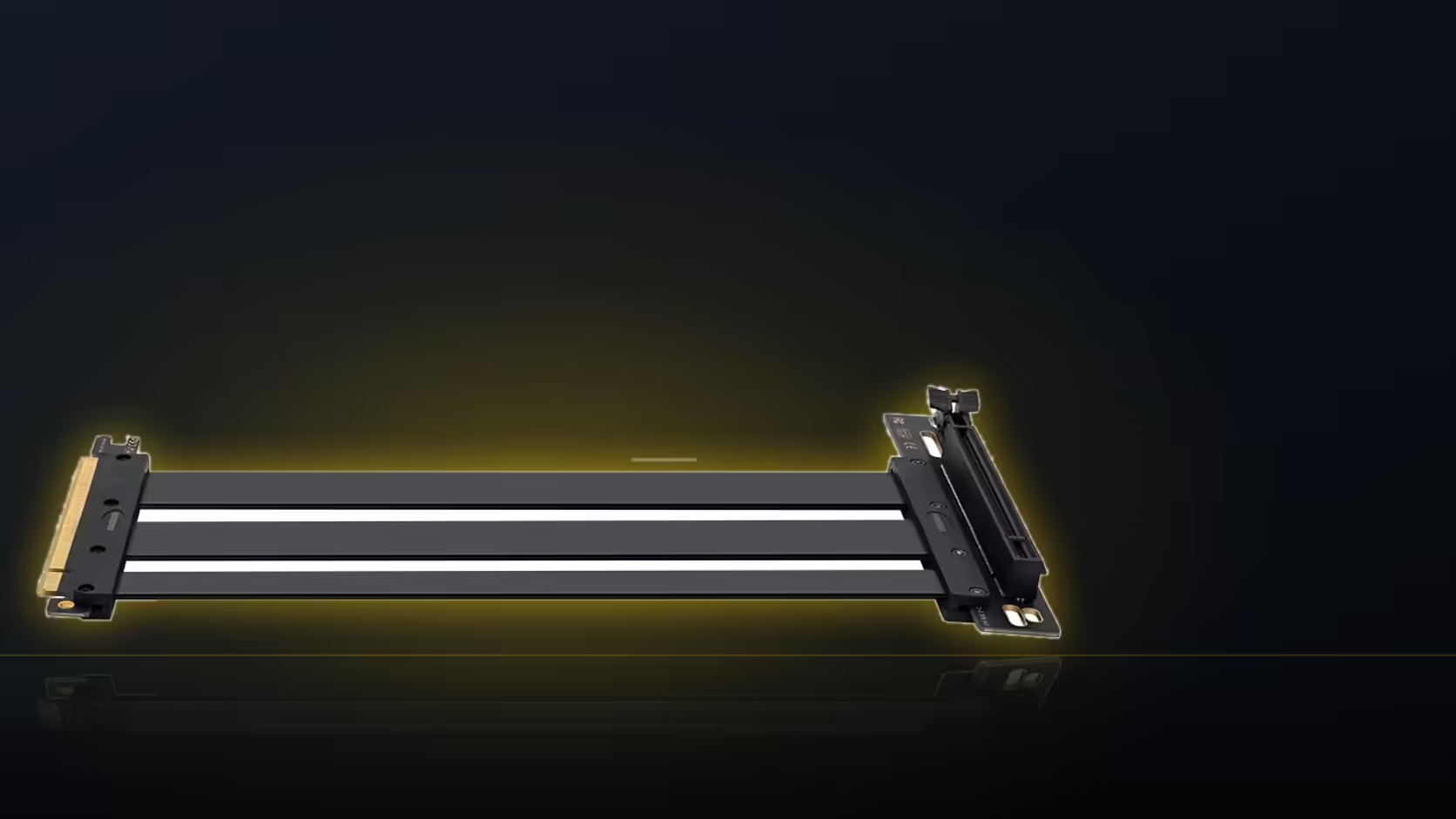
Buy a riser cable expecting a complete vertical-mount kit and you will open the box to find exactly one thing: a 200mm ribbon with a connector at each end. AsiaHorse sells this PCIe 5.0 x16 riser on its own, with no bracket, no screws for a vertical position, and no hardware to hold a graphics card in place once the cable is doing its job.
Quick Answer
The riser ships as the cable only, at R1,299 including VAT. A vertical graphics card mount needs a bracket as well, and that has to be sourced separately, usually from the case manufacturer or as an aftermarket accessory built for the specific chassis.
🔌 What you actually get in the box
AsiaHorse's listing describes the cable itself: 200mm long, a right-angle slot connector, gold-plated contacts, EMI-shielded 30AWG wiring, and a moulded shell guarding the connector end. That is the complete product. There is no mounting hardware, no rail, and no plate for holding the card away from the board.
This split matters because the riser and the bracket solve two different problems. The riser carries the electrical connection from the board's x16 slot out to wherever the card ends up. The bracket is what holds the card there physically, taking its weight and fixing its position relative to the case. One without the other leaves either an unconnected card or an unsupported one.
🧩 Where the bracket usually comes from
Most cases built with vertical mounting in mind either include a bracket in the box or sell one as a case-specific accessory. That is generally the better route, since it is designed for the exact depth and screw pattern of that chassis. A universal bracket can work too, but it is worth checking clearance against the case before assuming a generic part will fit.
The case accessories range covers this kind of hardware, and it is worth checking before ordering the riser rather than after, since the bracket dictates how far the cable actually has to reach.
📐 Planning the pair together
Because the riser is fixed at 200mm and sold as one length, the bracket position effectively decides whether that length is enough. Settling on a bracket first, then measuring the route it creates, is the more reliable order than buying the cable and hoping the geometry works out. A graphics card accessory search will turn up both riser and related hardware in one place for comparison.
Frequently Asked Questions
Does the riser include a bracket?
No. It is sold as the cable alone, and any mounting hardware for a vertical position is a separate purchase.
Where should I look for a bracket?
Check what your case manufacturer offers first, since a case-specific bracket usually fits better than a generic part.
Can the card be mounted without a bracket at all?
No. The riser only carries the electrical connection; something still has to hold the card's weight in its new position.
Does the bracket choice affect the cable length needed?
Yes. Wherever the bracket places the card sets the route the 200mm cable has to cover.
Is the connector compatible with any bracket?
The riser's slot connector is standard x16, so it works with the card regardless of bracket brand, but physical clearance still needs checking case by case.
Is this riser in stock now?
Not currently. It is hidden pending the first trial shipment, with no confirmed arrival date yet.
Sorting the hardware for a vertical mount?
Have a look at Evetech's case accessories range to see what pairs with a riser cable like this one.