



1000W PSU Planning for RTX 5090 Builds in SA
1000W for RTX 5090 needs a full-build check, not a simple yes. Review GPU guidance, CPU draw, transient load, connectors, PSU quality, and upgrade plans before deciding.
Read moreEx-corporate laptops often beat new budget models because business-grade chassis and SSDs were built for daily office use. Evetech's refurbished range includes ex-corporate models with Core i5 chips well above typical entry-tier specs.
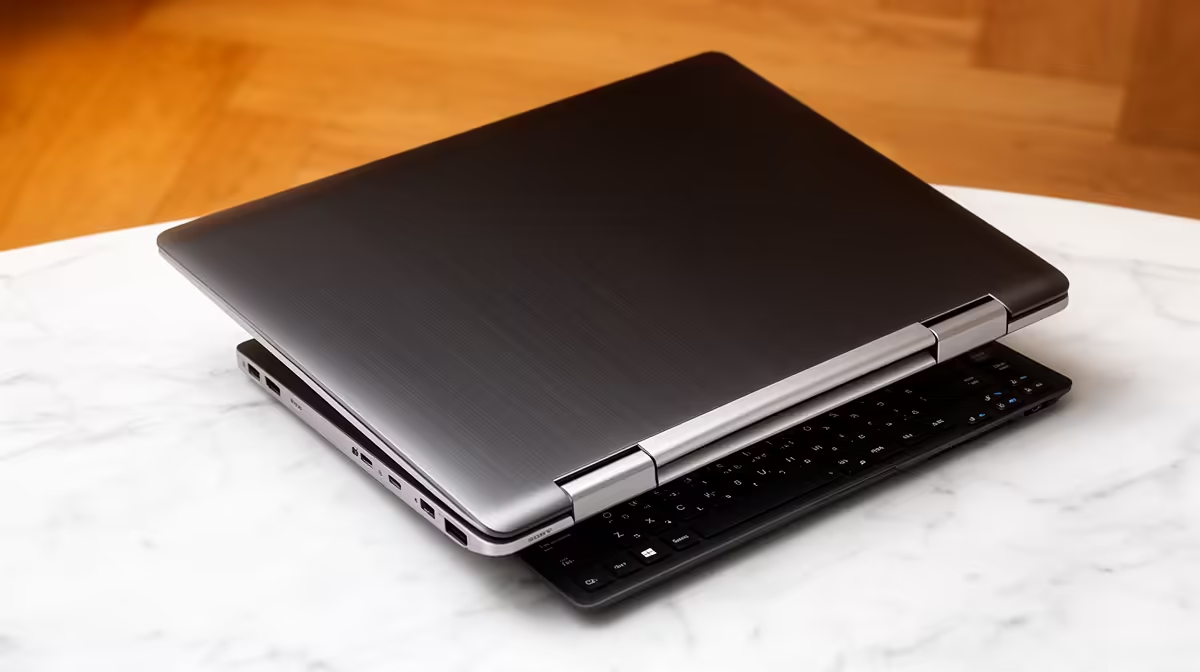
An ex-corporate laptop is a business machine sold after service in an organisation. It can be a sharp student buy because many business models have sturdy keyboards, serviceable SSDs and useful ports. Age, battery wear and ownership history still need proof.
Choose ex-corporate when the exact processor, 8GB-or-better memory, SSD and written warranty beat a new entry machine at the same spend. Avoid buying from a Core i5 sticker. The full processor code can reveal a platform several generations old.
Use new laptop best sellers and current new-laptop deals as comparison points. These links do not certify a used unit or prove a refurbished range is available.
Business models often prioritise keyboards, docking support, repair access and chassis strength. Some have replaceable RAM and storage, which helps a student extend useful life.
Their screens can be basic, and thin corporate batteries may have years of cycles. Ask for full-charge capacity against design capacity. Include a future battery in the value calculation where wear is high.
Match the serial number across chassis, firmware and invoice. Confirm that company management, firmware passwords and activation locks are removed. The first Windows setup should allow the student to create their own account.
Test keyboard, touchpad, hinges, webcam, Wi-Fi, audio, ports and charger. Check SSD health and run the laptop on battery during a video call. Install the hardest course application while the return window is open.
Ask for a written condition grade and warranty. Find out who pays collection, where repairs happen and whether battery wear is excluded.
The used business machine may offer 16GB RAM and a stronger chassis. The new budget model can offer a fresh battery, newer platform support and a clearer retail warranty. Compare the whole package.
Price any missing parts before choosing. A replacement charger, battery or larger SSD can turn a bargain into the more expensive option. Check whether those parts are available for the exact model.
Also compare weight and screen. Some older business laptops are heavier and dimmer than current entry models, which matters to a student moving between lecture halls.
Carry it in a padded sleeve and keep the purchase documents where the student can reach them off-device.
For qualifying defects in a covered sale, CPA Section 56 may provide a six-month implied-warranty remedy. The transaction facts decide application, so use official National Consumer Commission guidance or qualified advice for a dispute.
It can be when condition, battery, software support and warranty check out. Age alone cannot settle it.
A tested business model with stronger memory and SSD may be. Compare exact processors, battery and support.
Hidden wear or management locks. Verify both before paying and keep a valid invoice.
Buy ex-corporate only when the serial, battery report, SSD health, clean ownership and written warranty all support the saving.
It can be when condition, battery, software support and warranty check out. Age alone cannot settle it.
A tested business model with stronger memory and SSD may be. Compare exact processors, battery and support.
Hidden wear or management locks. Verify both before paying and keep a valid invoice.
1000W for RTX 5090 needs a full-build check, not a simple yes. Review GPU guidance, CPU draw, transient load, connectors, PSU quality, and upgrade plans before deciding.
Read more
RTX 5080 Super with a 750W PSU is more comfortable than lower wattage if the unit is quality. SA builders should still confirm GPU guidance, CPU draw, connector type, airflow, and upgrade room.
Read more
How to fix FPS drops after a RX 9070 XT starts with driver cleanup, chipset updates, thermals, and power checks. For SA gaming PCs, confirm PCIe seating, monitor refresh, frame caps, and per-game graphics settings before replacing parts.
Read more
How to fix low FPS Windows 11 Wi-Fi 7 issues starts by checking whether the problem is frame rate or network lag. Test ping, drivers, power settings, Ethernet, and game FPS before adjusting visuals.
Read more
AM5 is smart for SA builders because it supports newer Ryzen CPUs, DDR5 memory, and a longer upgrade path. Compare board cost, cooling, gaming needs, and local part availability before choosing your next PC platform.
Read more
AM5 gives Randburg gaming builders a longer upgrade path. For SA buyers, DDR5 support, newer board features, and future CPU options can justify the platform. Weigh board cost, cooler support, BIOS maturity, and upgrade timing before choosing.
Read more
RTX 5090 on a 550W PSU leaves almost no practical room for OC plans. Treat the setup as constrained, with CPU draw, power spikes, cable quality, thermals, and stability checks more important than chasing extra clocks.

FPS drops on a Ryzen 9 9950X3D build often have a fixable cause. Check settings, drivers, thermals, background tasks, network conditions, and bottlenecks before assuming a part must be replaced.

The difference between PCIe 5.0 and PCIe 4.0 for SA gamers is mostly bandwidth headroom. Compare GPU slot needs, NVMe speed, motherboard support, and upgrade timing before paying extra for a newer platform.

Gaming PC stuck pixel checks in South Africa should confirm the monitor fault first. Use colour tests, screenshot comparison, cable swaps, display menu checks, and clear photos before deciding on support.

AMD's current driver now lists a Radeon RX 9050 4GB, while product coverage details a narrowed memory system. SA buyers should weigh the low VRAM ceiling against current local Radeon options.

Samsung Display has demonstrated a 16-inch 2.5K OLED laptop panel running at 300Hz. SA buyers should wait for a named notebook, full panel specifications and a local price before planning an upgrade.

Microsoft says some Windows 11 game crashes after recent updates are linked to RGB-related drivers. Affected SA gamers should confirm the update and driver before using the published registry workaround.

Thermalright's Fan Frame Vision-1 adds a 640x172 status screen to a standard 120mm fan. SA builders should check clearance, USB routing and local support before treating it as an easy upgrade.
1000W for RTX 5090 needs a full-build check, not a simple yes. Review GPU guidance, CPU draw, transient load, connectors, PSU quality, and upgrade plans before deciding.

Wi-Fi 6E vs Wi-Fi 6 matters for 4K video editing when files move across a network. The real-world difference between Wi-Fi 6E and Wi-Fi 6 for video editing in 4K depends on NAS access, cloud uploads, router range, and SA creator workflows.
RTX 5080 Super with a 750W PSU is more comfortable than lower wattage if the unit is quality. SA builders should still confirm GPU guidance, CPU draw, connector type, airflow, and upgrade room.

Wi-Fi 6E vs Wi-Fi 6 for Video Editing in 4K comes down to router support, latency, client devices, band support, and home network layout. SA buyers should match the choice to their setup instead of assuming one option always wins.