



1000W PSU Planning for RTX 5090 Builds in SA
1000W for RTX 5090 needs a full-build check, not a simple yes. Review GPU guidance, CPU draw, transient load, connectors, PSU quality, and upgrade plans before deciding.
Read morePremiere Pro users in South Africa should treat a fan controller as a cooling convenience, not a performance upgrade. With Ryzen 5 5500 R1,100, ASUS Prime B850M-F WiFi R2,300, RM850e R1,900 and cooling from Gamemax Sigma R235 to Xigmatek, the value depends on fan setup.
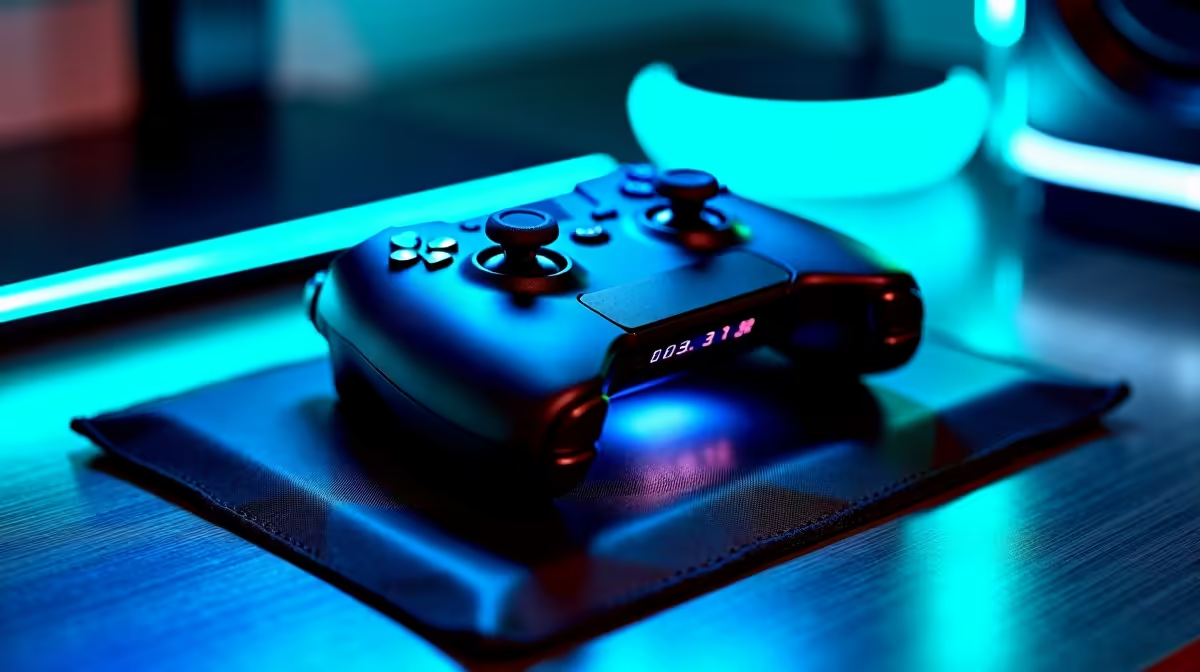
A fan controller is worth adding to a Premiere Pro workstation when existing headers cannot manage the needed fan zones or exports cause avoidable noise without safe temperature control. It does not shorten an export unless poor cooling is making components throttle. No controller or fan kit is verified in the supplied facts.
Export a representative timeline while recording CPU and GPU temperatures, clock speeds, fan speeds and completion time. Listen near the case, graphics card and processor cooler. Clean blocked vents and inspect cable obstruction before adding control hardware. A single worn fan may be the entire problem.
The Deepcool CG330 case is factpack-verified at R770. The Gamemax Aeris 330 mATX case appears at R650. Confirm fan mounts, included equipment, clearances and airflow on current listings. A new case is not automatically required, and neither listing proves compatibility with a particular controller.
Check fan connector type, header current limits, sensor assignments and controller power before installation. Keep enough airflow over storage and motherboard components during long exports. Make one curve change at a time and repeat the same timeline to verify the result. Buy when independent zones reduce measured noise or throttling without unsafe temperatures. If the editor is limited by memory, graphics capacity or storage, adjust that hardware instead. Quiet fans cannot fix an unsupported codec or a timeline that exceeds system resources.
Tuning an editing workstation? > Compare verified cases and PC hardware with Evetech after the thermal export test.
For Premiere Pro, the best reason is controlling fan noise and airflow during sustained editing sessions.
It makes sense when the PC component mix already has cooling headroom that can be managed more neatly.
Confirm the fan plugs, mounting space and control method are compatible with the Premiere Pro workstation.
Basic edits may not justify extra hardware, but regular Premiere Pro projects make quiet cooling control more appealing.
Long timelines and repeated exports should decide whether manual fan management is worth adding.
A controller can organise cooling, but it cannot solve weak editing performance from other PC components.
1000W for RTX 5090 needs a full-build check, not a simple yes. Review GPU guidance, CPU draw, transient load, connectors, PSU quality, and upgrade plans before deciding.
Read more
RTX 5080 Super with a 750W PSU is more comfortable than lower wattage if the unit is quality. SA builders should still confirm GPU guidance, CPU draw, connector type, airflow, and upgrade room.
Read more
How to fix FPS drops after a RX 9070 XT starts with driver cleanup, chipset updates, thermals, and power checks. For SA gaming PCs, confirm PCIe seating, monitor refresh, frame caps, and per-game graphics settings before replacing parts.
Read more
How to fix low FPS Windows 11 Wi-Fi 7 issues starts by checking whether the problem is frame rate or network lag. Test ping, drivers, power settings, Ethernet, and game FPS before adjusting visuals.
Read more
AM5 is smart for SA builders because it supports newer Ryzen CPUs, DDR5 memory, and a longer upgrade path. Compare board cost, cooling, gaming needs, and local part availability before choosing your next PC platform.
Read more
AM5 gives Randburg gaming builders a longer upgrade path. For SA buyers, DDR5 support, newer board features, and future CPU options can justify the platform. Weigh board cost, cooler support, BIOS maturity, and upgrade timing before choosing.
Read more
RTX 5090 on a 550W PSU leaves almost no practical room for OC plans. Treat the setup as constrained, with CPU draw, power spikes, cable quality, thermals, and stability checks more important than chasing extra clocks.

FPS drops on a Ryzen 9 9950X3D build often have a fixable cause. Check settings, drivers, thermals, background tasks, network conditions, and bottlenecks before assuming a part must be replaced.

The difference between PCIe 5.0 and PCIe 4.0 for SA gamers is mostly bandwidth headroom. Compare GPU slot needs, NVMe speed, motherboard support, and upgrade timing before paying extra for a newer platform.

Gaming PC stuck pixel checks in South Africa should confirm the monitor fault first. Use colour tests, screenshot comparison, cable swaps, display menu checks, and clear photos before deciding on support.

AMD's current driver now lists a Radeon RX 9050 4GB, while product coverage details a narrowed memory system. SA buyers should weigh the low VRAM ceiling against current local Radeon options.

Samsung Display has demonstrated a 16-inch 2.5K OLED laptop panel running at 300Hz. SA buyers should wait for a named notebook, full panel specifications and a local price before planning an upgrade.

Microsoft says some Windows 11 game crashes after recent updates are linked to RGB-related drivers. Affected SA gamers should confirm the update and driver before using the published registry workaround.

Thermalright's Fan Frame Vision-1 adds a 640x172 status screen to a standard 120mm fan. SA builders should check clearance, USB routing and local support before treating it as an easy upgrade.
1000W for RTX 5090 needs a full-build check, not a simple yes. Review GPU guidance, CPU draw, transient load, connectors, PSU quality, and upgrade plans before deciding.

Wi-Fi 6E vs Wi-Fi 6 matters for 4K video editing when files move across a network. The real-world difference between Wi-Fi 6E and Wi-Fi 6 for video editing in 4K depends on NAS access, cloud uploads, router range, and SA creator workflows.
RTX 5080 Super with a 750W PSU is more comfortable than lower wattage if the unit is quality. SA builders should still confirm GPU guidance, CPU draw, connector type, airflow, and upgrade room.

Wi-Fi 6E vs Wi-Fi 6 for Video Editing in 4K comes down to router support, latency, client devices, band support, and home network layout. SA buyers should match the choice to their setup instead of assuming one option always wins.