



1000W PSU Planning for RTX 5090 Builds in SA
1000W for RTX 5090 needs a full-build check, not a simple yes. Review GPU guidance, CPU draw, transient load, connectors, PSU quality, and upgrade plans before deciding.
Read moreFix keystone distortion by aligning the projector, then letting automatic correction restore the image shape. The Cube 2 Pro combines 0.1s ToF keystone and focus with a 230-degree stand and native 1080p, so angle, geometry and clarity can be checked in sequence.
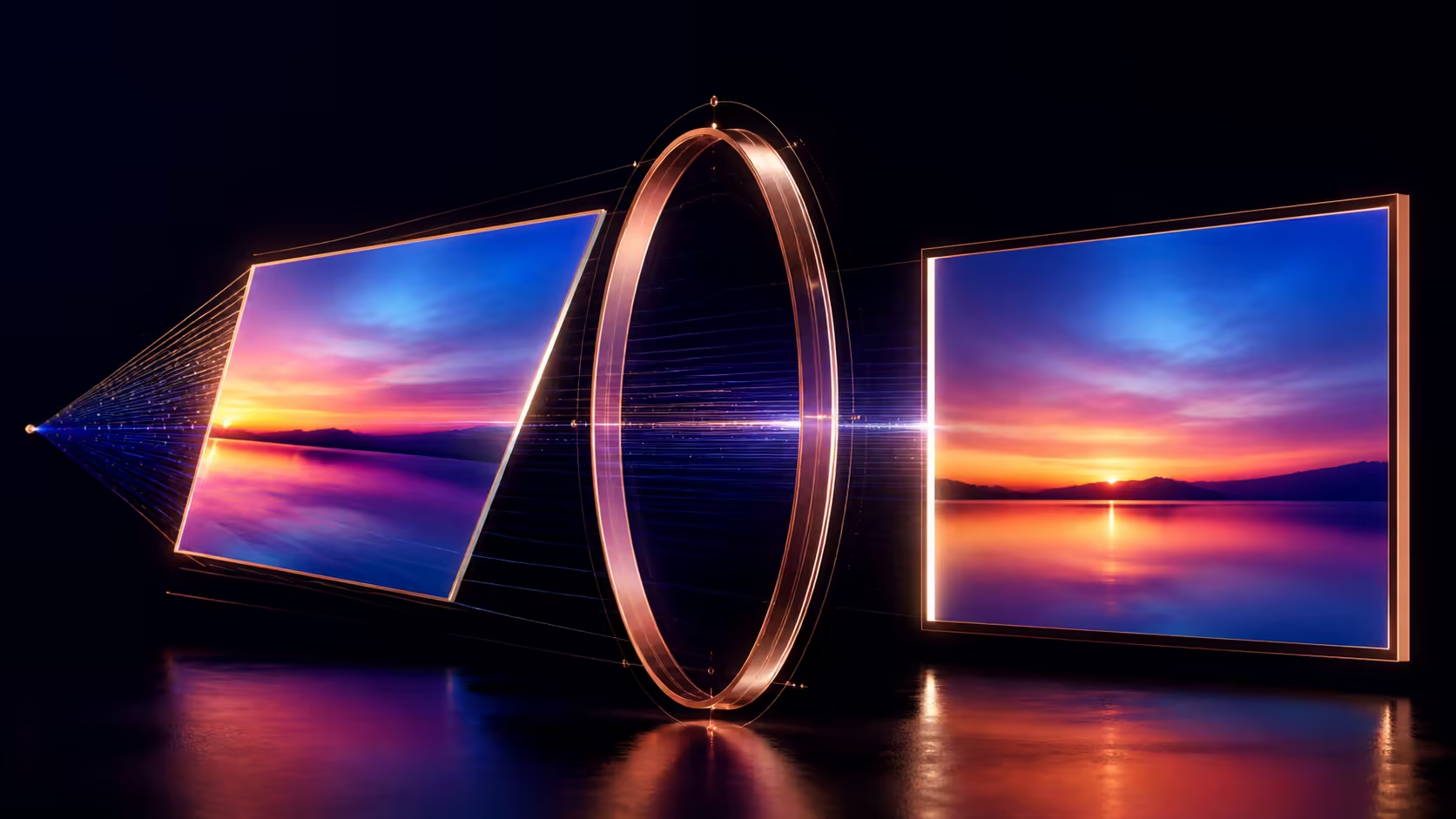
Keystone distortion appears when the projector lens is not square to the viewing surface, turning a rectangle into a trapezoid. Fixing projector keystone without losing picture quality begins with movement, not maximum digital correction. The R3,999 WANBO Cube 2 Pro automates keystone and focus, yet physical geometry still sets the cleanest foundation.
The Cube 2 Pro uses real-time ToF auto keystone correction whenever its 230-degree stand moves, restoring a rectangular image without repeated menu adjustments.
Move the projector towards the centre line and make the lens more perpendicular to the surface before applying correction. On the R3,999 Cube 2 Pro, time-of-flight focus and keystone takes 0.1 seconds. Inspect text and edge detail after adjustment because a rectangular outline alone is not a quality test.
If the top is wider than the bottom, the vertical angle needs attention. If one side is taller, horizontal offset is involved. Mark the intended corners and note the pattern before changing anything, then make one physical move at a time.
The Cube 2 Pro's 230-degree stand supports a broad aiming arc. Use that flexibility to reach the screen while keeping the body position as sensible as possible. A stand angle can direct the image, but it does not change the room's throw distance or remove an off-centre mounting constraint.
Centre the lens where the room allows, level the support and aim squarely. Reset previous keystone values before judging the new position. The automatic process can then handle the remaining geometry instead of compensating for avoidable misalignment.
Project a grid or a menu with straight borders. Check whether lines stay even and small native-1080p text remains readable across the frame. If the shape improves while edges become soft, revisit placement and the viewing surface.
Compare mounting and adjustment approaches in the Evetech projector range after measuring the actual room.
The Cube 2 Pro supports a 40-130 inch projection range. A larger outline can demand a different lens position and make geometry errors more visible. Select the size after finding a position that works, rather than forcing the projector into an extreme angle to fill a pre-marked wall.
Throw requirements need model-specific confirmation before permanent installation. Use temporary placement and removable corner marks until image size, focus and cable routing all pass.
Android TV 11, HDMI and USB provide several possible content paths. Use a clean reference through the normal source and confirm that blur is not caused by compression or output scaling. Keystone cannot restore detail absent from the input.
Console owners may use the Evetech gaming-accessory section for supporting equipment. Test control response separately because geometric correction and gaming latency are different buying questions.
Return keystone to neutral, centre the projector physically, level the support and display a rectangular grid. Apply only the correction still required, then replace the grid with a detailed film frame. Record the stand angle and corner positions that pass. If the projector moves later, repeat the sequence from neutral instead of stacking a new adjustment on top of the old one.
Check the closest and farthest seats after the outline is corrected. A border can appear straight from one position while fine text remains difficult elsewhere, so the room sign-off should include both geometry and readability.
Digital correction works best after sensible physical placement. Use the stand to reduce the initial angle, stop the projector on a stable surface and allow calibration to finish. Native 1080p and triple-coated optics then retain more useful detail than a severely distorted starting position would. If the shape continues changing, remove movement or vibration before blaming the automatic correction system.
A square test grid makes small residual geometry errors easier to see before a film begins.
Finish with real programme material.
The lens is projecting from an angle rather than square to the surface. The direction of the trapezoid indicates which axis needs attention.
Yes. Clear the previous correction, establish the new physical alignment and let the Cube 2 Pro recalculate its geometry.
Yes. Shape and focus are separate. Check detailed content at the centre and corners after the frame becomes rectangular.
No. Its 230-degree range helps aim the unit, but room depth, centre offset, beam clearance and cable routing still determine a workable position.
Ready to correct projector geometry from the room outward? Measure the centre line and temporary image corners before comparing current projector choices through Evetech.
The lens is projecting from an angle rather than square to the surface. The direction of the trapezoid indicates which axis needs attention.
Yes. Clear the previous correction, establish the new physical alignment and let the Cube 2 Pro recalculate its geometry.
Yes. Shape and focus are separate. Check detailed content at the centre and corners after the frame becomes rectangular.
No. Its 230-degree range helps aim the unit, but room depth, centre offset, beam clearance and cable routing still determine a workable position.
1000W for RTX 5090 needs a full-build check, not a simple yes. Review GPU guidance, CPU draw, transient load, connectors, PSU quality, and upgrade plans before deciding.
Read more
RTX 5080 Super with a 750W PSU is more comfortable than lower wattage if the unit is quality. SA builders should still confirm GPU guidance, CPU draw, connector type, airflow, and upgrade room.
Read more
How to fix FPS drops after a RX 9070 XT starts with driver cleanup, chipset updates, thermals, and power checks. For SA gaming PCs, confirm PCIe seating, monitor refresh, frame caps, and per-game graphics settings before replacing parts.
Read more
How to fix low FPS Windows 11 Wi-Fi 7 issues starts by checking whether the problem is frame rate or network lag. Test ping, drivers, power settings, Ethernet, and game FPS before adjusting visuals.
Read more
AM5 is smart for SA builders because it supports newer Ryzen CPUs, DDR5 memory, and a longer upgrade path. Compare board cost, cooling, gaming needs, and local part availability before choosing your next PC platform.
Read more
AM5 gives Randburg gaming builders a longer upgrade path. For SA buyers, DDR5 support, newer board features, and future CPU options can justify the platform. Weigh board cost, cooler support, BIOS maturity, and upgrade timing before choosing.
Read more
A fake 113GB GTA VI ISO reportedly used empty padding around a small malware payload. SA gamers should delete unofficial builds, keep Windows security active and wait for official channels.

Wi-Fi 6E vs Wi-Fi 6 matters for 4K video editing when files move across a network. The real-world difference between Wi-Fi 6E and Wi-Fi 6 for video editing in 4K depends on NAS access, cloud uploads, router range, and SA creator workflows.

The difference between PCIe 5.0 and PCIe 4.0 for SA gamers is mostly bandwidth headroom. Compare GPU slot needs, NVMe speed, motherboard support, and upgrade timing before paying extra for a newer platform.

Gaming PC stuck pixel checks in South Africa should confirm the monitor fault first. Use colour tests, screenshot comparison, cable swaps, display menu checks, and clear photos before deciding on support.

Shokz OpenFit Air 2 earbuds weigh 7.2g each and use a redesigned dual-driver open-ear layout. SA buyers should choose them for comfort and awareness, not maximum isolation.

AMD's current driver now lists a Radeon RX 9050 4GB, while product coverage details a narrowed memory system. SA buyers should weigh the low VRAM ceiling against current local Radeon options.

Samsung Display has demonstrated a 16-inch 2.5K OLED laptop panel running at 300Hz. SA buyers should wait for a named notebook, full panel specifications and a local price before planning an upgrade.

Microsoft says some Windows 11 game crashes after recent updates are linked to RGB-related drivers. Affected SA gamers should confirm the update and driver before using the published registry workaround.
Shokz OpenFit Air 2 earbuds weigh 7.2g each and use a redesigned dual-driver open-ear layout. SA buyers should choose them for comfort and awareness, not maximum isolation.
A fake 113GB GTA VI ISO reportedly used empty padding around a small malware payload. SA gamers should delete unofficial builds, keep Windows security active and wait for official channels.

The ROG Flux Charger Dock combines 260W total output, 140W laptop charging and HDMI 2.1. SA buyers should check laptop USB-C limits, display needs and local warranty first.

ASRock's Rock 360 Digital AIO adds a 1.05-inch CPU temperature display, 360mm radiator and simplified wiring. SA builders should check case fit, socket support and local warranty.