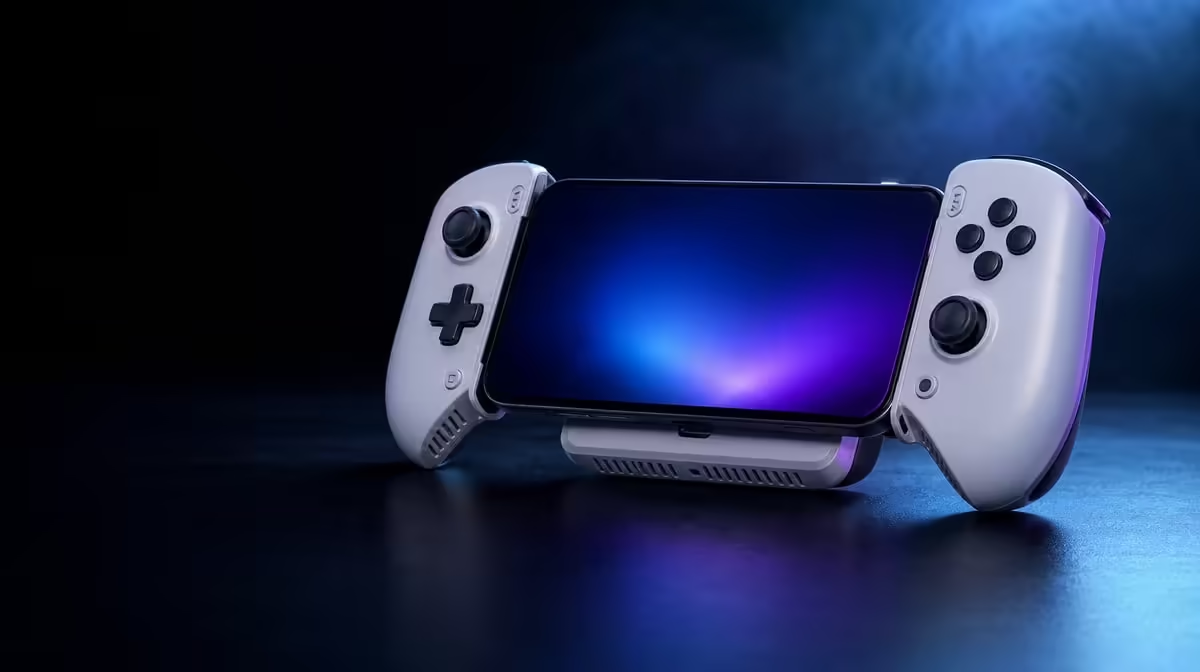
Phone heat and battery drain often rise together because a demanding game and incoming charge both add work. Managing mobile gaming heat and battery use therefore means lowering avoidable load, clearing the cooling path and measuring power behaviour separately. The R1,199 GameSir X3 Pro brings an integrated cooler and one-cable routing to that task.
Quick Answer
Close unnecessary apps, use sensible game settings, keep the X3 Pro cooler unobstructed and note battery change over a fixed play interval. At R1,199, the controller simplifies cooling and cable routing, but it cannot create energy or remove every source of phone heat.
🔥 Reduce work before adding hardware
Start by closing background downloads and apps that are not needed during play. Use a stable screen brightness and game profile, then check whether the phone behaves better through the same section. Lowering an unnecessarily heavy graphics option can reduce heat without changing the control experience.
The comparison should begin at a similar battery level and room temperature. A cool phone at 80 percent cannot be fairly measured against a warm handset near empty. Buyers considering the physical control side can browse Evetech's mobile controller choices.
❄️ Give the integrated cooler room
Seat the handset evenly against the cooling area, remove a case that creates a gap and leave all air openings clear. Fingers, clothing and soft furniture can obstruct flow. Check the fit again after several minutes because hand pressure may shift the phone.
Charge Cool One Cable tidies the route, not the energy balance. Give the cable slack, keep it away from the cooler openings and avoid loading the phone connector. Stop if the handset displays a temperature warning or a connector becomes unusually hot.
🔋 Measure drain instead of guessing
Record battery percentage at the start and after twenty minutes. If it falls, the phone's demand exceeded incoming energy during that run; that result does not prove the cooler was ineffective. Repeat with only one changed condition, such as a lower graphics preset.
Add two more measurements: screen brightness and the number of active background tasks. A bright display and ongoing sync can consume power without changing the game scene. Keeping those values stable turns the battery comparison into something useful.
Allow the phone to return to ordinary idle conditions before another run. Starting the second trial warm makes a software adjustment look weaker than it is. Use similar starting battery levels as well.
Watch the cable during gyro movement and strong trigger use. A line that pulls on the controller can disturb both phone contact and hand comfort, even if one-cable routing appears neat while stationary.
Useful cable and station options can be explored in the gaming accessories category. The popular accessory selection adds context for a complete kit, while the measurement remains anchored to one phone and one workload.
Build a stopping rule before testing. End the session at any handset alert, unusual connector warmth or sudden battery behaviour, then let the phone recover normally. A useful comparison never depends on pushing through protection.
Repeat the same twenty-minute block on another day. A single result may reflect a game update, room condition or background task. Two consistent runs create a stronger basis for adjusting settings.
At R1,199, the X3 Pro brings cooling, controls and simplified routing into one unit. Its contribution becomes clearer when software load, power input and airflow have each been recorded rather than treated as one vague heat problem.
Save one balanced game profile for hot days and another for ordinary conditions if the title allows it. Lowering an unnecessary setting before the phone reaches a warning is more useful than reacting late.
Close the test by checking that the case, cable and phone can be returned to normal use without trapping residual heat.
Frequently Asked Questions
Why can charging make a gaming phone warmer?
The handset is processing a demanding game while also managing incoming energy. Both activities can contribute to thermal load.
Does one cable guarantee the battery percentage will rise?
No. The workload, phone and power arrangement determine whether incoming energy exceeds consumption during play.
What is a useful improvement test?
Replay the same section for the same duration and record battery change, warnings and performance under one altered condition.
How much is the cooled X3 Pro arrangement?
The GameSir X3 Pro costs R1,199, including its integrated cooler and Charge Cool One Cable design.
Ready to simplify cooling and power around your phone?
Review Evetech's mobile gaming controller range and plan a clear, low-strain cable route for your handset.