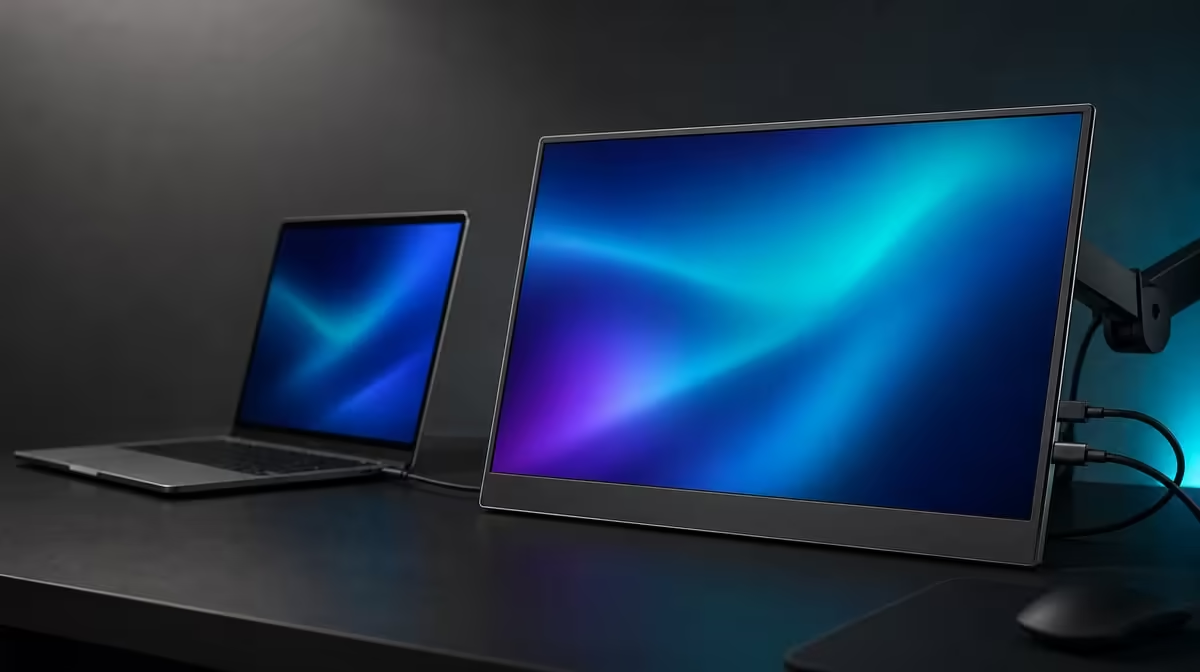
A portable monitor purchase succeeds at the intersection of source, screen, room, and travel. This portable monitor buying guide keeps those four areas together, because resolution or brightness in isolation cannot tell you whether the display will connect, fit, remain readable, or justify space in a bag.
Quick Answer
Choose by confirming source outputs and power first, then match panel size, native resolution, brightness, scaling, mounting, and entertainment features to the actual use. The R5,999 UPERFECT UColor J5 provides a 17.3-inch 3840 x 2160 IPS display with 400cd/m2 brightness, 1000:1 contrast, HDMI, USB-C, VESA, FreeSync, Low Blue Light, and 10ms response.
🔌 Begin with the devices you already own
List each laptop, desktop, console, or mobile source and its proven video outputs. A USB-C socket does not automatically send display video, and a matching cable may support only other functions. HDMI offers a dedicated video route, while the monitor's required power still needs a plan.
Assign one connection path to every source. If USB-C can simplify a particular setup, confirm port and cable capability. If HDMI is the known route, include its power arrangement and physical cable space.
Test the source-display chain in a fixed order: power, selected input, output support, cable, host detection, resolution, and scaling. This method turns a blank screen into a series of answerable checkpoints.
Buyers can compare input combinations through Evetech's portable monitor category before choosing a panel.
🖥️ Match resolution and size to the workload
The J5's native 3840 x 2160 resolution can display fine text and detailed images. A 17.3-inch diagonal gives those pixels a larger physical canvas than smaller portable formats, favouring viewing area over the smallest luggage.
Use scaling to make the 4K desktop readable. Lowering resolution is not the first answer to small menus. Increase system scale and application zoom, then check whether the programmes used every day handle the result correctly.
Measure the bag and desk. Include protection, power, video leads, the source device, and the stand arrangement. A large portable panel is practical when its viewing benefit exceeds the carrying and surface space it demands.
If the screen rarely moves, compare it with options in Evetech's PC monitor range. A fixed display may offer a better physical solution for a permanent desk.
☀️ Interpret picture figures carefully
The 400cd/m2 brightness rating provides headroom for stronger indoor light. It does not make the panel immune to direct sun or reflections. Change angle, shade, or lamp position before pushing the screen to maximum.
A 1000:1 contrast ratio expresses measured separation between bright and dark output. It is not a colour-accuracy statement. Room glare, brightness settings, viewing angle, and content affect the depth you perceive.
IPS identifies the panel technology, but final colour-critical decisions require evidence appropriate to the task. Use known content and keep room lighting stable when adjusting the picture.
Low Blue Light can create a warmer extended-viewing mode. Treat it as one comfort tool beside readable scaling, moderate brightness, viewing distance, posture, reflection control, and breaks.
📐 Value extras through repeated use
VESA support can make a portable screen part of a stable desk. Check the exact pattern, arm load, fasteners, and cable slack. A mount can improve height and free surface area, but it adds a separate compatibility exercise.
FreeSync targets tearing when a compatible graphics source and display work together. The 10ms response time measures another aspect of panel behaviour. Buyers interested in gaming should assess both within their source performance and game settings rather than expecting one feature to transform the other.
The best purchase score puts required connections first, then screen usefulness, room visibility, physical fit, and extras. If a feature cannot be tied to a weekly task, lower its weight.
Evetech's monitor best sellers page offers another current reference. Confirm the J5's R5,999 price and availability when buying, then compare every candidate with the same device and workspace list.
Finish with a setup rehearsal away from the normal desk. Pack the monitor, cables, power, and source, then confirm that the temporary surface supports the 17.3-inch panel and that native 4K remains readable. Portability is proven by the complete routine, not by the product category alone.
Add a failure-recovery check to the rehearsal. Start with no picture and work through the documented order without improvising: power, active input, source support, cable, detection, resolution, and scaling. A portable monitor is easier to trust when the owner knows how to restore it under time pressure.
Run the brightness test in the new room with a white page and dark scene. Adjust the environment before using more luminance. Note the comfortable setting so the next visit does not begin at maximum.
For fixed use, remove the travel assumptions and repeat the score. VESA, stable height, cable routing, and a larger canvas may carry more weight than packing size. The same panel can have two valid roles, but each needs its own setup evidence.
Review the purchase after a week. Count actual second-screen tasks, device switches, mounting benefits, and entertainment use. Features that solve recurring friction validate the R5,999 decision; those left idle should have less influence in the next comparison.
Start the buying sheet with verbs rather than specifications: read, compare, edit, present, play, travel, or mount. Under each verb, describe what the second screen must show and where it will be used. That turns 4K, brightness, size, and connections into answers to a real brief. It also makes it easier to reject an impressive panel that does not fit the user's actual device or space.
Compatibility should be documented for every source separately. A laptop may have more than one physical USB-C port with different capabilities, while HDMI creates a distinct video route and still leaves power to be planned. Record the known-good port and cable instead of relying on connector shape. If several devices will share the screen, include the input and resolution expected from each one and note how often the changeover will happen.
Close the guide with a one-week thought experiment. Imagine carrying the 17.3-inch display, placing it beside the laptop, arranging power, selecting readable scaling, and restoring windows each day. Then imagine it mounted through VESA at a fixed workstation. The UColor J5 can cover both patterns, but the more frequent pattern should control the decision. That keeps portability from being judged only by movement and desk value from being judged only by a permanent installation.
Use a final elimination round instead of awarding points forever. Remove any option with an unproven connection, an impractical footprint, or picture capability that misses the room. Among the survivors, compare the task used most often, then the second-most frequent one. This keeps an occasional entertainment feature from outweighing dependable daily work and turns a broad buying guide into a shortlist a real buyer can act on.
Frequently Asked Questions
Which detail should be checked first?
Confirm that the intended source can output compatible video and that the setup has a suitable power plan.
Why are HDMI and USB-C complementary?
They provide different connection routes, letting buyers match each source rather than rely on one port type.
Is 17.3 inches ideal for daily travel?
It offers more viewing area but requires more bag and surface space. Test the complete carrying routine.
What does 1000:1 contrast describe?
It describes measured bright-to-dark separation under test conditions, not guaranteed colour accuracy.
When does VESA add value?
It matters when a compatible arm improves height or clears desk space in a fixed arrangement.
Ready to buy a portable screen that fits every part of the routine?
Explore Evetech's current monitor options and compare sources, panel size, brightness, mounting, and travel before choosing.