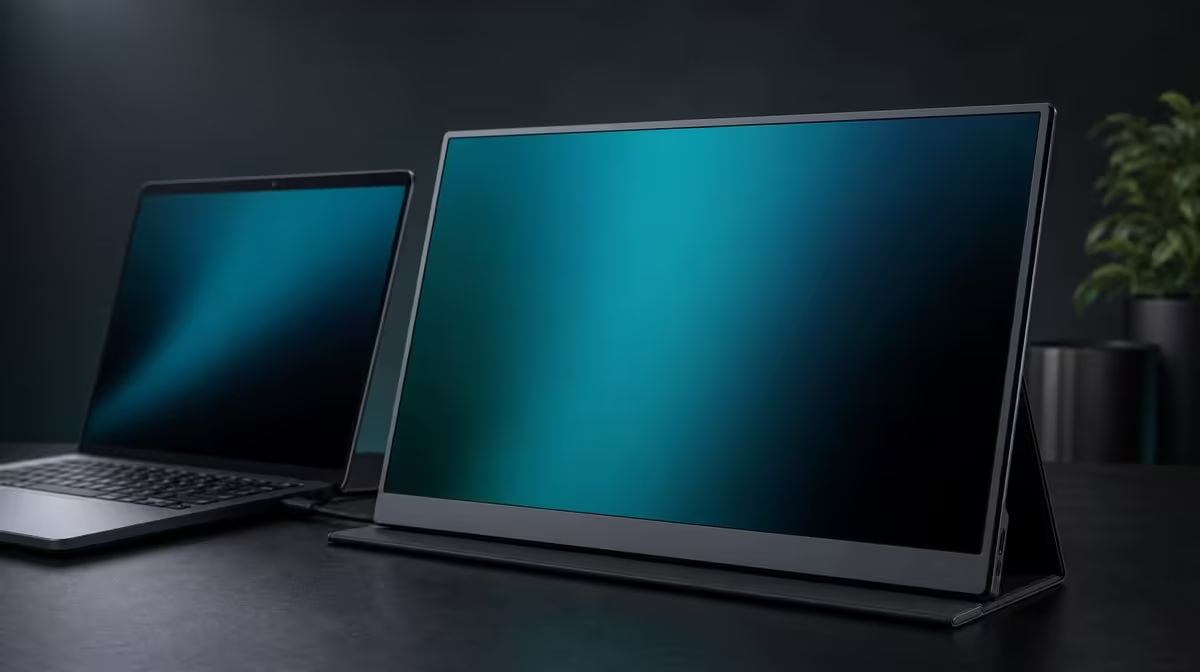
Mounting a screen sold as portable is not a contradiction. VESA mounting a portable monitor gives the panel a stable home position while preserving the option to remove it for travel, provided the mechanical fit and cable movement are verified rather than assumed.
Quick Answer
The R5,999 UPERFECT UColor J5 supports VESA mounting, allowing its 17.3-inch 4K panel to sit on a compatible arm at a repeatable height. Confirm the exact hole pattern, arm load rating, correct fasteners, and cable slack before installation, and support the display throughout attachment.
📐 Decide why the panel needs an arm
A mount can free desk surface, align the portable display with a primary monitor, or hold a stable viewing distance. Define the intended centre, height, and movement before selecting hardware.
Check the arm's path around walls, shelves, laptops, and other screens. Leave room to reach the J5's HDMI and USB-C inputs. A clean visual layout is useful only if the screen remains comfortable and accessible.
Evetech's portable monitor range helps compare current panels for mixed travel and fixed use.
🔩 Match the mechanical details
VESA support does not identify the exact pattern or fastener automatically. Verify the monitor and arm requirements, including load compatibility and screw length. Do not reuse unknown hardware merely because it threads into place.
Prepare a soft, stable surface. Support the panel while fitting the plate and tighten evenly. A fastener that is too long or an arm outside the required load range can create risk that careful checking avoids.
If the monitor will be removed often, assess how the mounting routine works. Portability is preserved only when detachment, packing, and reinstallation remain practical.
🔌 Protect every cable through movement
Connect the planned HDMI or USB-C route and required power before completing cable management. Move the arm through its entire intended range slowly.
Leave enough slack near the panel so ports are not pulled when height or angle changes. Keep excess cable away from joints where it could pinch. Test native 3840 x 2160 output while the connections remain accessible.
Evetech's PC monitor range gives context for fixed-screen mounting if the portable removal option is not necessary.
🪑 Use adjustment to improve viewing
Set a height and distance that avoids neck bending. Use operating-system scaling to make 4K text readable at that position. An arm supplies physical adjustment, not automatic ergonomics.
Angle the 400cd/m2 IPS panel to reduce reflections before increasing brightness. Align it sensibly with neighbouring displays. Check stability while using the desk and reassess the arm if it drifts.
The J5's 1000:1 contrast, FreeSync, Low Blue Light, and 10ms response remain display characteristics rather than mounting facts. A stable position can help the user assess them consistently without altering their meaning.
Evetech's monitor best sellers page provides another current comparison. Confirm the R5,999 price and availability at purchase time.
Finish with a mechanical and signal audit: plate, screws, arm joints, movement limits, cable loops, power, selected input, native resolution, and readable scaling. This is what turns VESA support into a dependable desk solution.
Create an installation record with the mount model, confirmed pattern, load match, fasteners, cable routes, and safe movement limits. Keep it with the monitor setup so later removal or reinstallation does not rely on memory.
Test the arm at the farthest intended positions while watching every lead. A cable that looks loose at the centre can become tight at maximum extension. Adjust the service loop before securing the final clips.
After a week, inspect the normal screen height and whether the arm has drifted. If the panel slowly lowers, reassess the compatible arm adjustment rather than changing viewing posture around it.
For travel, keep the mount hardware separate from the protected screen. Rehearse detachment, packing, and return to the marked desk position. The mixed-use role works only when the portable routine remains convenient.
VESA value should be measured by reclaimed desk space, improved viewing position, and repeatable setup. Those results can strengthen the R5,999 case without claiming that mounting changes picture quality.
Begin with a paper installation plan. Mark the desired screen centre, viewing distance, laptop position, and the range through which the arm must move. Then identify the arm location and check that the desk or mounting surface can accept the chosen hardware. This prevents a mechanically compatible mount from placing the 17.3-inch panel in a position that is awkward to view or blocks another device.
Mechanical confirmation comes before assembly. Match the J5's exact VESA pattern to the mount, verify that the arm supports the relevant load, and use fasteners of the correct type and length. A screw that is too long can create risk even when the threads fit. Support the display during attachment rather than letting the first partly tightened fastener carry it.
Cables should follow the arm's widest normal movement. Connect HDMI or the confirmed video-capable USB-C route, provide the required power, and leave enough slack at each connector without creating loose loops that can catch. Move the arm slowly through height, tilt, and reach while watching every bend. Re-route before regular use if a plug takes strain or a lead becomes taut.
Once mounted, tune the viewing position through normal work rather than appearance alone. Check whether text remains readable without leaning, whether the laptop and portable monitor align comfortably, and whether reflections change as the panel moves. Reinspect fasteners and cable paths after several sessions. VESA support adds value when it produces a stable, repeatable desk, not merely a cleaner photograph.
Plan for both mounted and portable states if the screen will move. Choose a repeatable disconnect point, support the panel during removal, and store the correct fasteners where they cannot be confused with other hardware. Before travel, inspect the VESA area and connectors rather than leaving the arm to hold the screen while cables are pulled. On return, rebuild the mount using the verified sequence and recheck the arm movement.
A laptop companion also needs visual alignment. Place the frequently read screen nearest the natural line of sight and use the arm to reduce large differences in height or distance. If both panels are used equally, centre the gap and check whether turning between them remains comfortable. There is no universal position; the repeated task and seating arrangement should decide it.
After the desk settles, look for new friction. Does the arm block a laptop lid, occupy the needed reach of another device, or place a connector against a wall? Does the cable slack remain safe at every chosen angle? Correcting these details is what converts VESA support from a compatibility checkbox into a practical improvement.
Frequently Asked Questions
Why mount a portable display?
An arm can improve height, align screens, and free desk space while the panel remains removable for planned travel.
Can mounting screws be too long?
Yes. Use fasteners matched to the exact monitor and arm requirements.
How should cables be routed?
Leave controlled slack through the arm's full movement without letting leads pull, pinch, or catch.
Does an arm guarantee better posture?
No. The user must still choose a suitable height, distance, angle, and text scaling.
Is VESA useful in a small studio?
It can reclaim surface space if the compatible arm and its movement fit the room.
Ready to give a portable panel a stable home position?
Explore Evetech's monitor options and confirm VESA, arm, fastener, and cable compatibility before clearing the desk.