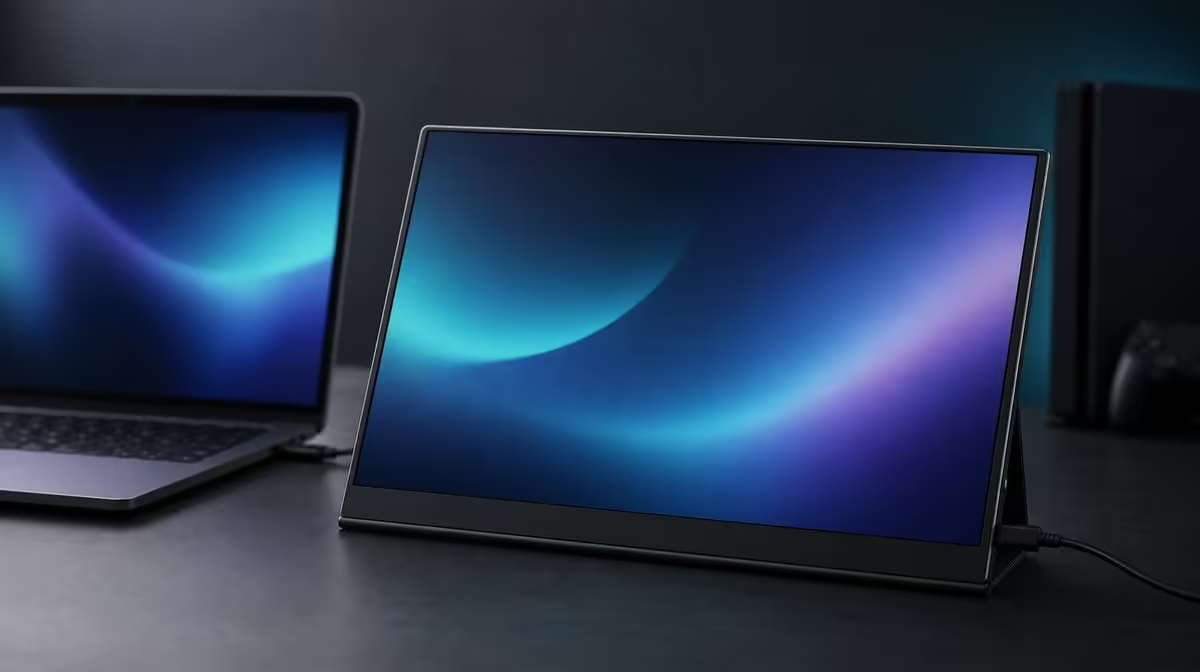
A portable 4K screen is a system made from pixels, panel size, room light, source outputs, power, support, and workload. This complete guide to 4K portable monitors uses the UPERFECT UColor J5 to show how those parts should be evaluated together rather than praised one specification at a time.
Quick Answer
Choose a 4K portable monitor by confirming native 3840 x 2160 output, readable scaling, sufficient indoor brightness, source and cable compatibility, physical fit, and useful mounting or entertainment features. At R5,999, the 17.3-inch UColor J5 combines an IPS panel with 400cd/m2 output and 1000:1 contrast. HDMI, USB-C, VESA support, a 10ms response figure, FreeSync, and Low Blue Light complete the package.
🖥️ Begin with resolution, size, and scaling
Native 4K means 3840 x 2160 pixels. Confirm that the source detects and outputs this resolution before judging sharpness. A different signal can make fine edges look softer and prevent the panel from showing its intended detail.
The 17.3-inch format provides more physical viewing area than smaller portable screens, making room for detailed documents, images, timelines, and entertainment. That area also requires more desk and bag space. Measure both environments with protection, power, and cables included.
Scaling controls how large interface elements appear. Increase operating-system scale and application zoom until text is readable from a comfortable distance. Dropping resolution should not be the first response to tiny menus.
Evetech's portable monitor collection gives buyers current combinations of diagonal size and resolution to compare.
☀️ Interpret IPS, brightness, and contrast
IPS identifies the panel technology. It does not by itself prove a specific colour standard. Any colour-critical conclusion needs evidence appropriate to the work.
The 400cd/m2 rating provides useful output headroom in bright indoor spaces. Reflections and direct light can still overwhelm the image, so change angle, lighting, or shade before using maximum brightness as the solution.
The 1000:1 contrast figure describes measured bright-to-dark separation under test conditions. Room glare, chosen luminance, content, and viewing angle change the depth perceived by the user. It is not a colour-accuracy measurement.
Low Blue Light offers a warmer extended-reading mode. Combine it with suitable brightness, scaling, distance, posture, glare control, and breaks. Use the normal picture reference for colour-dependent tasks.
🔌 Prove the connection and power plan
HDMI provides a dedicated video route from compatible sources. USB-C display video depends on the exact host port and cable. A familiar plug does not guarantee that a picture can be sent.
Plan monitor power separately until the complete one-cable capability is confirmed. If a USB-C connection produces no image, work through power, selected input, source-port support, cable function, host detection, resolution, and scaling.
Both inputs improve flexibility when they map to devices the buyer actually uses. Document a working path for each laptop, desktop, console, or mobile source. Evetech's PC monitor category provides context for fixed displays and other input combinations.
🎮 Place mounting and gaming features correctly
VESA support can turn a portable panel into a stable home-office or entertainment screen. Confirm pattern, load rating, fasteners, and cable slack before choosing an arm. The mount can free surface space, but the panel still occupies 17.3 inches in the travel pack.
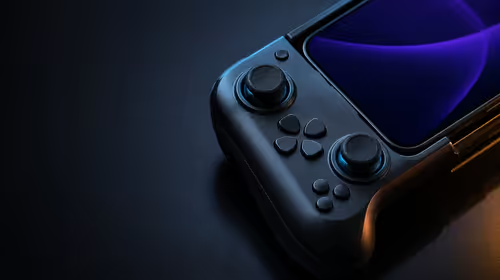
FreeSync can reduce tearing on a compatible graphics path. The 10ms response figure describes how quickly pixels change, so the two should not be conflated. Rendering games at native 4K may also increase source workload.
Evetech's best-selling monitor options provide another live comparison. Recheck the R5,999 figure and present availability when you are ready to purchase.
The final evaluation should reproduce one work task, one entertainment scene, one device connection, and the intended pack or mount routine. A complete guide ends with evidence that the screen fits the owner's system, not simply a list of features.
Create a one-page configuration record after the evaluation. Include the source, selected input, power plan, cable, native resolution, scale, room brightness level, physical support, and the app or game used for validation.
For a second device, copy the structure but not the conclusions. The USB-C route, output setting, or game behaviour may differ. Separate records prevent a working first profile from being lost during experiments.
Run a failure drill before an important trip. Disconnect everything, rebuild the portable setup from the record, and solve one deliberately changed input selection. This proves that the owner can recover the monitor without random cable swaps.
Review the feature ranking after real use. If VESA becomes central at home, its value rises. If FreeSync is never used, it should not carry the purchase argument. The same R5,999 package can justify itself through different combinations for different owners.
The complete decision ends when compatibility, readable 4K, room visibility, physical fit, and one repeated task all pass. Optional features then strengthen an already functioning screen instead of distracting from a missing foundation.
Create a complete source map before buying. List every laptop, desktop, console, or compatible mobile device expected to use the monitor, then confirm its video output and the cable needed. HDMI is a clear video route when present; USB-C must support video at the exact source port, and the chosen cable must carry it. Plan power separately rather than assuming the video connector will solve every part of the setup.
Next, model the workspace at full size. Mark out the 17.3-inch panel beside the laptop, leave room for the stand or a compatible VESA arrangement, and trace cable paths that do not pull when the screen moves. Repeat the measurement inside the intended bag if travel matters. Portability is successful when the complete kit can be carried, placed, powered, and reconnected without turning each move into a project.
Picture settings should begin with native 3840 x 2160 and readable system scaling. Set brightness for the room instead of defaulting to the 400cd/m2 maximum, and interpret the 1000:1 contrast ratio as one panel figure rather than a guarantee against glare. Low Blue Light can be reserved for long reading periods, while ordinary colour should be restored for tasks where a warmer presentation is unhelpful.
Gaming and entertainment add another checklist. Confirm the source can deliver the chosen 4K workload, enable FreeSync only on a compatible path, and judge tearing separately from the 10ms response characteristic. The J5 is a versatile R5,999 screen when those capabilities support several real activities. A buyer focused on one narrow requirement should still compare alternatives that prioritise that requirement more directly.
Finish with a two-location rehearsal. Build the screen at its usual desk, save the preferred scaling and application arrangement, then pack the complete kit and recreate it at the second location. Record any missing lead, cramped surface, reflection, or setting that does not return. This test joins every buying dimension - panel, connection, power, physical size, and daily effort - into one result. If the 17.3-inch J5 restores a useful workspace quickly in both places, its "portable" description has practical meaning for that owner.
Frequently Asked Questions
What defines 4K here?
The J5 uses a native resolution of 3840 x 2160 pixels.
Who benefits most from the extra detail?
Users who regularly work with fine text, detailed images, dense interfaces, or suitable high-resolution entertainment gain more.
What does 400cd/m2 add?
It provides brightness headroom for stronger indoor light, while glare and comfort still need management.
Why provide HDMI and USB-C?
They offer different source routes, subject to the exact output, cable, and power capabilities.
What does FreeSync contribute?
It can reduce tearing when the source, connection, game, and monitor support the compatible path.
Ready to evaluate portable 4K as a complete setup?
Compare Evetech's current monitors by source, pixels, brightness, size, mounting, and gaming behaviour before choosing.