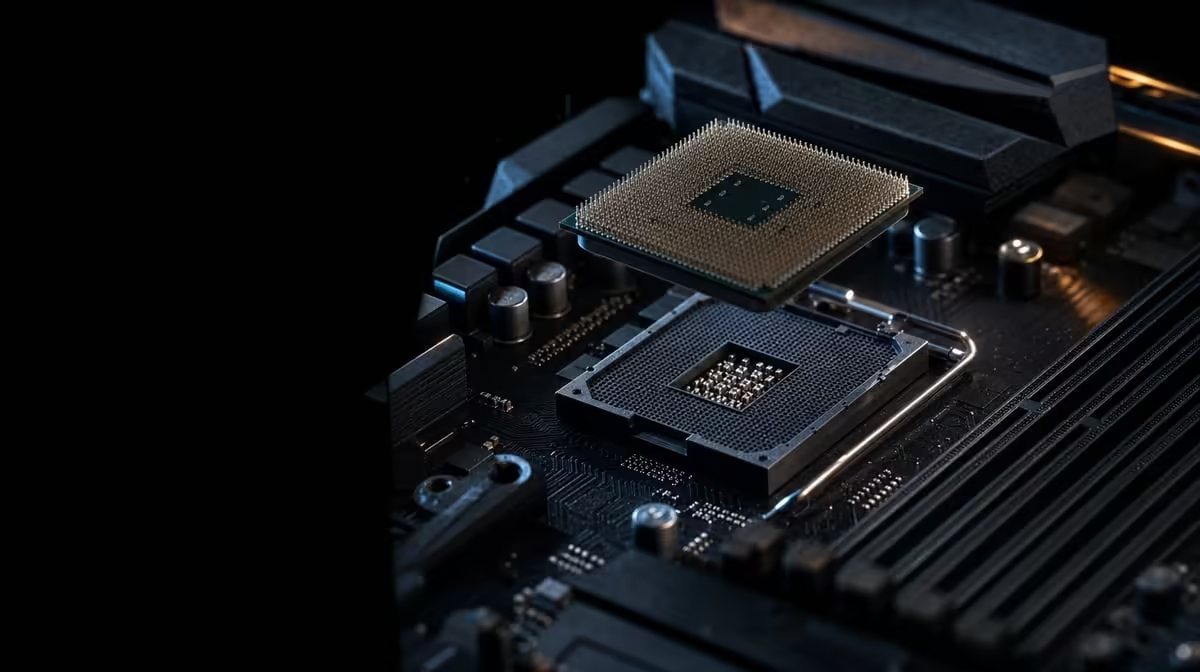
A strong AM4 processor can be a satisfying final upgrade for an older gaming system, provided the preparation is done before the socket is opened. Upgrade to a Ryzen 7 5800X3D on AM4 by proving exact motherboard support, arranging cooling and keeping discrete graphics ready. The R7,199 CPU offers eight Zen 3 cores, 16 threads and 100MB cache, but the shared socket name is only the beginning of compatibility.
Quick Answer
First confirm that the exact motherboard model supports the Ryzen 7 5800X3D and identify the required BIOS release. Update firmware while the old processor is still available if necessary, then prepare an AM4 cooler for the 105W CPU and retain a discrete GPU for display output. The processor costs R7,199 and does not include cooling.
🧾 Audit the present AM4 machine
Record what is in the PC before ordering anything. The motherboard's full model and revision, current BIOS version, memory arrangement, cooler model, graphics card, power supply and case clearances all influence the work ahead. A photograph of cable positions and a note of stable firmware settings can make recovery much easier if the first startup behaves differently.
Next, use the board maker's processor support list. The words AM4 on the product page describe the socket, but do not show whether a particular board has the firmware needed to recognise every AM4 CPU. The support entry should name the Ryzen 7 5800X3D and associate it with a BIOS version. Check the instructions for that exact model and revision rather than borrowing a procedure from a board with a similar name.
If the machine needs a firmware update, the safest sequence is usually to prepare while the current CPU can still boot. Read the documented update method, return unstable manual tuning to a known state where appropriate, and confirm that the update completed successfully before dismantling the cooler. Do not assume the new processor can be used to perform the very update required for the board to recognise it.
The AMD processor category provides a useful reference when checking that the intended model and AM4 route are the right purchase.
🧊 Prepare cooling and graphics before the swap
The Ryzen 7 5800X3D carries a 105W rating and does not come with a CPU cooler. Select a unit with AM4 mounting and capability appropriate to the processor, then check more than the socket bracket. Tower height, radiator positions, memory clearance, motherboard access, panel clearance and case airflow can decide whether a technically compatible cooler is practical.
An existing cooler can remain useful, but age and socket family do not prove suitability. Confirm the exact model, mounting hardware and condition. Clean the contact surfaces properly, use an appropriate application of thermal material, and follow the cooler maker's mounting sequence. Even pressure and secure fan or pump connections matter more than attempting to force the hardware tighter.
Evetech's CPU cooling range can help frame the available formats once AM4 support and case dimensions are known.
The processor cannot produce display output without a discrete graphics card. Keep the GPU fitted, attach its power leads and connect the monitor to the card. Motherboard video ports may be physically present, but they do not provide an image with this CPU. A no-display first boot should therefore prompt checks of the GPU path, firmware support, memory seating and power connections rather than an immediate conclusion that the new processor is defective.
🔧 Carry out the hardware change methodically
Shut down the system, disconnect external power and give the hardware time to cool. Work in a clean, stable area. When removing the existing cooler, release it gently rather than pulling sharply against the socket. Handle the AM4 processor by its edges and protect exposed pins from contact or pressure.
Inspect the socket area before placing the replacement. The CPU should align with the orientation markers and settle into position without force. Lock it in the socket, install the prepared cooling solution and connect the required fan or pump headers. Recheck memory and graphics seating if they were disturbed during access.
Keep the first startup simple. Use one known display connection, wait through any longer memory or firmware initialisation, and enter the BIOS when an image appears. Confirm that the CPU is identified correctly and that the installed memory is present. Start with stable settings rather than immediately restoring every old tuning value.
Once the operating system loads, observe idle behaviour and then apply a controlled workload while monitoring temperatures. AMD lists 3.5GHz as the base frequency and 4.5GHz as the upper boost limit. That peak wording does not mean every core should remain at 4.5GHz under sustained work. Temperature, active cores, power and firmware policy shape the observed result.
🎮 Validate the upgrade against the original goal
The processor's 100MB cache can help games that repeatedly reuse data, while eight cores and 16 threads provide a broader pool for game work and concurrent tasks. Neither feature removes a graphics limit. Test the same game version, scene, settings and resolution used to establish the old result, then compare averages and frame consistency.
If performance barely changes, check the constraint before changing random settings. A heavily loaded GPU, frame-rate cap, different graphics preset, background activity or altered memory configuration can mask a successful CPU installation. Change one variable, repeat the test and record the result. This is faster than applying several speculative fixes and losing track of cause.
Price the outcome honestly. R7,199 covers the processor; a separate cooler and discrete graphics remain required. Reusing the motherboard and memory can make the AM4 path economical, but only if the board support is documented and those parts still serve the intended build. Evetech's complete processor selection is useful for comparing that total with other CPU paths.
Keep the old processor protected until the new configuration has completed stability and gaming checks. It can provide a valuable troubleshooting route if firmware or hardware needs to be revisited. After validation, store the support notes, BIOS version and baseline test results with the system records for the next maintenance session.
That final record also makes later fault-finding more disciplined. It distinguishes the known-good post-upgrade configuration from changes made months afterwards, so the builder can return to a tested baseline instead of reconstructing it from memory.
Frequently Asked Questions
Does an AM4 socket alone confirm 5800X3D compatibility?
The socket alone cannot confirm support. The motherboard's exact model and revision must have a documented processor entry, and the required BIOS must be installed.
When should the BIOS be updated during the upgrade?
Complete any required update before removing the old processor, while the PC can still start with its known configuration. Follow the exact motherboard maker's instructions and confirm the new version afterwards.
Can the old CPU cooler always be reused?
Reuse depends on the exact unit. Verify its AM4 mounting hardware, cooling capability, physical clearances and condition because the 105W 5800X3D includes no replacement cooler.
What must be installed for display output after the swap?
A discrete graphics card must be present, powered and connected to the monitor. This CPU does not make the motherboard display sockets active.
Which existing memory can remain in an AM4 build?
Memory that is already working with the supported motherboard may remain part of the platform, subject to the board's configuration requirements. Confirm detection and stable operation again after the CPU change.
What should be recorded before changing hardware?
Note the full motherboard identity, BIOS version, memory arrangement, stable settings and cable positions. Preserve the old processor until the upgraded PC has passed temperature, stability and gaming tests.
Ready to turn a supported AM4 board into a carefully planned upgrade?
Explore Evetech's Ryzen processors and compatible cooling options, then complete the firmware, graphics and fit checks around the R7,199 CPU.