An accidental double letter and a press that never appears are opposite symptoms, but both demand controlled diagnosis. Fixing key chatter and missed mechanical keystrokes means proving where the fault follows before cleaning, changing software or handling a replaceable switch.
Quick Answer
Confirm the affected key in a neutral input viewer, first with the normal profile and then with software customisation disabled. Clean loose debris externally, test the supported connection and change only one component at a time; a hot-swap switch can isolate a key fault, while broader failures point toward the connection, configuration or professional service.
🔎 Describe the failure precisely
Key chatter produces more registrations than the user intended, such as two letters from one deliberate press. A missed keystroke does the reverse: the key travels, yet no input appears.
Open a simple input viewer or safe text document and repeat the same press slowly. Record how often it repeats, disappears or remains held after release.
Test taps, longer holds and normal typing pressure. A symptom that appears only at one angle can guide inspection more effectively than rapidly striking the key.
Check adjacent positions and a few distant controls. One isolated key suggests a local mechanism or socket, whereas failures scattered across the board make the connection and software stronger suspects.
Save the keyboard's active map before resetting anything. This prevents a layer, macro or unusual repeat setting from being mistaken for a physical defect.
Compare layouts and support paths in Evetech's Logitech gaming-keyboard range after the symptom is reproducible.
🧹 Clean and simplify first
Disconnect the keyboard and remove loose surface debris using care methods appropriate to the board. Avoid pouring liquid into the switch area or forcing a cap away with an unsuitable tool.
Reconnect through the supported cable or wireless path and temporarily bypass an uncertain hub. If many keys begin working normally, the route deserves further attention before individual switches are disturbed.
Disable optional profiles, remaps and macros for one test. Also check the operating system's repeat behaviour, because an aggressive repeat setting can exaggerate a held press without creating true switch chatter.
Return each unsuccessful change to its original state. A written sequence keeps several plausible causes from becoming one confusing bundle.
Note whether the symptom changes after the keyboard warms during ordinary use. An intermittent problem needs several short trials across the day, not one clean minute that erases the evidence.
Check accessibility and text-input settings before concluding that the mechanism is faulty. Filter behaviour, key repeat and language tools can alter how presses appear in some applications while a neutral viewer remains normal.
Use Evetech's broader gaming-keyboard category when repair evidence points toward replacement rather than routine care.
🧰 Isolate a replaceable part
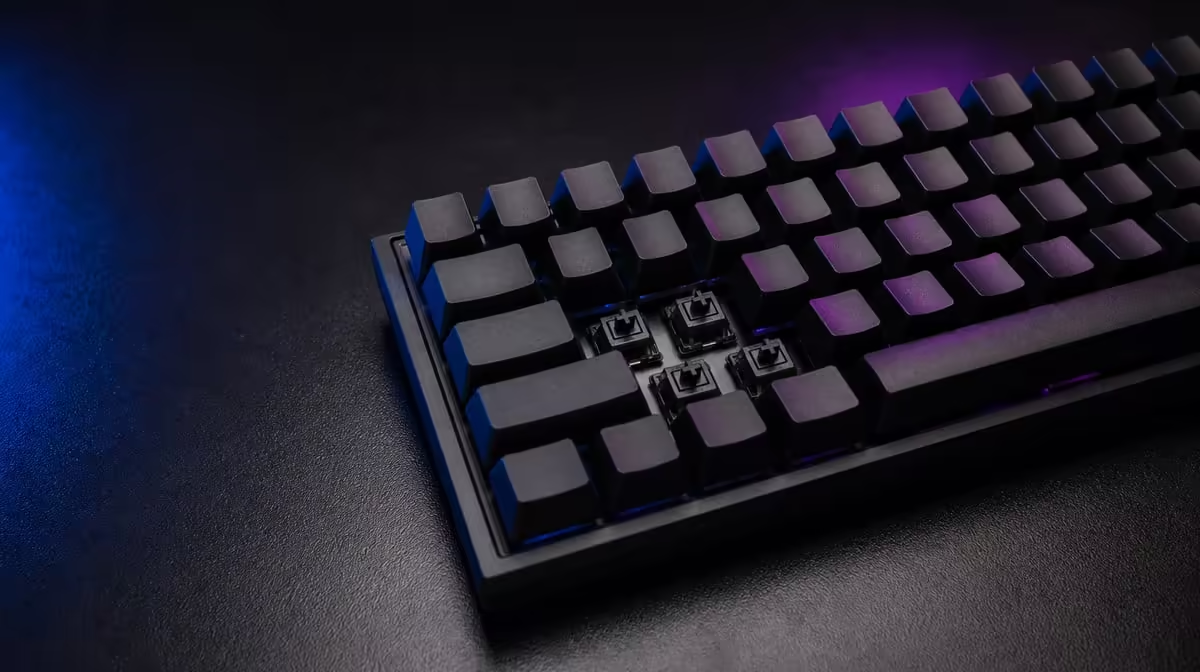
On a compatible hot-swap board, power down and follow the maker's removal guidance. Inspect the switch pins for bends and the socket area for visible damage before inserting a known-good compatible switch.
If the fault moves with the original switch, that mechanism becomes the leading cause. If it stays at the same keyboard position, repeated removal may worsen a socket problem, so stop and seek suitable help.
Do not open a soldered board merely because a video makes the job look simple. Warranty conditions, hidden damage and electrical safety all matter.
After a successful switch change, repeat the original typing sequence at normal pressure and keep the result for several sessions. One clean check cannot prove that an intermittent chatter fault has disappeared.
When a replacement becomes appropriate, consult Evetech's accessory best-seller page and reassess availability against the diagnosed need.
Frequently Asked Questions
How can chatter be confirmed outside the affected game?
Type deliberate single presses into a neutral viewer and count registrations. Repeats there show the behaviour is not confined to one game's bindings.
What should be cleaned before replacing a switch?
Remove loose debris around the cap and switch externally with the board disconnected. Use only care steps suited to that keyboard.
How can a hot-swap board simplify diagnosis?
A compatible known-good switch can show whether the fault follows the mechanism or remains at the socket position.
Why should software profiles be disabled temporarily?
A remap, macro, layer or repeat behaviour can imitate physical input trouble and needs to be removed from the baseline.
Can a connection problem cause missed presses on many keys?
Yes. An unstable cable, wireless path or hub can affect reports across the keyboard rather than one switch.
What should be inspected on a replacement switch?
Check compatibility, straight pins and clean alignment before insertion. Never force a switch that does not seat correctly.
When does the keyboard need professional service?
Seek service for visible socket damage, liquid exposure, a persistent board-wide fault or a soldered repair beyond the user's skill.
Need a dependable keyboard after the diagnosis?
Compare Evetech gaming keyboards once the failing stage is clear, using layout, service access and reliable input as the deciding gates.