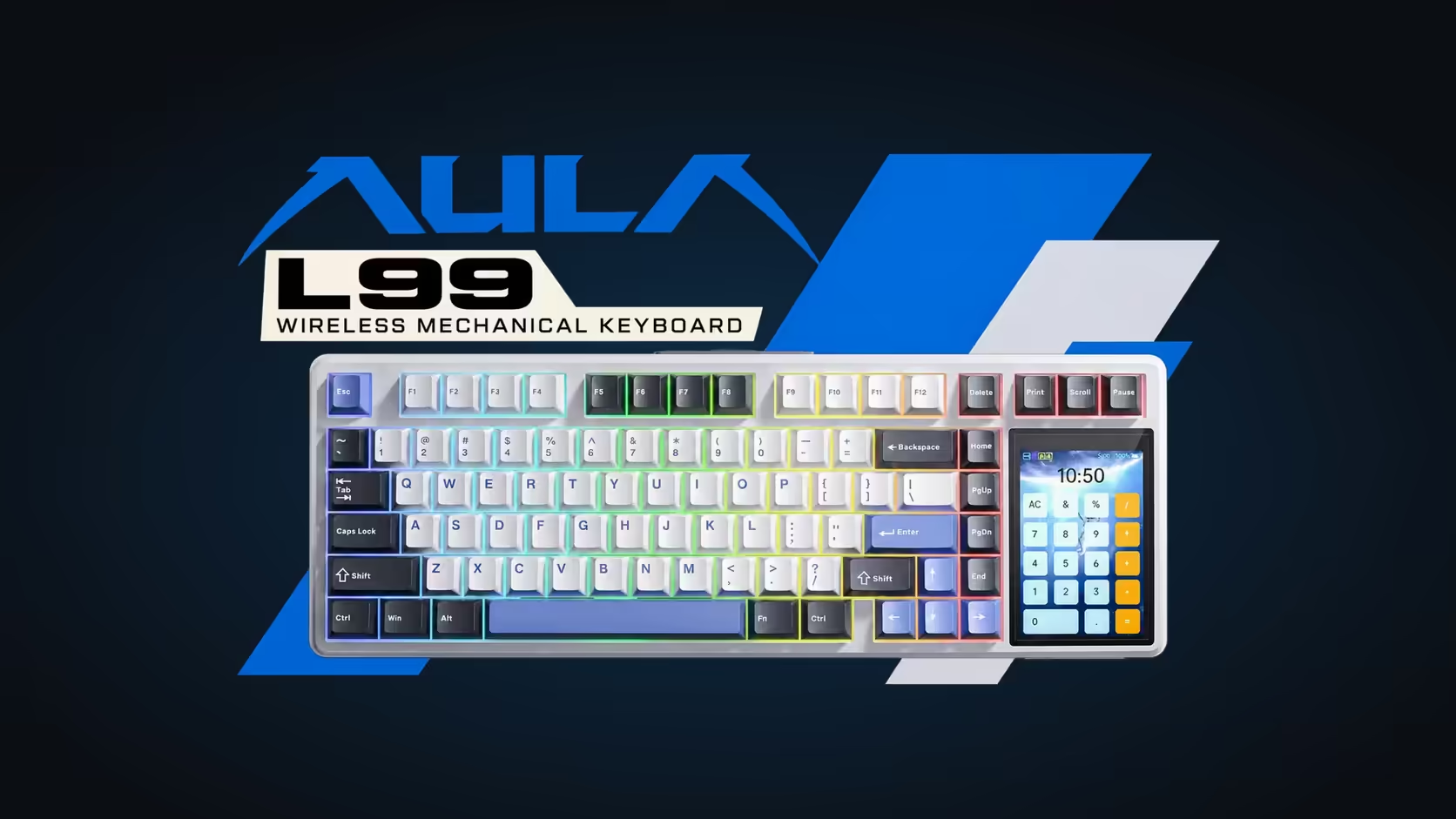
A screen on a keyboard sounds like a gimmick until you notice how often you glance at a battery icon, fumble for a calculator or wonder which device the board is connected to. AULA builds a screen into four of its keyboards, and each one is doing a different job. Comparing a keyboard with a screen across the range shows which of those jobs actually matters to you.
Quick Answer
Four AULA keyboards carry a screen of some kind (the F99 Max at R799, S102 PRO at R299, L99 at R1,099 and F87 Pro V2 at R899, all Evetech prices), and each uses it differently. The L99's 3.98-inch touchscreen runs settings, lighting and utilities such as a calculator. The F87 Pro V2's LED display shows live audio. The F99 Max screen shows the time, battery or your own GIF, and the S102 PRO screen shows its connection and battery level.
🖐️ L99: a touchscreen that does real work
The L99 has the most capable screen of the four: a 3.98-inch touchscreen built into the right side of a 75% board. It is not just for show. From the screen you can:
- Adjust settings and choose from 20 lighting modes without opening software.
- Use it as a numpad or a calculator.
- Simulate mouse functions.
- Play your own GIF or JPG animations.
It also shows the battery level of the 8000mAh cell, which is handy on a tri-mode board you might use wirelessly all week. For work, the calculator and numpad are the standout features, especially since the 75% layout has no physical number pad.
🎵 F87 Pro V2: a light show that listens
Rather than a full screen, the F87 Pro V2 has a grid of 49 LEDs. Its headline trick is a spectrum graph that bounces along to whatever is playing, and it can also show custom GIF animations set up in AULA's software. Because it is made of individual LEDs, it is closer to a lighting feature than a screen for reading information, and it works alongside the board's 360-degree light zone.
⏰ F99 Max: time, battery or a GIF
Right in the middle of the 96% F99 Max sit a small TFT panel and a dial. The screen can show the time, the battery level or a custom GIF, and the knob controls volume by default, or the RGB backlight when you hold Fn.
Turning it off
Pressing Fn + Backspace switches the screen off. AULA suggests that switching off the screen or lowering the backlight stretches the 8000mAh battery further, so if you run the F99 Max wirelessly for long spells, turning the screen off is a sensible habit.
💼 S102 PRO: the practical status screen
On the office-focused S102 PRO, a small TFT panel is the most down-to-earth of the four. It shows connection status and battery percentage. On a board that switches between a 2.4GHz receiver, two Bluetooth devices and a cable, knowing which one is active at a glance saves real time.
Which screen helps most at work?
For number work, the L99's calculator and numpad win. For a busy desk with several devices, the S102 PRO's status readout is the most practical. For your own images, both the L99 and F99 Max play GIFs, the L99 also accepts JPGs, and the F87 Pro V2 shows custom GIFs on its LED grid.
All four screen boards carry a 1 Year Local Warranty at Evetech, which is shorter than the two years given to the magnetic WIN68, HERO and AG75 boards. See the full range in Evetech's gaming keyboards section, and for the three hot-swap screen boards, spares are in the keyboard switch range.
Frequently Asked Questions
What can the L99 touchscreen do beyond lighting?
Settings, a numpad, a calculator, mouse simulation and your own GIF or JPG animations.
Is the F87 Pro V2 display a full screen?
No. It is a grid of 49 LEDs, used for a moving audio graph or simple custom animations.
Does turning off the F99 Max screen save battery?
Yes. AULA suggests switching the screen off with Fn + Backspace, or lowering the backlight, to stretch the battery.
Which screen is most useful for office work?
The L99's calculator and numpad for figures, or the S102 PRO's status screen for switching devices.
Which screens play my own images?
The L99 plays GIFs and JPGs, the F99 Max shows a custom GIF, and the F87 Pro V2 shows custom GIFs on its LED display.
Are the screen keyboards covered as long as the magnetic boards?
No. The screen boards carry one year; the magnetic boards carry two.
Want a keyboard that shows you more?
Browse the keyboards at Evetech and compare touchscreens, status screens and LED displays across the range.