



1000W PSU Planning for RTX 5090 Builds in SA
1000W for RTX 5090 needs a full-build check, not a simple yes. Review GPU guidance, CPU draw, transient load, connectors, PSU quality, and upgrade plans before deciding.
Read moreHD vibration can deliver more varied and detailed feedback than a basic standard-rumble effect when games and controller hardware support it. The R699 GameSir X5s includes HD Vibration, adding a more expressive feedback feature to its wireless mobile control package.
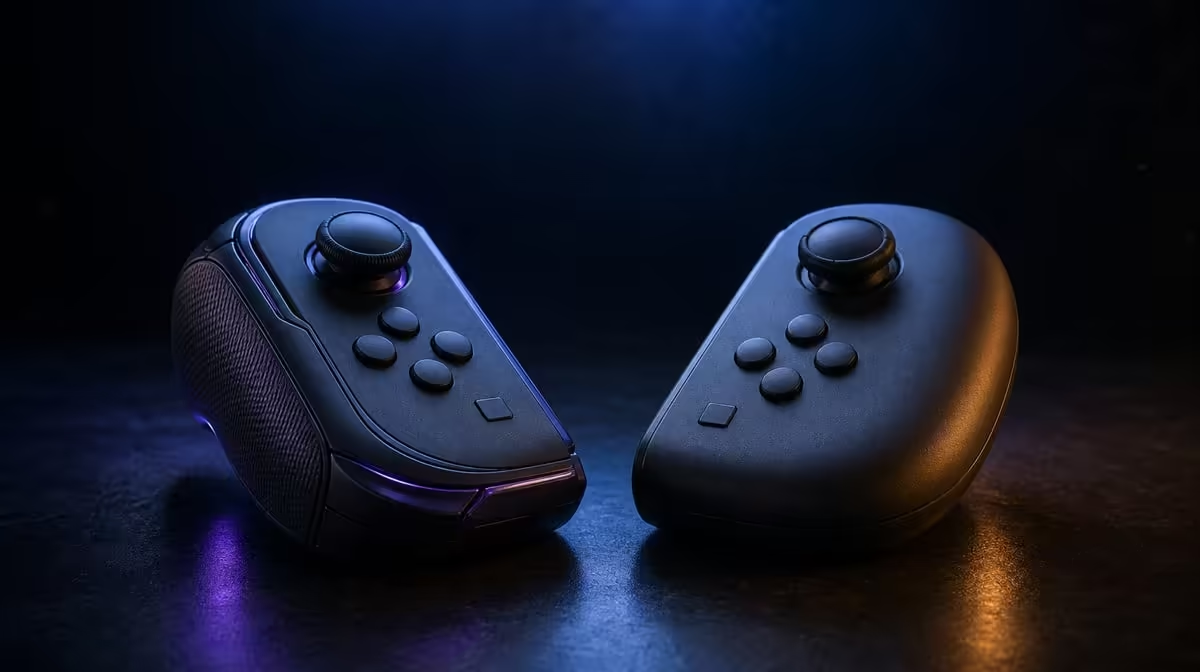
Good vibration should communicate, not merely shake harder. HD vibration vs standard rumble is a difference in the range and detail of feedback that compatible hardware and games can produce. The R699 GameSir X5s includes HD Vibration, giving its mobile control package a more expressive physical channel alongside sticks, triggers and gyro.
HD vibration can reproduce more varied feedback than a basic rumble effect when the game supports detailed cues. Standard rumble often feels broader and less differentiated. The GameSir X5s costs R699 and includes HD Vibration, but the title and its settings still determine what you feel.
A simple rumble can signal a hit, collision or other event with a broad vibration. HD feedback aims for greater variation, allowing one effect to feel different from another when the game sends that detail. The distinction is about expression and control, not a promise that every vibration will be stronger.
The X5s provides the hardware feature, while the game decides which events produce feedback. If two titles feel completely different, that does not automatically mean the controller changed behaviour. Their vibration design and intensity settings may differ.
You can test the distinction without guessing at the motor. Choose a familiar scene containing two clearly different events, such as movement and an impact. Repeat both at one fixed intensity. If the sensations remain distinguishable, the feedback is carrying information; if they blur together, the game setting may be too strong for useful detail.
Players comparing feedback options can browse gaming controllers at Evetech. Look at vibration together with platform support, connections and control hardware rather than selecting by feedback language alone.
In an adventure or racing game, distinct vibration can add physical context to impacts, surfaces or events. In a precision-focused session, too much movement may interfere with fine aim or fatigue your hands. The useful setting is the one that communicates without obscuring input.
Start at a moderate level where the game offers adjustment. Play a familiar scene and notice whether different events remain distinguishable. If every cue feels equally dominant, reduce intensity. If feedback disappears beneath normal play, raise it carefully rather than jumping straight to the maximum.
Comfort should be part of the evaluation. Play long enough to notice whether the effect adds context or becomes tiring, but do not change several controls during the comparison. A setting that feels exciting for thirty seconds may be distracting over a full session. Another player may prefer stronger cues, so there is no universal intensity that proves the feature is working well.
The X5s also carries 6-axis gyro. Because both vibration and gyro involve physical movement, a strong effect can disturb a tiny motion correction. Test them together before a competitive session and decide which deserves priority for that game.
Analog stick aiming can be affected too, especially while making a delicate correction. If a certain event repeatedly knocks aim off line, lower feedback for that title rather than discarding HD Vibration everywhere. Different profiles can preserve expressive effects in relaxed games and quieter control where precision matters.
Wireless vibration uses controller energy, so intensity belongs in the wider comfort and runtime decision even though no specific runtime should be assumed. If you value a lighter physical feel or quieter input, a restrained setting may suit you better. Others may prefer more prominent cues in relaxed play.
Software customisation and in-game options should be approached as separate layers. First learn what the title exposes, then apply any supported controller setting. Keep one known profile so that a changed effect can be traced back without resetting button mappings, gyro and Turbo at the same time.
At R699, the X5s combines HD Vibration with Hall Effect sticks, analog triggers, tri-mode connectivity and customisation features. Browse Evetech gaming accessories to consider the rest of the control setup, and use the popular accessories page for another view of what buyers pair with their gaming spaces.
No. The game must provide suitable feedback, and its settings shape intensity. The controller feature enables the channel but cannot create effects the title does not send.
No. Strong feedback may be enjoyable in one genre and distracting during precise aiming. Choose a level that preserves useful cues without fighting your control.
Evetech prices the GameSir X5s at R699, with HD Vibration forming part of the controller's wider Hall-stick and gyro feature set.
Ready to feel more information without losing control? Compare Evetech gaming controllers and choose the feedback, input and connection mix that suits your favourite mobile sessions.
No. The game must provide suitable feedback, and its settings shape intensity. The controller feature enables the channel but cannot create effects the title does not send.
No. Strong feedback may be enjoyable in one genre and distracting during precise aiming. Choose a level that preserves useful cues without fighting your control.
Evetech prices the GameSir X5s at R699, with HD Vibration forming part of the controller's wider Hall-stick and gyro feature set.
1000W for RTX 5090 needs a full-build check, not a simple yes. Review GPU guidance, CPU draw, transient load, connectors, PSU quality, and upgrade plans before deciding.
Read more
RTX 5080 Super with a 750W PSU is more comfortable than lower wattage if the unit is quality. SA builders should still confirm GPU guidance, CPU draw, connector type, airflow, and upgrade room.
Read more
How to fix FPS drops after a RX 9070 XT starts with driver cleanup, chipset updates, thermals, and power checks. For SA gaming PCs, confirm PCIe seating, monitor refresh, frame caps, and per-game graphics settings before replacing parts.
Read more
How to fix low FPS Windows 11 Wi-Fi 7 issues starts by checking whether the problem is frame rate or network lag. Test ping, drivers, power settings, Ethernet, and game FPS before adjusting visuals.
Read more
AM5 is smart for SA builders because it supports newer Ryzen CPUs, DDR5 memory, and a longer upgrade path. Compare board cost, cooling, gaming needs, and local part availability before choosing your next PC platform.
Read more
AM5 gives Randburg gaming builders a longer upgrade path. For SA buyers, DDR5 support, newer board features, and future CPU options can justify the platform. Weigh board cost, cooler support, BIOS maturity, and upgrade timing before choosing.
Read more
RTX 5090 on a 550W PSU leaves almost no practical room for OC plans. Treat the setup as constrained, with CPU draw, power spikes, cable quality, thermals, and stability checks more important than chasing extra clocks.

FPS drops on a Ryzen 9 9950X3D build often have a fixable cause. Check settings, drivers, thermals, background tasks, network conditions, and bottlenecks before assuming a part must be replaced.

The difference between PCIe 5.0 and PCIe 4.0 for SA gamers is mostly bandwidth headroom. Compare GPU slot needs, NVMe speed, motherboard support, and upgrade timing before paying extra for a newer platform.

Gaming PC stuck pixel checks in South Africa should confirm the monitor fault first. Use colour tests, screenshot comparison, cable swaps, display menu checks, and clear photos before deciding on support.

AMD's current driver now lists a Radeon RX 9050 4GB, while product coverage details a narrowed memory system. SA buyers should weigh the low VRAM ceiling against current local Radeon options.

Samsung Display has demonstrated a 16-inch 2.5K OLED laptop panel running at 300Hz. SA buyers should wait for a named notebook, full panel specifications and a local price before planning an upgrade.

Microsoft says some Windows 11 game crashes after recent updates are linked to RGB-related drivers. Affected SA gamers should confirm the update and driver before using the published registry workaround.

Thermalright's Fan Frame Vision-1 adds a 640x172 status screen to a standard 120mm fan. SA builders should check clearance, USB routing and local support before treating it as an easy upgrade.
1000W for RTX 5090 needs a full-build check, not a simple yes. Review GPU guidance, CPU draw, transient load, connectors, PSU quality, and upgrade plans before deciding.

Wi-Fi 6E vs Wi-Fi 6 matters for 4K video editing when files move across a network. The real-world difference between Wi-Fi 6E and Wi-Fi 6 for video editing in 4K depends on NAS access, cloud uploads, router range, and SA creator workflows.
RTX 5080 Super with a 750W PSU is more comfortable than lower wattage if the unit is quality. SA builders should still confirm GPU guidance, CPU draw, connector type, airflow, and upgrade room.

Wi-Fi 6E vs Wi-Fi 6 for Video Editing in 4K comes down to router support, latency, client devices, band support, and home network layout. SA buyers should match the choice to their setup instead of assuming one option always wins.