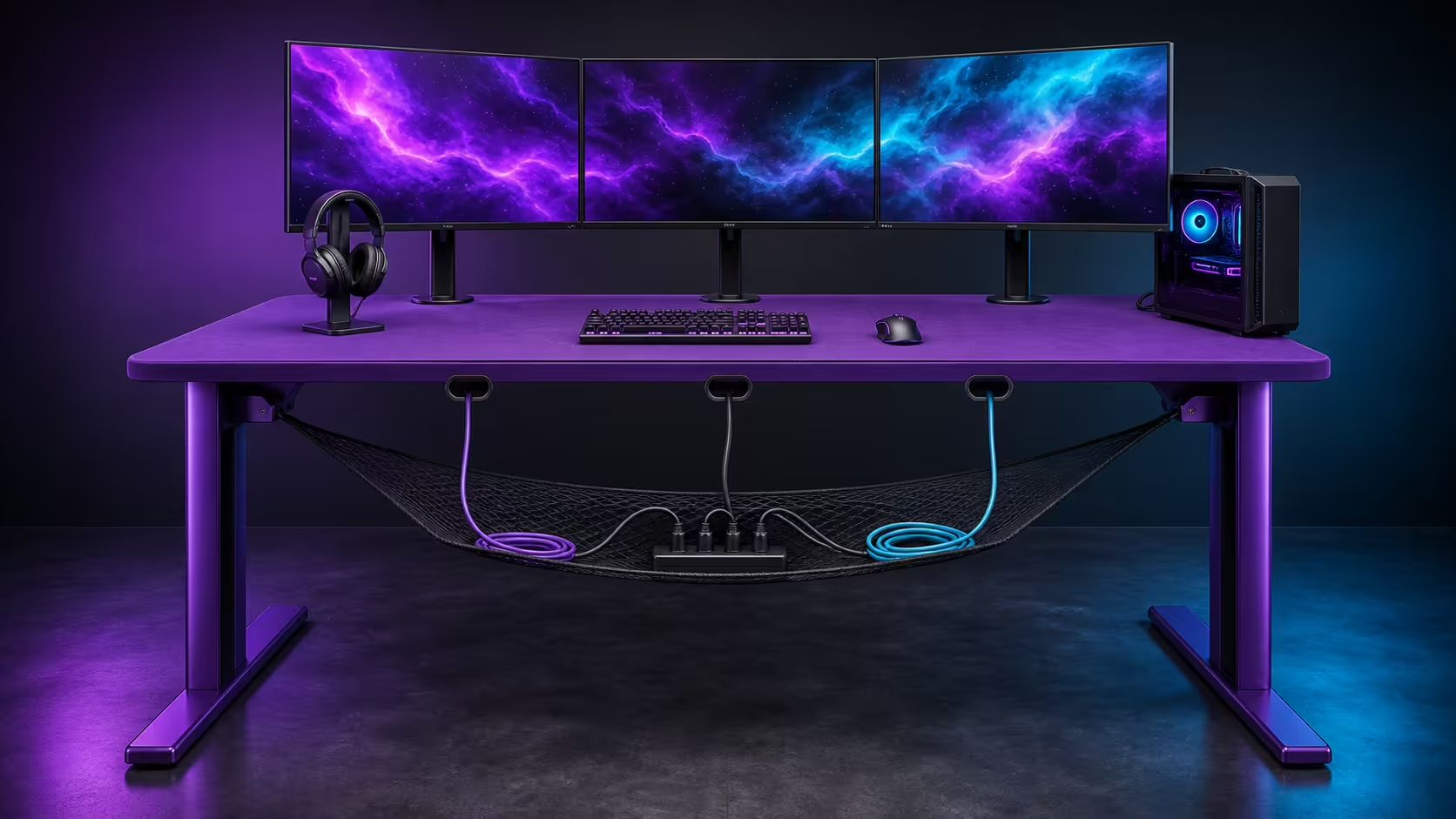
Cable clutter grows when several devices share one unplanned drop behind the desk. Three cable cutouts and an under-desk net reduce that mess by creating shorter top-side routes and supported branches below. The purple AROZZI Arena Medium includes both features at R3,599.
Quick Answer
On the R3,599 Arena Medium, the three cutouts let monitor, PC and peripheral cables leave the surface near their destinations, while the integrated net supports suitable slack underneath. Assign each opening a clear role, label both cable ends, preserve service loops and keep temporary chargers reachable. The result is less visible cable, easier cleaning and simpler device removal.
🗺️ Start with destinations, not bundles
List every connection from device to power, PC or network point. Draw the monitor, keyboard, mouse, chargers and room socket on a simple top-down plan. Mark which leads stay connected for months and which are handled every day.
The AROZZI Arena Medium in purple costs R3,599 and supplies three openings plus the under-surface net. Those features become useful only when the route reflects the equipment's actual positions.
Work from each device towards the nearest sensible opening. Leave enough visible length for normal adjustment without allowing a coil to occupy the microfiber.
Label before anything disappears
Mark both ends with the device and destination. Test every connection while the underside remains open, then photograph the ports. A label buried later in the net is still useful if its matching end can be found above.
⭕ Give the openings different jobs
One cutout may serve central display leads, while the side openings handle the PC and accessible charging branch. The exact roles depend on room and device placement; symmetry is not the objective. A short route with a natural bend is better than a visually balanced path that pulls a connector tight.
Compare cable-feature placement across Evetech's gaming desk category. Use the same socket and equipment map for every option rather than counting openings alone.
Protect the edge of each route from rubbing and keep mouse or keyboard leads away from the active movement lane.
🧺 Make the net a service area
Support appropriate surplus length in logical branches. Keep device groups identifiable and do not overfill the net with packaging, unused adapters or mystery leads. Power equipment must remain placed and ventilated according to its intended use.
The Arozzi gaming setup collection can inspire a neat room, but maintenance access is the stronger test. Remove one monitor cable from end to end. If every other branch must be released, simplify the arrangement.
Protect knees, casters and cleaning access
Sit naturally and roll the chair through its complete path while someone watches below. No loop should brush a leg, enter a caster or cross a walking route. Leave enough access to clean the floor and remove the washable microfiber without rebuilding the whole underside.
🔄 Control temporary connections
Phone, controller and visiting-laptop leads should park at a reachable edge. They may use a dedicated route without disturbing permanent display and PC branches. Return them after use so the top does not slowly regain loose loops.
Use Evetech's gaming setup range to coordinate the chair and peripherals around the cable plan. Recheck the underside after a week because slack settles and new habits reveal weak points.
Update the route photograph whenever a device changes. Removing the cable that was replaced is as important as installing the new one. The three cutouts shorten the visible journey; the net keeps the hidden part supported and traceable.
Read the desk from above and below
From the chair, check that no lead interrupts typing, mouse movement or the view of a screen. From beneath, check that the same routes remain identifiable and clear of legs. A cable plan must pass both views; hiding a problem from one side has not solved it.
Ask another regular user to identify the monitor and temporary charging branches from the labels. If the map only makes sense to its installer, improve the names before closing the maintenance check.
Frequently Asked Questions
Why are three cutouts better than one central opening?
They can shorten surface runs for devices positioned in different parts of the desk.
What belongs in the under-desk net?
Suitable active cable slack and clear device branches belong there, without overcrowding or sharp bends.
Should temporary chargers be hidden in the net?
Keep their surplus managed, but leave the connector accessible for daily use.
How can a cable route stay easy to repair?
Label both ends, separate logical branches and rehearse removing one lead without disturbing the rest.
Which cable features come with the desk?
The R3,599 Arena Medium has three cable-management cutouts and an integrated net.
Want every cable to follow a route that remains understandable six months later?
Get the Arena Medium at Evetech, name the three cutout branches, and use the net as supported infrastructure instead of hidden storage.