



1000W PSU Planning for RTX 5090 Builds in SA
1000W for RTX 5090 needs a full-build check, not a simple yes. Review GPU guidance, CPU draw, transient load, connectors, PSU quality, and upgrade plans before deciding.
Read moreGood 1.75mm PLA print quality starts with a sound profile and a small test piece. ELEGOO Galaxy PLA adds a glossy, angle-shifting shimmer for R499 per 1kg spool, while deliberate setup changes help preserve detail across the model.

A crisp miniature can expose every ridge, gap and wobble that a larger model hides. Better 1.75mm PLA print quality comes from controlling the process in a sensible order, then judging the surface under the light in which it will be displayed. ELEGOO Galaxy PLA adds gloss and angle-sensitive shimmer, so layer consistency matters as much as dimensional accuracy.
Start with a known-good PLA profile, print a small representative test and change one variable only after inspecting it. At R499, the 1kg ELEGOO Galaxy PLA spool gives the test enough relevance to protect the final glossy finish. Use the printer maker's PLA guidance as the baseline rather than borrowing unexplained settings from another machine.
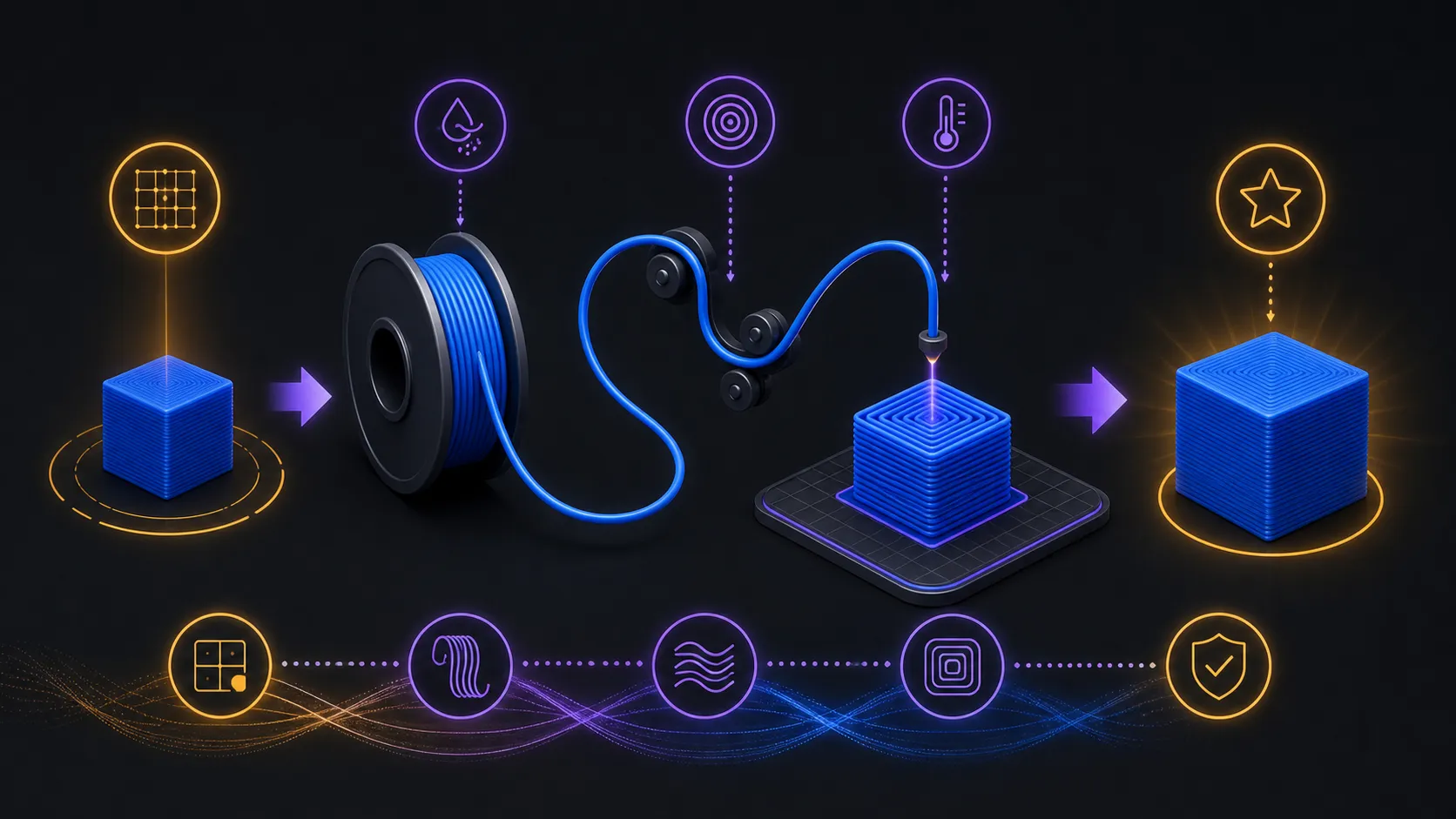
The first pass should answer a narrow question: can the printer feed material consistently and place clean layers with its normal PLA setup? Pick a compact test that contains the same curves, fine edges or flat walls as the final object. A generic cube is less useful when the real model depends on slender points or long visible arcs.
Keep the printer mechanically sound before blaming the material. A clear filament path, a clean working nozzle and a stable first layer remove several causes of roughness from the investigation. Record the profile name and the orientation of the successful test so later comparisons are based on evidence rather than memory.
South African makers can compare spool formats and finishes in the 3D printing filament range before committing a decorative job to one material.
Quality is a combination of even extrusion, controlled corners, joined lines and a surface that suits the design. Inspect the test from several angles because Galaxy PLA produces vibrant colour shifts as the viewing direction changes. A mark that disappears in one reflection may become obvious when the object turns.
Separate geometry faults from appearance. If an edge is misshapen, work on motion or flow consistency. If the shape is clean but the visual result feels flat, examine lighting, model orientation and the amount of exposed surface before changing the printer profile. Gloss does not rescue poor geometry, while a well-formed part may simply need better display light.
Make the smallest change that can test a clear hypothesis, then repeat the same object. Large batches of simultaneous adjustments may produce a better print, but they do not reveal which decision helped. That makes the next spool or model harder to set up.
Use the 3D printer category to understand the machine side of the pairing. Feed system, nozzle condition and the printer's own PLA guidance all influence what reaches the build surface. Once a repeatable result is saved, reserve it as the starting point and refine only when the next model demands something different.
Surface quality is also influenced by which features face upward, which walls remain visible and where seams or support contact may appear. Rotate the model deliberately before slicing and identify the face that matters most to the viewer. A Galaxy finish encourages people to turn the object, so quality should extend beyond one presentation side.
Print a reduced section in the planned orientation if the final model has an unusual curve or prominent edge. This can reveal whether the chosen direction preserves detail and gives the glossy surface enough uninterrupted space. Record the orientation with the working profile, because repeating only the settings while rotating the geometry may produce a different visual outcome.
After the orientation test, inspect the model at its real presentation distance. Tiny ridges that dominate a close-up may disappear on a shelf, while a warped silhouette remains obvious. Set quality priorities around what the viewer will notice and what the object must do. This prevents a maker from spending most of the spool correcting microscopic texture while a larger geometric issue remains unresolved.
Confirm that the filament path is clear, the nozzle is ready and the build surface can support a consistent first layer. Then use the printer's established PLA profile.
It consumes less material while reproducing the curves, walls or detail that matter in the final object. That makes each adjustment easier to judge.
Rotate the print under stable lighting and watch how gloss and vibrant colour movement reveal different areas. Judge shape and surface effect separately.
No. ELEGOO Galaxy PLA is beginner and professional friendly, while careful baseline testing benefits both experience levels.
Ready to turn a clean test into a finished model? Explore Evetech's 3D printing range and choose the filament and printer setup that fits the work you want to make.
Confirm that the filament path is clear, the nozzle is ready and the build surface can support a consistent first layer. Then use the printer's established PLA profile.
It consumes less material while reproducing the curves, walls or detail that matter in the final object. That makes each adjustment easier to judge.
Rotate the print under stable lighting and watch how gloss and vibrant colour movement reveal different areas. Judge shape and surface effect separately.
No. ELEGOO Galaxy PLA is beginner and professional friendly, while careful baseline testing benefits both experience levels.
1000W for RTX 5090 needs a full-build check, not a simple yes. Review GPU guidance, CPU draw, transient load, connectors, PSU quality, and upgrade plans before deciding.
Read more
RTX 5080 Super with a 750W PSU is more comfortable than lower wattage if the unit is quality. SA builders should still confirm GPU guidance, CPU draw, connector type, airflow, and upgrade room.
Read more
How to fix FPS drops after a RX 9070 XT starts with driver cleanup, chipset updates, thermals, and power checks. For SA gaming PCs, confirm PCIe seating, monitor refresh, frame caps, and per-game graphics settings before replacing parts.
Read more
How to fix low FPS Windows 11 Wi-Fi 7 issues starts by checking whether the problem is frame rate or network lag. Test ping, drivers, power settings, Ethernet, and game FPS before adjusting visuals.
Read more
AM5 is smart for SA builders because it supports newer Ryzen CPUs, DDR5 memory, and a longer upgrade path. Compare board cost, cooling, gaming needs, and local part availability before choosing your next PC platform.
Read more
AM5 gives Randburg gaming builders a longer upgrade path. For SA buyers, DDR5 support, newer board features, and future CPU options can justify the platform. Weigh board cost, cooler support, BIOS maturity, and upgrade timing before choosing.
Read more
RTX 5090 on a 550W PSU leaves almost no practical room for OC plans. Treat the setup as constrained, with CPU draw, power spikes, cable quality, thermals, and stability checks more important than chasing extra clocks.

FPS drops on a Ryzen 9 9950X3D build often have a fixable cause. Check settings, drivers, thermals, background tasks, network conditions, and bottlenecks before assuming a part must be replaced.

The difference between PCIe 5.0 and PCIe 4.0 for SA gamers is mostly bandwidth headroom. Compare GPU slot needs, NVMe speed, motherboard support, and upgrade timing before paying extra for a newer platform.

Gaming PC stuck pixel checks in South Africa should confirm the monitor fault first. Use colour tests, screenshot comparison, cable swaps, display menu checks, and clear photos before deciding on support.

AMD's current driver now lists a Radeon RX 9050 4GB, while product coverage details a narrowed memory system. SA buyers should weigh the low VRAM ceiling against current local Radeon options.

Samsung Display has demonstrated a 16-inch 2.5K OLED laptop panel running at 300Hz. SA buyers should wait for a named notebook, full panel specifications and a local price before planning an upgrade.

Microsoft says some Windows 11 game crashes after recent updates are linked to RGB-related drivers. Affected SA gamers should confirm the update and driver before using the published registry workaround.

Thermalright's Fan Frame Vision-1 adds a 640x172 status screen to a standard 120mm fan. SA builders should check clearance, USB routing and local support before treating it as an easy upgrade.
1000W for RTX 5090 needs a full-build check, not a simple yes. Review GPU guidance, CPU draw, transient load, connectors, PSU quality, and upgrade plans before deciding.

Wi-Fi 6E vs Wi-Fi 6 matters for 4K video editing when files move across a network. The real-world difference between Wi-Fi 6E and Wi-Fi 6 for video editing in 4K depends on NAS access, cloud uploads, router range, and SA creator workflows.
RTX 5080 Super with a 750W PSU is more comfortable than lower wattage if the unit is quality. SA builders should still confirm GPU guidance, CPU draw, connector type, airflow, and upgrade room.

Wi-Fi 6E vs Wi-Fi 6 for Video Editing in 4K comes down to router support, latency, client devices, band support, and home network layout. SA buyers should match the choice to their setup instead of assuming one option always wins.