



1000W PSU Planning for RTX 5090 Builds in SA
1000W for RTX 5090 needs a full-build check, not a simple yes. Review GPU guidance, CPU draw, transient load, connectors, PSU quality, and upgrade plans before deciding.
Read moreRemove Fortnite Stuttering on Core Ultra 9 285K. Step-by-step instructions with SA-specific tips, common pitfalls to avoid & expert recommendations.
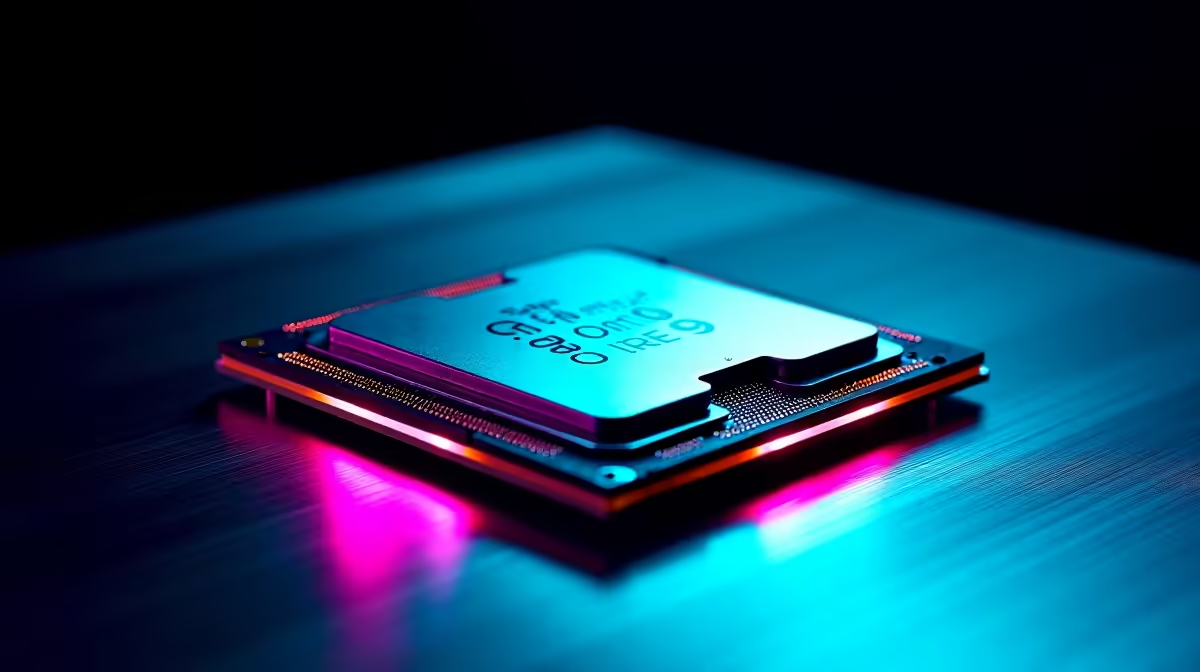
If you're powering through Fortnite on a Core Ultra 9 285K, nothing kills the vibe faster than stuttering. It disrupts your aim and turns those clutch moments into frustration. South African gamers want smooth battles, not dropped frames. The good news? You can fix Fortnite stuttering on Core Ultra 9 285K and keep your gameplay silky smooth. Let’s dive into what causes stuttering and how to end it for good.
Fortnite stuttering usually comes from a few key culprits on any rig—even a powerful one like the Core Ultra 9 285K. First, outdated or incompatible drivers can hold you back. Then there's thermal throttling when your CPU or GPU heats up, forcing lower speeds. Background apps hogging resources also cause hiccups. Finally, Fortnite's own settings might not be optimised for your hardware.
To get the best from your Core Ultra 9 285K, regularly check for the latest processor drivers. Evetech offers a robust selection of processors that come supported with current tech designed to reduce these issues.
Start by updating your graphics card and chipset drivers. Nvidia, AMD, or Intel regularly release patches to improve game stability. Also, ensure your Windows 10 or 11 is fully updated—Microsoft fixes performance bugs that may cause stuttering.
Even though the Core Ultra 9 285K is potent, Fortnite settings can make a difference. Lower shadows, turn off V-Sync, and limit frame rate to a stable cap matching your monitor’s refresh rate. This prevents excessive FPS spikes, which can trigger micro-stutters.
Keep your CPU and GPU temps in check. High temperatures cause thermal throttling and lag. Clean dust from fans and improve airflow. If overheating persists, consider aftermarket cooling solutions. You can explore top pre-built PC deals that include efficient cooling setups out of the box.
Lower your in-game resolution scaling to 90 % while keeping your display at 1080p. You’ll save GPU workload without losing visual quality.
Before jumping into Fortnite, close unnecessary apps eating up RAM and CPU cycles—this includes overlays, browsers, and download managers. Using Steam or Epic launcher alone during play maximises available resources.
Fortnite is constantly loading game data. Using an SSD drive can speed this up, reducing in-game hitching. Combine that with a reliable South African fibre connection for smooth online gaming. Check out the latest gaming laptops with SSDs for smooth load times on the go.
If stuttering keeps ruining your experience despite tweaks, it might be time for a hardware upgrade. Evetech’s best gaming PC deals include configurations optimised for Fortnite with the latest Core Ultra processors and dedicated GPUs. These setups balance power and price right here in South Africa.
Also don’t miss Evetech specials — grab deals on GPUs, RAM, and CPUs to elevate your rig without breaking the bank.
Get Smooth Fortnite Gameplay Today Stop stuttering dead in its tracks—Shop now at Evetech for a rig ready to handle Fortnite at max settings.
How to Remove Fortnite Stuttering on Cor available at Evetech.co.za with local warranty and fast delivery.
How to Remove Fortnite Stuttering on Cor - check Evetech for latest stock and SA pricing.
Depends on your use case. How to Remove Fortnite Stutter offers good value at current Rand pricing.
1000W for RTX 5090 needs a full-build check, not a simple yes. Review GPU guidance, CPU draw, transient load, connectors, PSU quality, and upgrade plans before deciding.
Read more
RTX 5080 Super with a 750W PSU is more comfortable than lower wattage if the unit is quality. SA builders should still confirm GPU guidance, CPU draw, connector type, airflow, and upgrade room.
Read more
How to fix FPS drops after a RX 9070 XT starts with driver cleanup, chipset updates, thermals, and power checks. For SA gaming PCs, confirm PCIe seating, monitor refresh, frame caps, and per-game graphics settings before replacing parts.
Read more
How to fix low FPS Windows 11 Wi-Fi 7 issues starts by checking whether the problem is frame rate or network lag. Test ping, drivers, power settings, Ethernet, and game FPS before adjusting visuals.
Read more
AM5 is smart for SA builders because it supports newer Ryzen CPUs, DDR5 memory, and a longer upgrade path. Compare board cost, cooling, gaming needs, and local part availability before choosing your next PC platform.
Read more
AM5 gives Randburg gaming builders a longer upgrade path. For SA buyers, DDR5 support, newer board features, and future CPU options can justify the platform. Weigh board cost, cooler support, BIOS maturity, and upgrade timing before choosing.
Read more
RTX 5090 on a 550W PSU leaves almost no practical room for OC plans. Treat the setup as constrained, with CPU draw, power spikes, cable quality, thermals, and stability checks more important than chasing extra clocks.

FPS drops on a Ryzen 9 9950X3D build often have a fixable cause. Check settings, drivers, thermals, background tasks, network conditions, and bottlenecks before assuming a part must be replaced.

The difference between PCIe 5.0 and PCIe 4.0 for SA gamers is mostly bandwidth headroom. Compare GPU slot needs, NVMe speed, motherboard support, and upgrade timing before paying extra for a newer platform.

Gaming PC stuck pixel checks in South Africa should confirm the monitor fault first. Use colour tests, screenshot comparison, cable swaps, display menu checks, and clear photos before deciding on support.

AMD's current driver now lists a Radeon RX 9050 4GB, while product coverage details a narrowed memory system. SA buyers should weigh the low VRAM ceiling against current local Radeon options.

Samsung Display has demonstrated a 16-inch 2.5K OLED laptop panel running at 300Hz. SA buyers should wait for a named notebook, full panel specifications and a local price before planning an upgrade.

Microsoft says some Windows 11 game crashes after recent updates are linked to RGB-related drivers. Affected SA gamers should confirm the update and driver before using the published registry workaround.

Thermalright's Fan Frame Vision-1 adds a 640x172 status screen to a standard 120mm fan. SA builders should check clearance, USB routing and local support before treating it as an easy upgrade.
1000W for RTX 5090 needs a full-build check, not a simple yes. Review GPU guidance, CPU draw, transient load, connectors, PSU quality, and upgrade plans before deciding.

Wi-Fi 6E vs Wi-Fi 6 matters for 4K video editing when files move across a network. The real-world difference between Wi-Fi 6E and Wi-Fi 6 for video editing in 4K depends on NAS access, cloud uploads, router range, and SA creator workflows.
RTX 5080 Super with a 750W PSU is more comfortable than lower wattage if the unit is quality. SA builders should still confirm GPU guidance, CPU draw, connector type, airflow, and upgrade room.

Wi-Fi 6E vs Wi-Fi 6 for Video Editing in 4K comes down to router support, latency, client devices, band support, and home network layout. SA buyers should match the choice to their setup instead of assuming one option always wins.