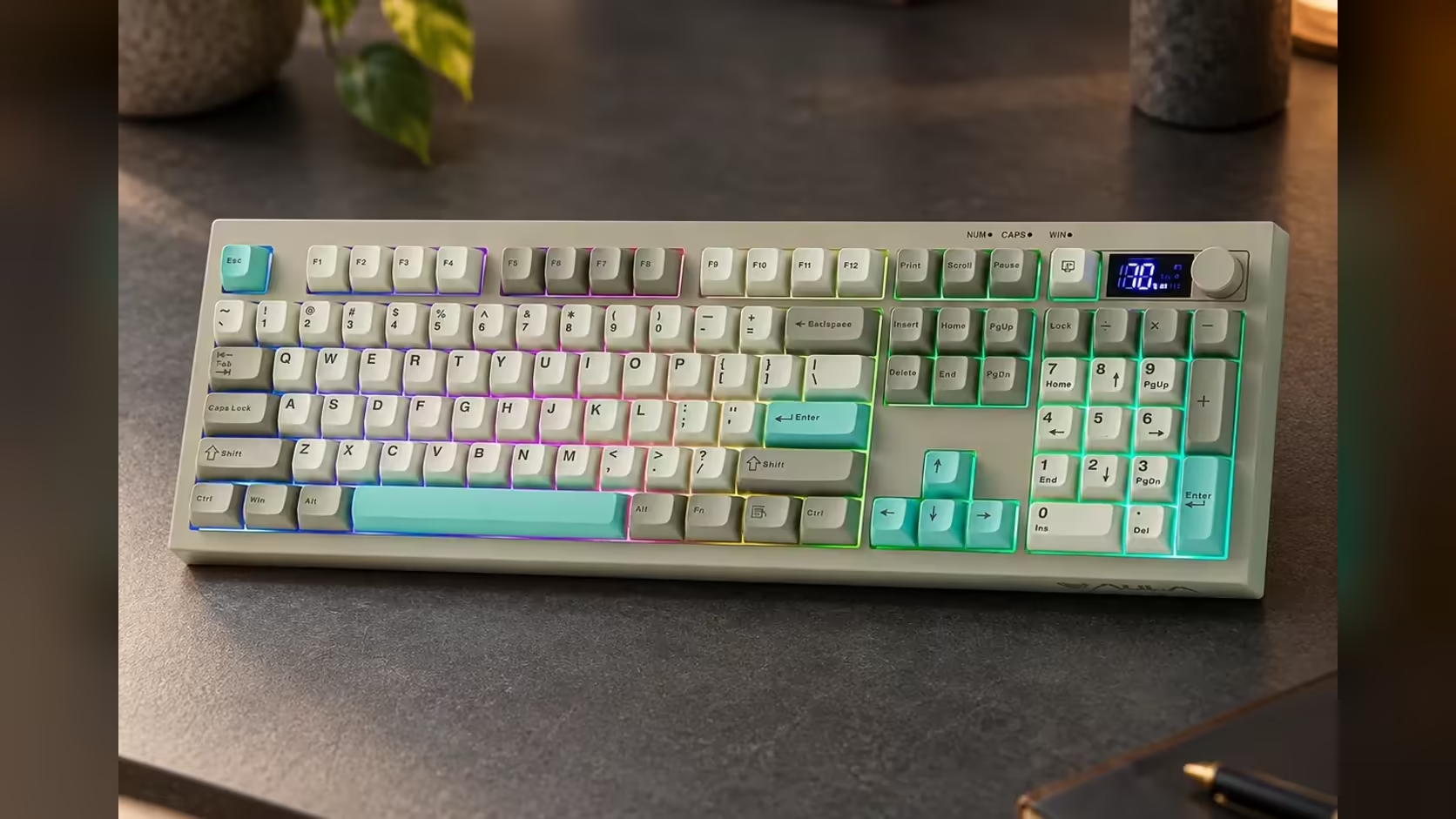
A volume knob on an office keyboard can look like a gimmick borrowed from flashier peripherals. Then the day's opening video call starts with someone's microphone blasting, and you understand the appeal. The S102 PRO carries a rotary control for exactly that moment. Whether an office keyboard volume knob earns its place depends on how much audio fills your workday, and for most people today, that is a lot.
Quick Answer
Yes, for anyone on calls or playing music at work. The AULA S102 PRO's volume knob turns sound up or down directly, without opening a menu or hunting for a slider. It is quicker than a key combination and easy to find by feel, while Fn shortcuts look after the RGB backlight separately. Evetech sells it for R299 and covers it with a 1 Year Local Warranty.
🎧 Why a knob beats keys and sliders
Most laptops put volume on function keys, and most operating systems add an on-screen slider. Both work, but both have friction:
- Function keys usually need Fn held, and you have to look to find the right pair.
- On-screen sliders mean moving the mouse away from what you are doing, often in the middle of a call.
- Both change volume in fixed steps, so getting it just right takes several presses.
A physical knob removes most of that. Your hand finds it without looking, a small turn makes a small change, and a bigger turn makes a bigger one. When a call suddenly gets loud, you can turn it down in half a second without leaving the document you are working in.
🏢 Where it helps most in an office
Calls and meetings
Video calls vary wildly in volume from one participant to the next. With a knob under your hand, adjusting for each speaker becomes second nature rather than a distraction.
Background music
Plenty of people work with music on. A knob lets you drop it low when concentration is needed and bring it back up afterwards, with no menu diving.
Open-plan etiquette
If your headphones are leaking sound to the desk beside you, a quick turn fixes it quietly. That fits the rest of the S102 PRO's design: its silicone membrane keys are built to be quiet in shared spaces.
🎛️ The knob, the screen and the lighting
The knob is dedicated to volume. Lighting is handled separately: the RGB backlight has adjustable brightness and colours, which you cycle through with Fn shortcuts. Keeping the two apart means you never accidentally change your lighting when you meant to turn a call down.
The knob sits alongside the S102 PRO's small TFT screen, which shows which connection is live and how much battery remains. Together they give the board a small control area for the things you check and change most often during the day.
On a Mac, switch the board into Mac mode with Fn + S. AULA's page does not describe the knob's behaviour on macOS in detail, so give it a quick test when you set up.
Beyond the knob you get the whole 100% layout including numbers, sculpted Cherry-profile caps, a choice of three angles, and a receiver, Bluetooth or USB-C for connecting. Browse it among Evetech's office keyboards; for a keyboard and mouse purchased together, the keyboard and mouse bundles are a separate option. The product page carries the price.
Frequently Asked Questions
My laptop already has volume keys. Why add a knob?
A knob is quicker, finer and easier to find by feel than a pair of Fn keys, especially mid-call.
Can the knob change the lighting too?
No. The knob handles volume, and the RGB backlight is controlled through Fn shortcuts.
Does the knob work on a Mac?
The board has a Mac mode on Fn + S, but AULA does not detail the knob on macOS, so test it during setup.
Is it useful in an open-plan office?
Yes. It lets you quickly and quietly lower leaking headphone audio or a loud call.
What does the screen add next to the knob?
It shows the active connection and battery level, so the knob and screen together cover your most common checks.
Want calls and music under one quick turn?
Explore Evetech's office keyboard range and see the S102 PRO with its volume knob and status screen.