



1000W PSU Planning for RTX 5090 Builds in SA
1000W for RTX 5090 needs a full-build check, not a simple yes. Review GPU guidance, CPU draw, transient load, connectors, PSU quality, and upgrade plans before deciding.
Read moreLaptops that survive first year share a few traits regardless of price: a reinforced chassis, a hinge rated for daily use, and a keyboard that resists spills. Evetech's range is chosen with this real-world first-year durability evidence in mind.
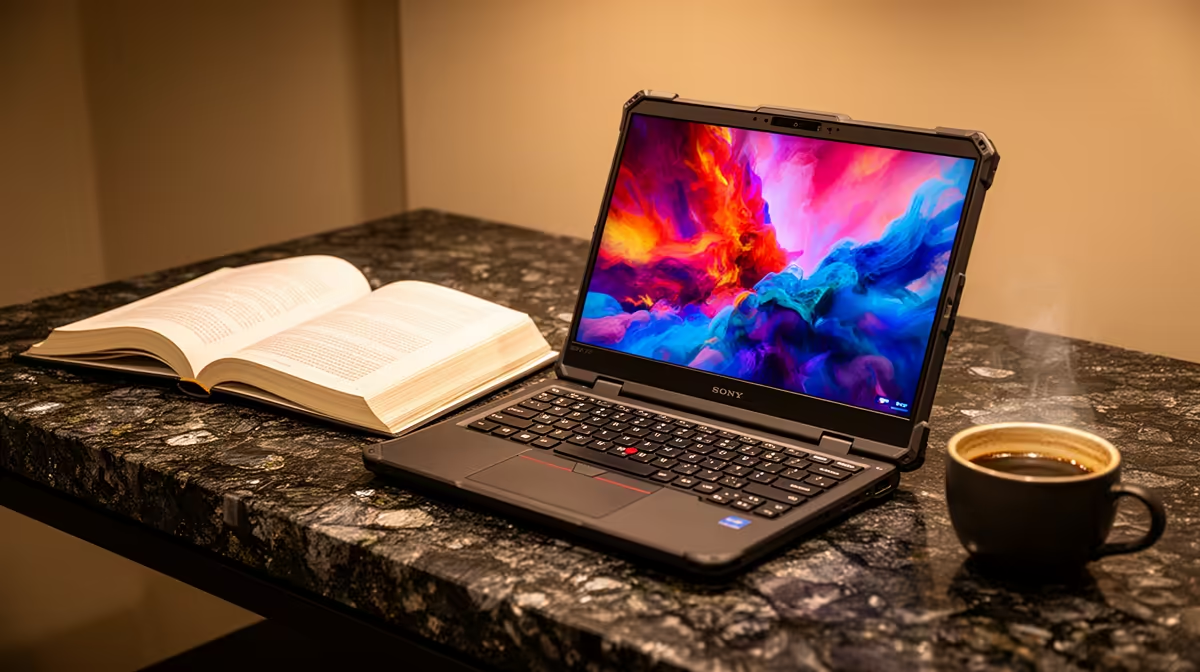
First year tests a laptop through travel, crowded desks and hundreds of lid movements, not one benchmark. A durable student laptop earns trust through its chassis, hinges, keyboard and service path long after the new-box shine fades.
No chassis label can guarantee a laptop will survive first year. Look for a firm hinge, little keyboard flex, a fitted charger port, replaceable parts where possible and a written support route. Then protect the machine with a padded bag and sensible habits. Published owner reviews can reveal repeated hinge, trackpad or charging complaints, but one comment is not a durability test. The exact model matters more than whether the lid is metal or plastic.
Open the display from the centre and feel whether the hinge moves smoothly without lifting the base. Check for wobble at a normal typing angle. A stiff hinge is not proof of strength, and a light hinge is not proof of weakness.
Type across the keyboard and test the trackpad. Look at the charging plug and USB ports. A loose port on a display unit deserves a question, though shop wear can differ from a new machine.
A spill-resistant claim has value only when the manufacturer states what it covers. It does not make the laptop waterproof. Keep drinks in another bag compartment.
Search the exact model code, not the family name. Give more weight to repeated reports that describe the same component and usage. Separate delivery damage, software complaints and owner accidents from a hardware pattern.
Check professional teardown or service information for upgrade access and internal construction. A metal lid can still attach to weak hinges, while a well-designed plastic chassis can flex safely and travel well.
Use a padded compartment that fits the laptop. Keep the charger plug away from the screen, never close the lid on a pen and avoid carrying the machine by one corner.
Set it on a hard surface so vents can breathe. Lock it out of sight at residence and keep coursework backed up. Durability reduces risk; it never removes theft, liquid or impact.
Look for the battery, SSD and memory service path for the exact model. A laptop that accepts a replacement SSD or battery can recover from wear more easily, though parts and labour still need to be available.
Ask how a repair is logged and whether the support centre needs the original charger. Keep the invoice and serial record outside the laptop bag. Support paperwork is part of first-year durability because a repair route only helps when the student can use it.
Compare popular campus laptop models by exact chassis and support details. A gaming-capable notebook adds cooling and weight that need their own carry check.
No. Hinge design, internal support, assembly and daily care matter. Inspect and research the exact model.
Hinges, charging ports, screens and chargers face frequent handling. Spills and bag impacts can damage any model.
Yes, when it meets the workload, has sound construction and is carried and cooled with care. Price alone cannot settle durability.
Check the exact hinge, ports, owner-review patterns and written support route before choosing a first-year laptop.
No. Hinge design, internal support, assembly and daily care matter. Inspect and research the exact model.
Hinges, charging ports, screens and chargers face frequent handling. Spills and bag impacts can damage any model.
Yes, when it meets the workload, has sound construction and is carried and cooled with care. Price alone cannot settle durability.
1000W for RTX 5090 needs a full-build check, not a simple yes. Review GPU guidance, CPU draw, transient load, connectors, PSU quality, and upgrade plans before deciding.
Read more
RTX 5080 Super with a 750W PSU is more comfortable than lower wattage if the unit is quality. SA builders should still confirm GPU guidance, CPU draw, connector type, airflow, and upgrade room.
Read more
How to fix FPS drops after a RX 9070 XT starts with driver cleanup, chipset updates, thermals, and power checks. For SA gaming PCs, confirm PCIe seating, monitor refresh, frame caps, and per-game graphics settings before replacing parts.
Read more
How to fix low FPS Windows 11 Wi-Fi 7 issues starts by checking whether the problem is frame rate or network lag. Test ping, drivers, power settings, Ethernet, and game FPS before adjusting visuals.
Read more
AM5 is smart for SA builders because it supports newer Ryzen CPUs, DDR5 memory, and a longer upgrade path. Compare board cost, cooling, gaming needs, and local part availability before choosing your next PC platform.
Read more
AM5 gives Randburg gaming builders a longer upgrade path. For SA buyers, DDR5 support, newer board features, and future CPU options can justify the platform. Weigh board cost, cooler support, BIOS maturity, and upgrade timing before choosing.
Read more
RTX 5090 on a 550W PSU leaves almost no practical room for OC plans. Treat the setup as constrained, with CPU draw, power spikes, cable quality, thermals, and stability checks more important than chasing extra clocks.

FPS drops on a Ryzen 9 9950X3D build often have a fixable cause. Check settings, drivers, thermals, background tasks, network conditions, and bottlenecks before assuming a part must be replaced.

The difference between PCIe 5.0 and PCIe 4.0 for SA gamers is mostly bandwidth headroom. Compare GPU slot needs, NVMe speed, motherboard support, and upgrade timing before paying extra for a newer platform.

Gaming PC stuck pixel checks in South Africa should confirm the monitor fault first. Use colour tests, screenshot comparison, cable swaps, display menu checks, and clear photos before deciding on support.

AMD's current driver now lists a Radeon RX 9050 4GB, while product coverage details a narrowed memory system. SA buyers should weigh the low VRAM ceiling against current local Radeon options.

Samsung Display has demonstrated a 16-inch 2.5K OLED laptop panel running at 300Hz. SA buyers should wait for a named notebook, full panel specifications and a local price before planning an upgrade.

Microsoft says some Windows 11 game crashes after recent updates are linked to RGB-related drivers. Affected SA gamers should confirm the update and driver before using the published registry workaround.

Thermalright's Fan Frame Vision-1 adds a 640x172 status screen to a standard 120mm fan. SA builders should check clearance, USB routing and local support before treating it as an easy upgrade.
1000W for RTX 5090 needs a full-build check, not a simple yes. Review GPU guidance, CPU draw, transient load, connectors, PSU quality, and upgrade plans before deciding.

Wi-Fi 6E vs Wi-Fi 6 matters for 4K video editing when files move across a network. The real-world difference between Wi-Fi 6E and Wi-Fi 6 for video editing in 4K depends on NAS access, cloud uploads, router range, and SA creator workflows.
RTX 5080 Super with a 750W PSU is more comfortable than lower wattage if the unit is quality. SA builders should still confirm GPU guidance, CPU draw, connector type, airflow, and upgrade room.

Wi-Fi 6E vs Wi-Fi 6 for Video Editing in 4K comes down to router support, latency, client devices, band support, and home network layout. SA buyers should match the choice to their setup instead of assuming one option always wins.