A Lenovo ThinkCentre is not one fixed desktop specification. The family includes compact machines, small-form-factor systems and towers from many generations, so two units with the same badge can have very different ports, power layouts and upgrade options. For a South African buyer considering an older example, the exact machine type matters far more than the name on the front panel.
Quick Answer
ThinkCentre desktops are business-oriented computers offered in multiple sizes and generations. Identify the precise model, installed components and condition before assuming it can take standard upgrades or meet current software needs. A newer PC can offer a clearer ownership path when known parts, a local warranty route and straightforward expansion matter more than the appeal of an older office machine.
🧩 Treat the family name as a starting point
Begin with the machine type and generation, then list what is actually inside: processor, memory, storage, display outputs, network connection and the operating system it will run. A tiny chassis may be well suited to a counter or reception area while leaving little room for extra storage or a large add-in card. A tower can look more adaptable, yet still use layouts that vary from a conventional consumer desktop.
Inspect the ports you need for your monitor, printer, network and accessories. If the unit is being bought for a home workspace, check that its physical size and noise suit the desk rather than focusing only on a benchmark or a broad business label. The full setup includes the screen and peripherals, not merely the box under the desk.
🔌 Investigate expansion before buying parts
Some older business desktops have proprietary motherboard shapes, power connections or cooling arrangements. That can make a seemingly simple replacement more involved than it would be in a standard case. Confirm the exact connector, physical clearance and power requirements before selecting memory, storage or a graphics component.
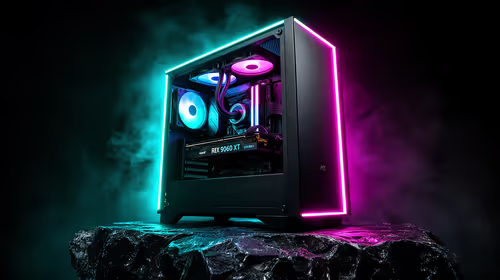
Comparing the unit with a current pre-built PC helps clarify what you gain from known hardware. The Intel PC range can also show different platform directions without assuming that every current component belongs in a much older enclosure. A clear platform record makes later maintenance less dependent on guesswork.
🛡 Compare the ownership path, not just the desktop
An old office unit may have worked reliably in its previous environment while still carrying unknown wear on storage, fans or power components. Test it properly, keep the specification in writing and include future downtime in the comparison. A fault that interrupts remote work or study can cost more in lost time than an early component replacement suggests.
Local support has practical value when a problem emerges after setup. Keep invoices and fault evidence for any qualifying Consumer Protection Act discussion, while remembering that the facts and transaction terms determine what recourse applies. Pair the computer decision with a suitable office monitor, because the display connection and working posture may have more impact on daily comfort than the business desktop badge.
Frequently Asked Questions
What is a ThinkCentre desktop?
It is a Lenovo business-computer family that includes compact, small-form-factor and tower designs. Ports, components and expansion differ by exact model and generation.
Are all ThinkCentre parts standard?
No. Some models use non-standard power, motherboard or cooling arrangements. Identify the specific machine before assuming a normal desktop part will fit.
What should I test on an older office PC?
Check storage behaviour, cooling noise, ports, display output, network access and general stability. The component list and service history are as important as the exterior condition.
Why might a new PC be easier to own?
A current machine normally begins with documented components and a defined support route. That makes future upgrades, compatibility checks and fault discussions more predictable.
Ready to choose a desktop around the way you will use it?
Compare the exact platform, workspace connections and support route before committing to an older business system or a new PC.