



1000W PSU Planning for RTX 5090 Builds in SA
1000W for RTX 5090 needs a full-build check, not a simple yes. Review GPU guidance, CPU draw, transient load, connectors, PSU quality, and upgrade plans before deciding.
Read moreMonster Hunter Wilds VRAM Usage: How Much GPU pricing in South Africa. Current cost tiers, budget alternatives & where to find the best local deals.
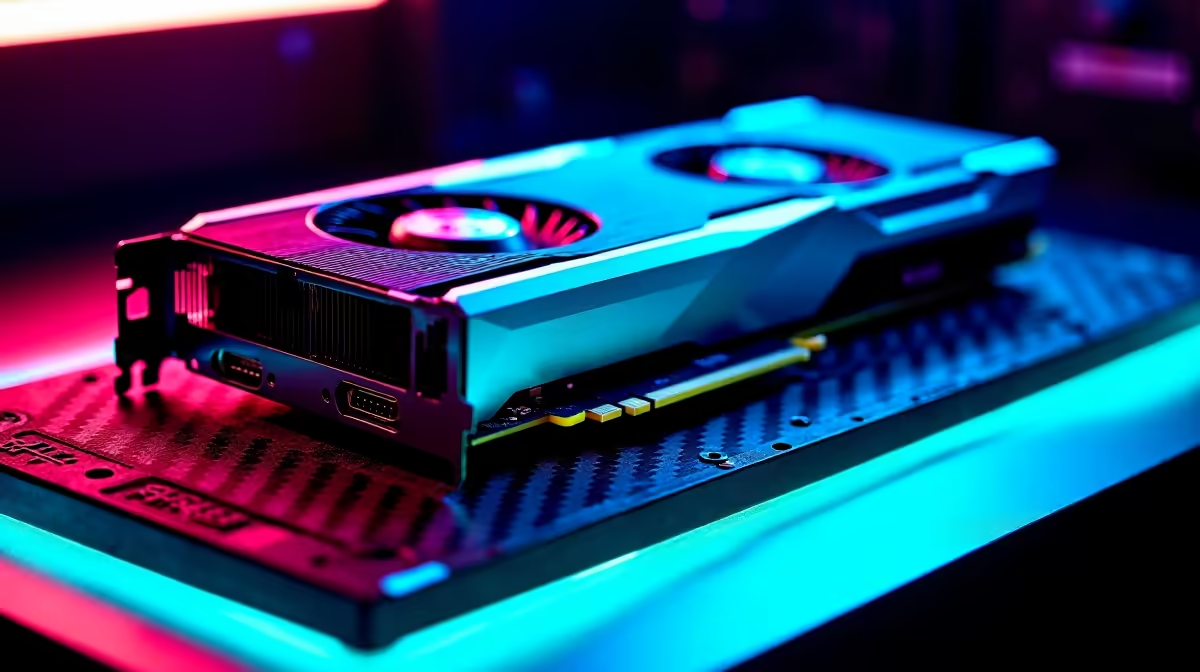
The hype for Capcom's next beast-slaying epic is real. But before you sharpen your greatsword, there is a massive elephant in the room... Monster Hunter Wilds VRAM usage. Modern AAA titles are hungrier than a Deviljho. If your rig is lacking video memory, you will face stuttering messes instead of smooth hunts. Let us break down exactly what you need to survive.
VRAM is the dedicated memory on your graphics card. It stores textures, shadows, and complex frame buffers. When you push settings to High or Ultra, Monster Hunter Wilds VRAM usage skyrockets. Capcom has built a visually stunning, seamless world. The dense foliage, dynamic weather, and massive monsters require serious graphical horsepower to render properly.
If your GPU memory maxes out, your PC panics. It starts borrowing from your slower system RAM. This data swap causes massive frame drops. You do not want your screen freezing right when a monster charges.
The exact requirements depend heavily on your target resolution. Let us look at the sweet spots for smooth gameplay.
For standard 1080p displays, 8GB of VRAM is the absolute minimum. Cards like the RTX 4060 or RX 7600 will handle medium to high settings comfortably. If you are running an older 4GB card, you will struggle. Exploring the latest graphics cards is a smart move before launch day.
Pushing 1440p resolution? You will want 12GB of VRAM. This keeps those high-resolution textures crisp without ugly pop-in. For 4K hunters, 16GB is the golden rule. High-end cards ensure your framerates stay high while the game looks breathtaking. Investing in premium hardware guarantees you experience the vibrant colours exactly as intended.
If you are slightly under the recommended VRAM, turn down texture quality and volumetric fog first. These two settings are notorious memory hogs. Lowering them frees up precious gigabytes without ruining the overall visual experience.
Building a PC from scratch is not for everyone. Sometimes you want a machine that is ready to plug in and play. Tackling Monster Hunter Wilds VRAM usage head-on does not have to be stressful. Checking out top-tier gaming PCs ensures you get a perfectly balanced system.
Alternatively, you might need something tailored for daily productivity and weekend play. A solid pre-built PC offers fantastic ZAR value. It packs enough memory to handle demanding titles without breaking the bank.
Prefer hunting on the go? Mobile GPUs also have their own strict VRAM limits. You can easily find high-performance gaming laptops that pack 8GB or more of dedicated video memory. The latest models feature advanced cooling to keep your framerates stable during long sessions. They are perfect for slaying monsters from anywhere in South Africa.
Ready to Hunt in Glorious High Resolution? Do not let low VRAM ruin your next great adventure. Whether you need a simple component upgrade or a completely new setup, Evetech has the best deals in South Africa. Explore our graphics card specials and gear up for the ultimate hunt.
Monster Hunter Wilds VRAM Usage: How Muc available at Evetech.co.za with local warranty and fast delivery.
Monster Hunter Wilds VRAM Usage: How Muc - check Evetech for latest stock and SA pricing.
Depends on your use case. Monster Hunter Wilds VRAM Usag offers good value at current Rand pricing.
1000W for RTX 5090 needs a full-build check, not a simple yes. Review GPU guidance, CPU draw, transient load, connectors, PSU quality, and upgrade plans before deciding.
Read more
RTX 5080 Super with a 750W PSU is more comfortable than lower wattage if the unit is quality. SA builders should still confirm GPU guidance, CPU draw, connector type, airflow, and upgrade room.
Read more
How to fix FPS drops after a RX 9070 XT starts with driver cleanup, chipset updates, thermals, and power checks. For SA gaming PCs, confirm PCIe seating, monitor refresh, frame caps, and per-game graphics settings before replacing parts.
Read more
How to fix low FPS Windows 11 Wi-Fi 7 issues starts by checking whether the problem is frame rate or network lag. Test ping, drivers, power settings, Ethernet, and game FPS before adjusting visuals.
Read more
AM5 is smart for SA builders because it supports newer Ryzen CPUs, DDR5 memory, and a longer upgrade path. Compare board cost, cooling, gaming needs, and local part availability before choosing your next PC platform.
Read more
AM5 gives Randburg gaming builders a longer upgrade path. For SA buyers, DDR5 support, newer board features, and future CPU options can justify the platform. Weigh board cost, cooler support, BIOS maturity, and upgrade timing before choosing.
Read more
RTX 5090 on a 550W PSU leaves almost no practical room for OC plans. Treat the setup as constrained, with CPU draw, power spikes, cable quality, thermals, and stability checks more important than chasing extra clocks.

FPS drops on a Ryzen 9 9950X3D build often have a fixable cause. Check settings, drivers, thermals, background tasks, network conditions, and bottlenecks before assuming a part must be replaced.

The difference between PCIe 5.0 and PCIe 4.0 for SA gamers is mostly bandwidth headroom. Compare GPU slot needs, NVMe speed, motherboard support, and upgrade timing before paying extra for a newer platform.

Gaming PC stuck pixel checks in South Africa should confirm the monitor fault first. Use colour tests, screenshot comparison, cable swaps, display menu checks, and clear photos before deciding on support.

AMD's current driver now lists a Radeon RX 9050 4GB, while product coverage details a narrowed memory system. SA buyers should weigh the low VRAM ceiling against current local Radeon options.

Samsung Display has demonstrated a 16-inch 2.5K OLED laptop panel running at 300Hz. SA buyers should wait for a named notebook, full panel specifications and a local price before planning an upgrade.

Microsoft says some Windows 11 game crashes after recent updates are linked to RGB-related drivers. Affected SA gamers should confirm the update and driver before using the published registry workaround.

Thermalright's Fan Frame Vision-1 adds a 640x172 status screen to a standard 120mm fan. SA builders should check clearance, USB routing and local support before treating it as an easy upgrade.
1000W for RTX 5090 needs a full-build check, not a simple yes. Review GPU guidance, CPU draw, transient load, connectors, PSU quality, and upgrade plans before deciding.

Wi-Fi 6E vs Wi-Fi 6 matters for 4K video editing when files move across a network. The real-world difference between Wi-Fi 6E and Wi-Fi 6 for video editing in 4K depends on NAS access, cloud uploads, router range, and SA creator workflows.
RTX 5080 Super with a 750W PSU is more comfortable than lower wattage if the unit is quality. SA builders should still confirm GPU guidance, CPU draw, connector type, airflow, and upgrade room.

Wi-Fi 6E vs Wi-Fi 6 for Video Editing in 4K comes down to router support, latency, client devices, band support, and home network layout. SA buyers should match the choice to their setup instead of assuming one option always wins.