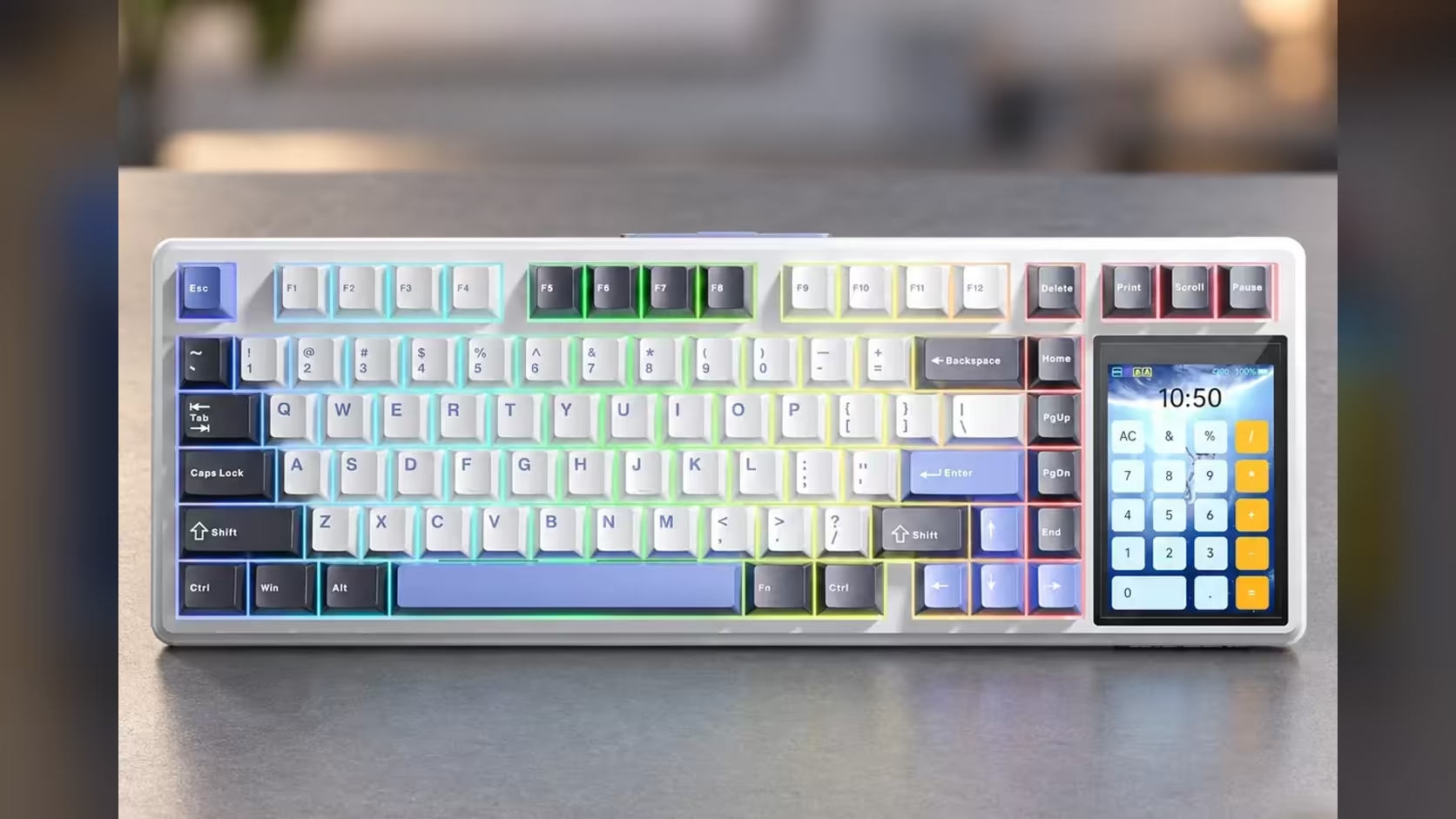
The mouse battery dies halfway through an email, or the mouse is across the room on the couch with the laptop. For moments like that, the AULA L99 lists mouse simulation as one of the jobs its built-in touchscreen can do, letting the panel beside the keys stand in for basic pointer control. It is a useful fallback, and it helps to know exactly how far to lean on it.
Quick Answer
Mouse simulation is a mode on the L99's 3.98-inch, 320 x 480 touchscreen that covers basic pointer tasks when no mouse is to hand. AULA names the feature but does not publish a gesture list, so treat it as a backup for quick clicks and moves, not a substitute for a real mouse in games or design work. Evetech sells the L99 in two colourways at R1,099 each.
🖱️ What the touch mode is really for
Picture the small jobs a pointer does between bursts of typing: clicking into a text field, pressing a dialog's OK button, nudging a video along. None of that needs precision, and all of it is annoying without a mouse. That is the territory where a touch panel on the keyboard makes sense.
Because AULA describes the mode only as simulating mouse functions, you should test what your own L99 supports out of the box before relying on it. Try moving the cursor, clicking and scrolling, and note which of those it handles comfortably. What you learn in five minutes on the day you set the board up tells you whether it can cover for a flat mouse later.
🎮 Where it should stay out of the way
Gaming is the clear no. Aiming, tracking and fast flicks depend on a sensor gliding across a pad, and a small touch area cannot match that. The L99's gaming strengths lie elsewhere: factory-lubed linear switches, 1000Hz polling wired or on 2.4GHz, and full N-key rollover so keys pressed together all register.
Photo editing, spreadsheets with lots of cell selection and anything involving dragging over long distances also belong to a proper mouse. The panel's job in those sessions is the other stuff it offers, such as flipping lighting modes or popping up the numpad.
🔀 One screen, several jobs
Mouse simulation shares the panel with everything else it runs. The same glass handles lighting (per-key RGB in about 16 million colours, 20 presets), board settings, a number grid, a calculator and your own GIF or JPG animations. It also shows the battery level for the 8000mAh cell, which is worth a glance when you are relying on the board unplugged.
That versatility is the real case for the L99. You get a compact 75% board with a gasket mount, six dampening layers and hot-swap sockets, and a panel that removes several small frustrations, a missing mouse among them.
📱 Using it across devices
Bluetooth on the L99 pairs with up to three devices, and it has Windows and Mac modes, so one keyboard can move between a desktop, a MacBook and a tablet. How well mouse simulation behaves on each device is something to check yourself, since AULA does not break it down by platform. For typing on a tablet, though, a proper keyboard with its own screen tools is a big step up from on-screen glass.
To see how it stacks up against conventional boards, Evetech's gaming keyboards are the wider field, and the keyboard best sellers.
Frequently Asked Questions
Can the L99 replace my mouse completely?
No. It covers simple pointer tasks when a mouse is missing, but for gaming, editing or long work sessions you still want a real mouse.
What exactly can mouse simulation do?
AULA lists the feature without detailing gestures, so test cursor movement, clicks and scrolling on your own board to see what it supports.
Should I use touch mode during a match?
No. Keep the panel for lighting and utilities between games; aim and movement need a proper sensor.
Does it drain the battery?
Any lit screen adds draw. Keep an eye on the level shown on the panel, or use the USB-C cable for long sessions.
Who looks after the L99 if the panel stops responding?
Evetech handles the 1 Year Local Warranty, so report a touchscreen fault to the team with your order details.
Ready for a keyboard that covers for a missing mouse?
Browse Evetech's gaming keyboards and see how the L99's touchscreen compares with traditional compact boards.