



1000W PSU Planning for RTX 5090 Builds in SA
1000W for RTX 5090 needs a full-build check, not a simple yes. Review GPU guidance, CPU draw, transient load, connectors, PSU quality, and upgrade plans before deciding.
Read moreA premium cooler still has to transfer GPU heat into the case, so warm operation is not automatically a fault. The RTX 5090 uses a vapor chamber and axial-tech fans; blocked airflow, dust, room temperature or sustained load can still influence readings.
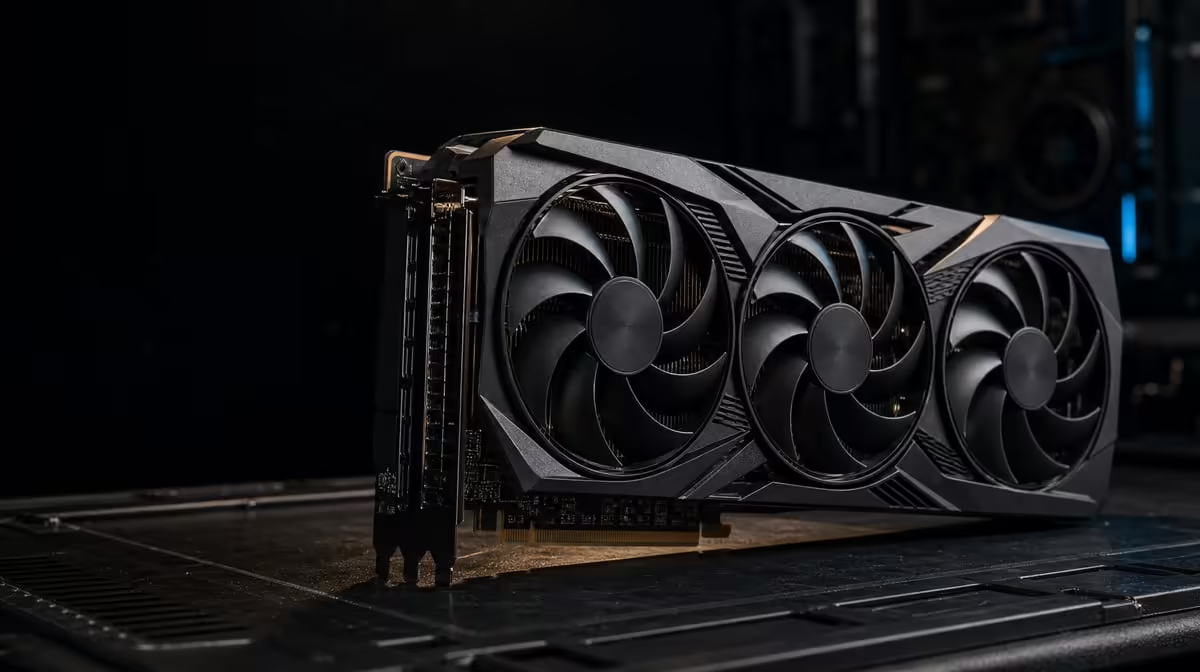
A capable cooler can move a great deal of heat precisely because the GPU is doing substantial work. A premium-cooled graphics card running hot is not automatically faulty; workload, room air, chassis flow and control behaviour need to be read together.
The R73,599 ASUS TUF RTX 5090 uses a patented chamber supported by axial-tech fans. It can still warm up during demanding sessions because the cooler transfers GPU heat into case air, which the chassis must then replace and exhaust.
Record what the computer was doing when the concern appeared. A game menu, sustained match, AI task and long render create different loads, so a temperature without duration and workload says little.
Note room conditions and case placement. Warmer intake air reduces the temperature difference available to the cooler, while a tower inside a cabinet may pull back air it has just exhausted.
Observe performance and stability alongside temperature. A steady result during a known job requires a different response from sudden throttling, crashes or an abrupt change in fan behaviour.
Capture idle behaviour only as context. A low-load reading cannot demonstrate how the cooler responds after half an hour of demanding work, while a heavy-run peak cannot describe normal desktop use. Keep each number attached to its state.
The 32GB GDDR7 and 3352 AI TOPs can support demanding compatible work, but those specifications do not define one correct thermal number. Use the product's supported guidance rather than an unrelated system's reading.
See Evetech's ASUS graphics-card range for model-level comparisons after documenting the exact symptom.
Power down safely before a physical inspection. Check external vents and filters for dust, make sure the case has clear space around its intakes and exhausts, and look for cables obstructing fan paths.
Confirm that case and GPU fans behave normally without touching moving parts. A fan that does not start under a heavy workload or makes a new mechanical sound deserves attention through supported diagnostics.
Compare a test with the chassis in its normal configuration. Removing a panel can help reveal restricted airflow, but it changes the system and should not become the permanent reference.
Inspect whether a recent room or desk change altered ventilation. Moving the tower closer to a wall, adding equipment beside an intake or closing a cabinet door can explain a new pattern without any change inside the graphics card.
The protective PCB coating is a durability feature, not a heat-removal component. It does not replace the vapor chamber, fans or chassis ventilation.
Browse Evetech's NVIDIA GPU category while separating cooling design from the environment each card will occupy.
Repeat a familiar game scene or production task with the same settings. Record the starting state, settled behaviour and any performance change. This creates a baseline for maintenance or support.
Include fan sound at the usual seat. A recording made next to the case can exaggerate a tone, while a headset can mask one the room still hears. Describe the practical experience and the load that produces it.
Clean a filter, clear an external obstruction or restore a supported setting as one controlled step, then run the same test again. Several simultaneous changes may hide the real cause.
Do not dismantle the cooler or guess at thermal materials. If instability persists, a fan behaves abnormally or the change cannot be explained, consult the product guidance or qualified technical support.
Keep the diagnostic note with the date, application version and recent system changes. If the issue returns, that history can distinguish gradual dust buildup from a sudden software or hardware event.
Use Evetech's GPU best-seller page only after the case check, and review current availability if replacement remains justified.
The chamber spreads heat inside the cooler; fans and the chassis still have to move that energy into the room.
Check external clearance, vents, filters, cables and visible fan behaviour with the machine handled safely.
Yes. A sustained production task can maintain load for much longer than a lightly active menu.
The cooler receives room-derived intake air, so warmer surroundings can raise the system's operating conditions.
A stopped fan under load, a new mechanical sound or an abrupt change paired with instability merits investigation.
No. It is a protective design detail, not part of the active heat-transfer path.
Seek help when controlled checks do not explain persistent instability, unusual fan operation or a sharp thermal change.
Trying to understand a warm-running GPU? Document the workload and airflow path first, then compare Evetech graphics cards only if the evidence points beyond the current setup.
The chamber spreads heat inside the cooler; fans and the chassis still have to move that energy into the room.
Check external clearance, vents, filters, cables and visible fan behaviour with the machine handled safely.
Yes. A sustained production task can maintain load for much longer than a lightly active menu.
The cooler receives room-derived intake air, so warmer surroundings can raise the system's operating conditions.
A stopped fan under load, a new mechanical sound or an abrupt change paired with instability merits investigation.
No. It is a protective design detail, not part of the active heat-transfer path.
Seek help when controlled checks do not explain persistent instability, unusual fan operation or a sharp thermal change.
1000W for RTX 5090 needs a full-build check, not a simple yes. Review GPU guidance, CPU draw, transient load, connectors, PSU quality, and upgrade plans before deciding.
Read more
RTX 5080 Super with a 750W PSU is more comfortable than lower wattage if the unit is quality. SA builders should still confirm GPU guidance, CPU draw, connector type, airflow, and upgrade room.
Read more
How to fix FPS drops after a RX 9070 XT starts with driver cleanup, chipset updates, thermals, and power checks. For SA gaming PCs, confirm PCIe seating, monitor refresh, frame caps, and per-game graphics settings before replacing parts.
Read more
How to fix low FPS Windows 11 Wi-Fi 7 issues starts by checking whether the problem is frame rate or network lag. Test ping, drivers, power settings, Ethernet, and game FPS before adjusting visuals.
Read more
AM5 is smart for SA builders because it supports newer Ryzen CPUs, DDR5 memory, and a longer upgrade path. Compare board cost, cooling, gaming needs, and local part availability before choosing your next PC platform.
Read more
AM5 gives Randburg gaming builders a longer upgrade path. For SA buyers, DDR5 support, newer board features, and future CPU options can justify the platform. Weigh board cost, cooler support, BIOS maturity, and upgrade timing before choosing.
Read more
RTX 5090 on a 550W PSU leaves almost no practical room for OC plans. Treat the setup as constrained, with CPU draw, power spikes, cable quality, thermals, and stability checks more important than chasing extra clocks.

FPS drops on a Ryzen 9 9950X3D build often have a fixable cause. Check settings, drivers, thermals, background tasks, network conditions, and bottlenecks before assuming a part must be replaced.

The difference between PCIe 5.0 and PCIe 4.0 for SA gamers is mostly bandwidth headroom. Compare GPU slot needs, NVMe speed, motherboard support, and upgrade timing before paying extra for a newer platform.

Gaming PC stuck pixel checks in South Africa should confirm the monitor fault first. Use colour tests, screenshot comparison, cable swaps, display menu checks, and clear photos before deciding on support.

AMD's current driver now lists a Radeon RX 9050 4GB, while product coverage details a narrowed memory system. SA buyers should weigh the low VRAM ceiling against current local Radeon options.

Samsung Display has demonstrated a 16-inch 2.5K OLED laptop panel running at 300Hz. SA buyers should wait for a named notebook, full panel specifications and a local price before planning an upgrade.

Microsoft says some Windows 11 game crashes after recent updates are linked to RGB-related drivers. Affected SA gamers should confirm the update and driver before using the published registry workaround.

Thermalright's Fan Frame Vision-1 adds a 640x172 status screen to a standard 120mm fan. SA builders should check clearance, USB routing and local support before treating it as an easy upgrade.
1000W for RTX 5090 needs a full-build check, not a simple yes. Review GPU guidance, CPU draw, transient load, connectors, PSU quality, and upgrade plans before deciding.

Wi-Fi 6E vs Wi-Fi 6 matters for 4K video editing when files move across a network. The real-world difference between Wi-Fi 6E and Wi-Fi 6 for video editing in 4K depends on NAS access, cloud uploads, router range, and SA creator workflows.
RTX 5080 Super with a 750W PSU is more comfortable than lower wattage if the unit is quality. SA builders should still confirm GPU guidance, CPU draw, connector type, airflow, and upgrade room.

Wi-Fi 6E vs Wi-Fi 6 for Video Editing in 4K comes down to router support, latency, client devices, band support, and home network layout. SA buyers should match the choice to their setup instead of assuming one option always wins.