Why is your Xbox Party Chat failing?
There is nothing more frustrating than jumping into a Halo or Forza session only to find your party chat not working on Xbox. You can see your friends talking, but the silence is deafening. In South Africa, where internet stability can be a bit of a gamble, these glitches are common. Let’s get you back in the conversation with these fast, effective fixes 🔧.
Check Your NAT Type and Network Settings
The most common reason for party chat not working on Xbox is a "Strict" or "Unavailable" NAT type. This happens when your router is not communicating properly with Xbox servers. To check this, go to Settings > Network Settings. If your NAT type is not "Open", you might struggle to connect with others.
A quick restart of your fibre or LTE router often clears these hurdles. While you are at it, ensure your hardware is up to the task. If you are using aging peripherals, browsing our latest gaming controllers might reveal that a hardware upgrade is the simplest way to ensure consistent connectivity and audio clarity.
Privacy Settings and Mic Toggles
Sometimes the solution is hidden in the software. Navigate to Settings > Account > Privacy & online safety. Ensure that the option "Others can communicate with voice, text, or invites" is set to "Everybody". If this is restricted, your party chat will remain silent.
Quick Audio Reset ⚡
If your mic is silent, try clearing your MAC address. Go to Settings > Network Settings > Advanced Settings > Alternate MAC Address > Clear. Your Xbox will restart, often flushing out stubborn party chat bugs in the process.
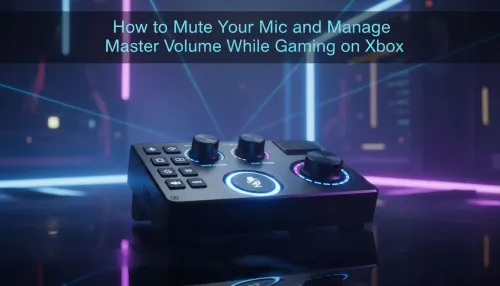
If you prefer using high-performance gear, remember that many Razer controllers feature physical mute buttons or remappable paddles. Always double-check that you haven't accidentally toggled your mic off during an intense firefight 🚀.
Hardware Reliability and Connection Ports
If you have tried every software fix and your party chat not working on Xbox persists, the physical 3.5mm jack or the USB port might be failing. Dust and wear are the enemies of clear communication. For competitive players who cannot afford a mid-match disconnect, the Razer Wolverine V3 Tournament Edition provides a wired, lag-free experience for approximately R2,199. This eliminates the wireless interference issues that often plague South African households with multiple devices on the 2.4GHz band ✨.
Ready to Upgrade Your Chat Experience?
Don't let technical glitches silence your squad. Whether you need a pro-grade controller or a reliable replacement, we have the gear to keep you connected. Explore our massive range of gaming controllers and find the perfect tool to dominate the lobby.