Quick Answer
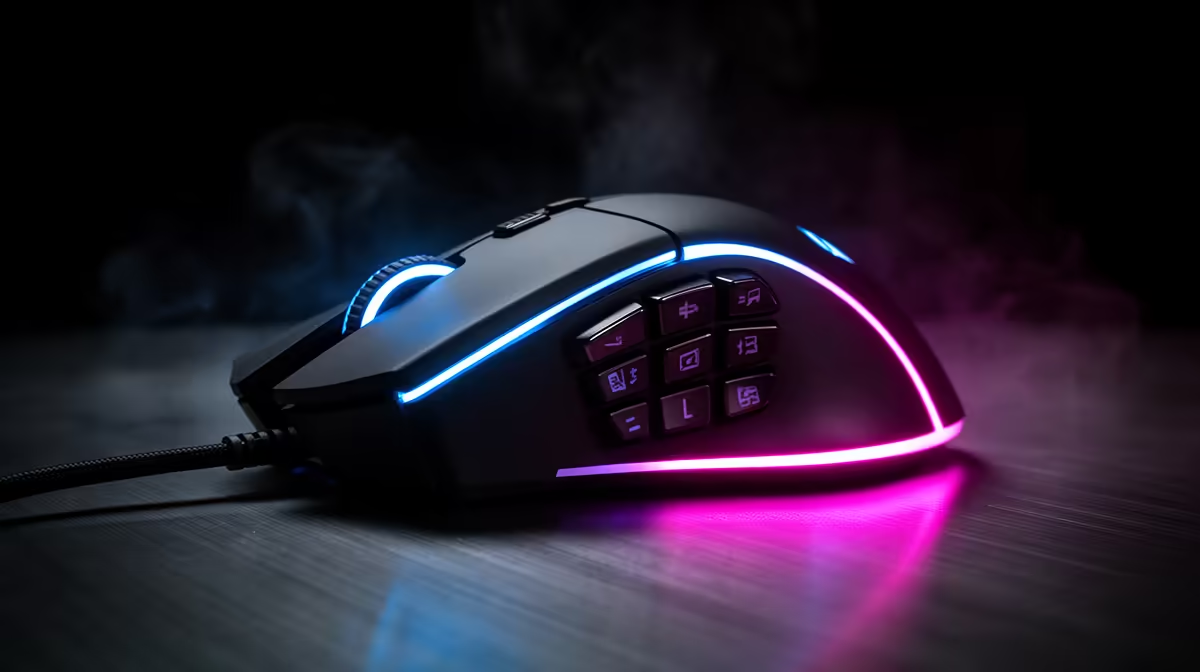
Programmable mouse buttons let you assign keyboard shortcuts, macros, or app-specific commands to physical thumb buttons, removing the need to reach for the keyboard mid-task. Most gaming and productivity mice include between 5 and 12 programmable buttons; even a 7-button mouse can eliminate hundreds of keystrokes per hour for designers, editors, and coders.
What Programmable Buttons Actually Do 🖱️
Beyond left-click, right-click, and scroll, programmable buttons are mapped via software to any action you choose. A photo editor might assign undo to one button and brush-size controls to another. A video editor can map timeline scrubbing or clip-cutting to side buttons so their left hand never leaves the mouse. Most mice use companion apps like Logitech G HUB or Razer Synapse to store profiles per application, so the same button does something different in Photoshop versus a browser. On-board memory means the profile travels with the mouse even when switching between work and home setups.
Macros: Recording Multi-Step Actions in a Single Click 🔧
A macro records a sequence of keystrokes, mouse movements, and delays, then replays them at the press of one button. For a developer that regularly triggers a build-test-deploy sequence, binding it to a thumb button cuts a five-keystroke chain to one press. Macro recording is done inside the mouse software and typically supports conditional delays so fast actions don't outpace the application. Complex macros can span dozens of steps. Some mice store up to five onboard profiles with macro support, meaning no software install is needed on a work laptop.
Choosing the Right Button Count for Your Workflow 💡
For basic productivity use, a 5- to 7-button mouse (two thumb buttons plus standard clicks and a tilt-wheel) covers most workflows without feeling cluttered. Designers and 3D artists often prefer 12-button MMO mice where the number pad of buttons maps to tool palettes. In a South African remote-work or university context, a mid-range 7-button wireless mouse starts from around R600 to R1,200, while feature-rich 12-button options with onboard memory sit between R1,500 and R3,500. The sweet spot for most creators and students is a 7-button mouse with at least two assignable thumb buttons and solid software support for Windows and macOS.
Profile Switching Shortcut ⚡
Set up a dedicated button to cycle between onboard profiles so you can move from a Photoshop layout to a browser layout without opening the software. Most mice blink an LED to confirm the active profile, which makes blind switching reliable.
FAQ
How many programmable buttons do I actually need for office work?
Two to four programmable buttons handle the majority of office tasks: browser back/forward, copy-paste macros, and undo. More buttons are useful if you work heavily in creative apps like Premiere Pro or AutoCAD.
Do programmable buttons work without installing software?
Basic button assignments stored in onboard memory work without software. However, per-app profile switching and macro recording require the companion app to be installed at least once to write the profile to the mouse.
Will programmable mouse profiles carry over between my work laptop and home PC?
If the mouse has onboard memory (most mid-range and premium models do), profiles are stored on the mouse itself and activate automatically on any machine. Cloud profile sync, available in Logitech G HUB and Razer Synapse, adds a backup layer.
Ready to cut your keystrokes in half?
Browse Evetech's full range of programmable gaming and productivity mice, with options from 5-button basics to 12-button MMO-grade models suited to every workflow.