Common RAM Issues in South African Gaming PCs ⚡
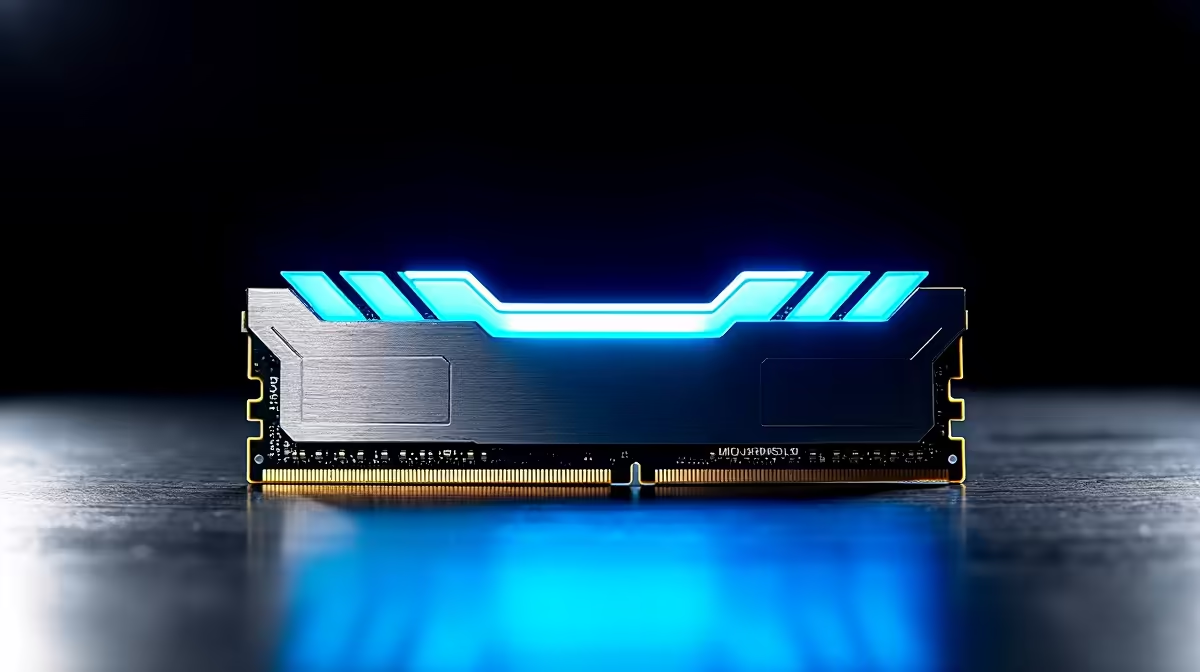
If you’re a gamer in South Africa and your rig suddenly slows or crashes mid-match, it might be a RAM problem. Poor performance, random restarts, or missing memory on your PC can ruin your gaming flow. Troubleshooting RAM issues early saves you from costly downtime and frustrating gameplay. Whether you’re upgrading your desktop or laptop, clear RAM tips can get you back on track fast.
Diagnosing RAM Problems: What to Look For 🔧
The first sign of RAM trouble: weird crashes or blue screens. Sometimes Windows won't even boot, or games stutter despite good specs. Use Windows Memory Diagnostic or third-party tools like MemTest86 to check for faulty RAM sticks.
Also, pay attention if your system reports less RAM than installed. This can be a BIOS setting or hardware mismatch. Dual-channel memory kits require matching sticks for optimum speed; mixing sizes or speeds might trigger errors. South African gamers often overlook BIOS updates that improve memory compatibility for popular brands.
Expert Tip: Ensure your RAM modules are properly seated—loose sticks cause odd glitches. Power off, unplug, ground yourself, then reseat each stick firmly.
Quick RAM Check
Run Windows Memory Diagnostic by typing 'mdsched.exe' in the Start menu. It helps catch hidden errors early, before they mess up your gameplay.
Improving Performance With the Right RAM in SA 🇿🇦
Upgrading memory is often the cheapest way to boost FPS and load times on your rig. For South African gamers, ZAR pricing and availability matter: timing purchases with Evetech’s specials can save hundreds on quality modules.
Consider the games you play most: shooters or MMOs benefit from at least 16GB DDR4 or DDR5 RAM, clocked at 3200MHz or faster to minimise bottlenecks. Check your motherboard specs to avoid incompatible sticks.
For hassle-free builds, pre-built PC deals at Evetech sometimes include optimized RAM configurations, ideal if you want to skip manual installs but keep performance top-notch.
How to Buy the Best RAM for Gaming in South Africa ⚡
Shop memory based on capacity, speed, and latency. Higher MHz means faster data transfer but balance with your system’s compatibility. Evetech highlights trusted brands and detailed specs on their memory components page to guide SA buyers.
If mobility is key, laptops with 16GB RAM or more offer smooth multitasking and gaming. Check out notebooks for sale in South Africa tailored for gamers who want punchy performance on the go.
Remember: mixing RAM brands or speeds can cause instability. When in doubt, match the model or upgrade all sticks together.
Troubleshooting RAM on Your PC: Step-by-Step for South Africans
- Backup your data — just in case.
- Run inbuilt diagnostics or MemTest86 for errors.
- Access BIOS and verify RAM is correctly recognised.
- Reseat or swap sticks to isolate faulty modules.
- If needed, upgrade using South Africa-friendly options from retailers like Evetech.
For those assembling or upgrading, exploring gaming PC deals might be a convenient way to secure balanced RAM performance bundled with other cutting-edge parts.
Remember, maintaining your RAM is a key step to keep your gaming setup solid and lag-free.
Upgrade your Gaming Performance Today
Don’t let RAM hiccups hold you back. Shop now at Evetech for reliable RAM and unbeatable deals to power your next victory.