



1000W PSU Planning for RTX 5090 Builds in SA
1000W for RTX 5090 needs a full-build check, not a simple yes. Review GPU guidance, CPU draw, transient load, connectors, PSU quality, and upgrade plans before deciding.
Read moreRyzen chips are designed to run safely up to 95C under sustained load, while Intel desktop CPUs typically throttle near 100-105C but ideally stay under 90C. Evetech tests every prebuilt PC under load to confirm CPU temperatures sit within rated limits.
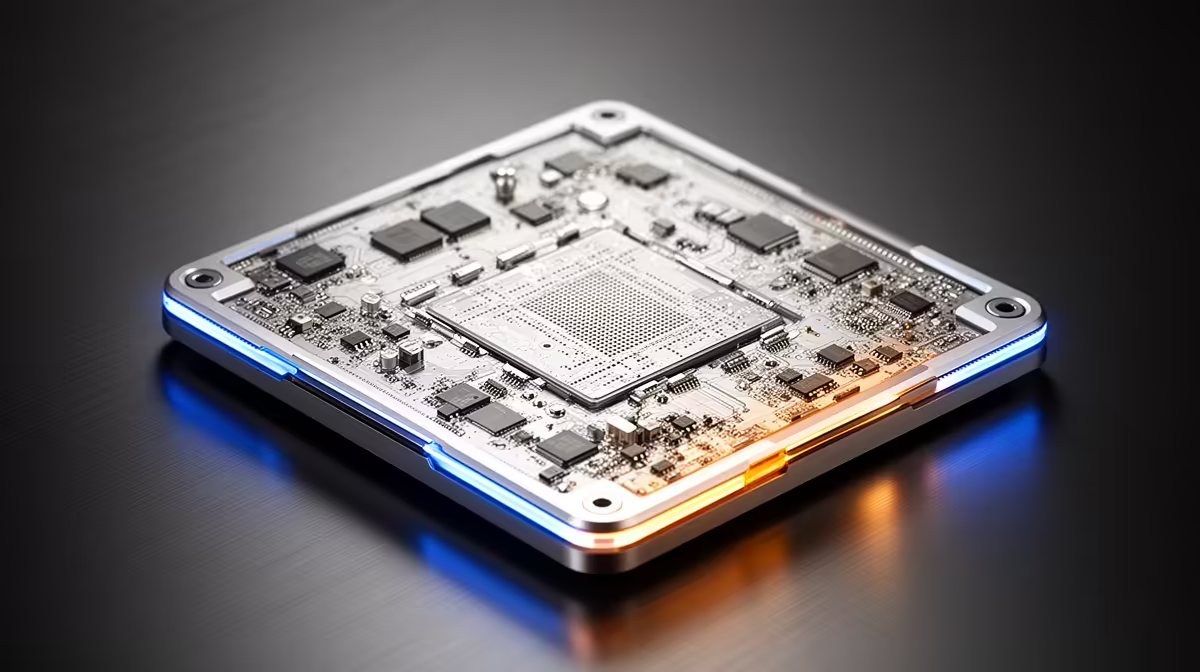
Your CPU touches 88C for half a second while a game loads, then spends the next hour at 72C. That spike tells you less than the steady reading. A safe CPU temperature depends on the exact Ryzen or Intel model, the workload and whether the processor holds its expected clock without errors.
Many recent Ryzen desktop chips can operate up to a 95C target under heavy load. Intel desktop processors often throttle near 100C or above, though a gaming system that stays below 90C gives you more acoustic and thermal room. The Intel Core Ultra 5 225F was R3,299 at Evetech in July 2026; check the rated limit for your exact CPU before comparing it with somebody else's screenshot.
Idle temperature moves with room heat, background updates and fan-stop modes. A desktop sitting between the 30s and 50s can be fine if it drops there after work. A sustained test gives you a better view because the cooler has time to settle.
Run the same ten-minute CPU task and log package temperature, clock and power. Ryzen may ride its thermal target while boosting. Intel may reach a throttle point and trim frequency. The question for both is whether the completed work and clock remain consistent.
Browse Evetech's AMD processor category to identify the Ryzen family and included cooler before applying a temperature guide.
A shutdown, repeated throttle warning or temperature that jumps after a cooler change needs attention. Check the fan header, pump speed, mounting pressure and cold-plate contact. A case packed against a wall can also recycle its own hot exhaust.
Stop the test for a burning smell, smoke or a failed pump. For a stable but noisy system, adjust the fan curve or reduce the CPU power target and compare performance. You may prefer a small speed loss over a fan that dominates the room.
A laptop shares a compact cooling system between CPU and GPU. Short bursts near the chip's limit can occur while the fans catch up, and the keyboard deck has less room to shed heat than a desktop tower.
Judge a laptop by stable performance, fan behaviour and surface comfort during the task you bought it for. The desktop Intel CPU range at Evetech uses replaceable cooling and should not serve as a direct temperature template for a thin notebook.
Many recent Ryzen desktop models can target up to 95C in heavy work. Check the specification for your model and watch clock stability.
Many Intel desktop chips protect themselves near 100C or above. Staying below 90C during ordinary gaming gives the cooler more room.
An idle temperature close to the chip's load limit, especially with high fan speed, calls for a cooling and background-process check.
No. Throttling reduces clock and power to protect the processor. Repeated contact still tells you to inspect cooling and settings.
A warmer room raises the air temperature entering the cooler, so the CPU will tend to settle higher under the same load.
Choosing a CPU and cooler for South African summer gaming? Compare AMD and Intel processors at Evetech, check the cooler requirement, and leave enough case airflow for the room where the PC will run.
Many recent Ryzen desktop models can target up to 95C in heavy work. Check the specification for your model and watch clock stability.
Many Intel desktop chips protect themselves near 100C or above. Staying below 90C during ordinary gaming gives the cooler more room.
An idle temperature close to the chip's load limit, especially with high fan speed, calls for a cooling and background-process check.
No. Throttling reduces clock and power to protect the processor. Repeated contact still tells you to inspect cooling and settings.
A warmer room raises the air temperature entering the cooler, so the CPU will tend to settle higher under the same load.
1000W for RTX 5090 needs a full-build check, not a simple yes. Review GPU guidance, CPU draw, transient load, connectors, PSU quality, and upgrade plans before deciding.
Read more
RTX 5080 Super with a 750W PSU is more comfortable than lower wattage if the unit is quality. SA builders should still confirm GPU guidance, CPU draw, connector type, airflow, and upgrade room.
Read more
How to fix FPS drops after a RX 9070 XT starts with driver cleanup, chipset updates, thermals, and power checks. For SA gaming PCs, confirm PCIe seating, monitor refresh, frame caps, and per-game graphics settings before replacing parts.
Read more
How to fix low FPS Windows 11 Wi-Fi 7 issues starts by checking whether the problem is frame rate or network lag. Test ping, drivers, power settings, Ethernet, and game FPS before adjusting visuals.
Read more
AM5 is smart for SA builders because it supports newer Ryzen CPUs, DDR5 memory, and a longer upgrade path. Compare board cost, cooling, gaming needs, and local part availability before choosing your next PC platform.
Read more
AM5 gives Randburg gaming builders a longer upgrade path. For SA buyers, DDR5 support, newer board features, and future CPU options can justify the platform. Weigh board cost, cooler support, BIOS maturity, and upgrade timing before choosing.
Read more
RTX 5090 on a 550W PSU leaves almost no practical room for OC plans. Treat the setup as constrained, with CPU draw, power spikes, cable quality, thermals, and stability checks more important than chasing extra clocks.

FPS drops on a Ryzen 9 9950X3D build often have a fixable cause. Check settings, drivers, thermals, background tasks, network conditions, and bottlenecks before assuming a part must be replaced.

The difference between PCIe 5.0 and PCIe 4.0 for SA gamers is mostly bandwidth headroom. Compare GPU slot needs, NVMe speed, motherboard support, and upgrade timing before paying extra for a newer platform.

Gaming PC stuck pixel checks in South Africa should confirm the monitor fault first. Use colour tests, screenshot comparison, cable swaps, display menu checks, and clear photos before deciding on support.

AMD's current driver now lists a Radeon RX 9050 4GB, while product coverage details a narrowed memory system. SA buyers should weigh the low VRAM ceiling against current local Radeon options.

Samsung Display has demonstrated a 16-inch 2.5K OLED laptop panel running at 300Hz. SA buyers should wait for a named notebook, full panel specifications and a local price before planning an upgrade.

Microsoft says some Windows 11 game crashes after recent updates are linked to RGB-related drivers. Affected SA gamers should confirm the update and driver before using the published registry workaround.

Thermalright's Fan Frame Vision-1 adds a 640x172 status screen to a standard 120mm fan. SA builders should check clearance, USB routing and local support before treating it as an easy upgrade.
AMD's current driver now lists a Radeon RX 9050 4GB, while product coverage details a narrowed memory system. SA buyers should weigh the low VRAM ceiling against current local Radeon options.
Microsoft says some Windows 11 game crashes after recent updates are linked to RGB-related drivers. Affected SA gamers should confirm the update and driver before using the published registry workaround.
Samsung Display has demonstrated a 16-inch 2.5K OLED laptop panel running at 300Hz. SA buyers should wait for a named notebook, full panel specifications and a local price before planning an upgrade.
Thermalright's Fan Frame Vision-1 adds a 640x172 status screen to a standard 120mm fan. SA builders should check clearance, USB routing and local support before treating it as an easy upgrade.