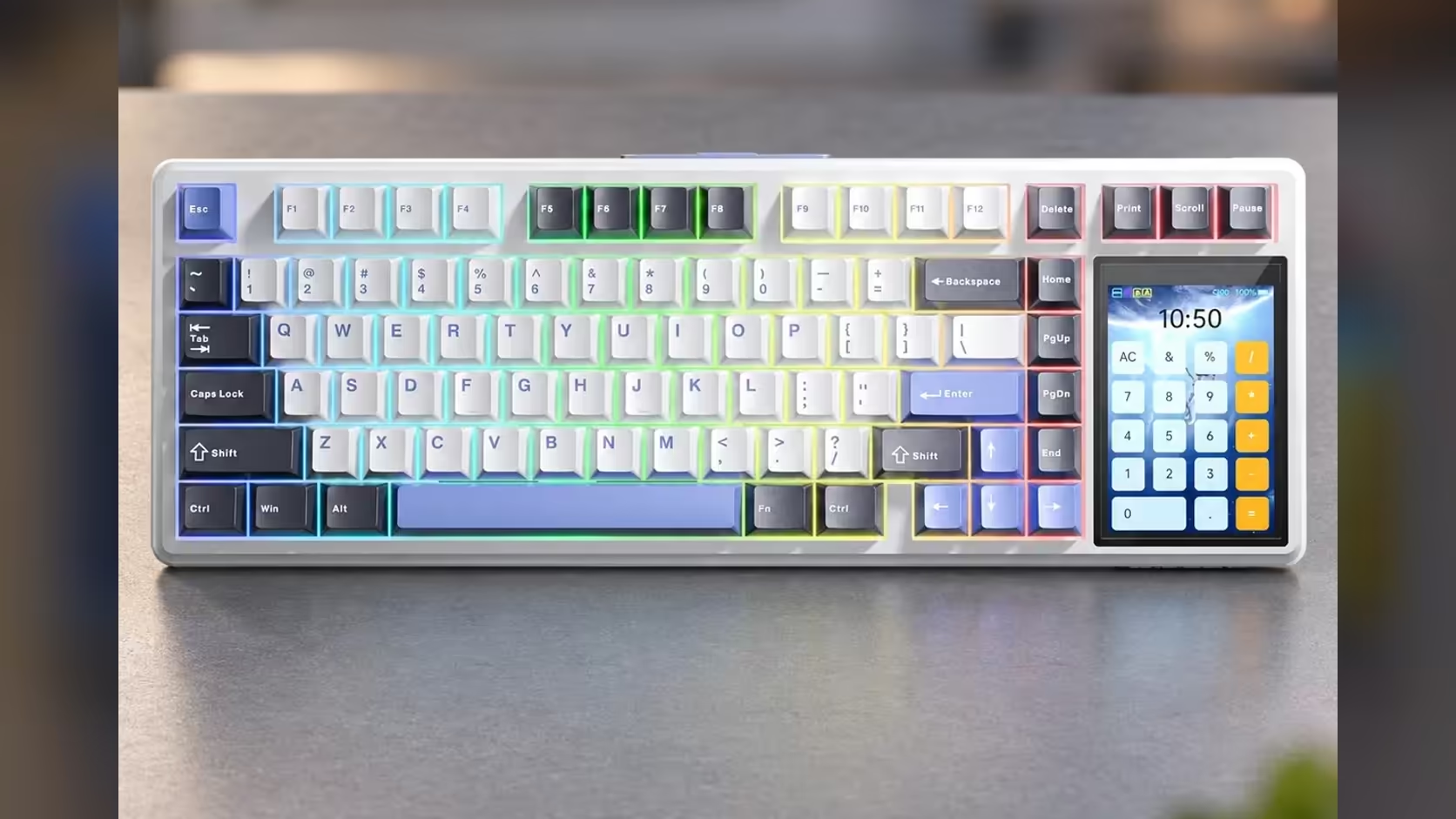
A glowing panel on a wireless keyboard raises a fair worry: how much of the charge does it eat? The AULA L99 pairs an 8000mAh cell with a built-in 3.98-inch touchscreen, and the short answer on touchscreen keyboard battery life is that a lit screen does add to the draw. What AULA does not give you is an hours figure to measure that against, so managing it comes down to habits rather than numbers.
Quick Answer
Yes, keeping the L99's touchscreen lit adds to its power use, alongside whatever the key lighting is doing. AULA publishes no battery-life rating in hours, so there is no rated runtime to compare. Watch the battery level the screen itself displays, dim or simplify the lighting when you are unplugged, and top the 8000mAh cell up over USB-C. Evetech carries the L99 in two colourways at R1,099, backed by a 1 Year Local Warranty.
🔋 Why AULA gives no hours
Runtime on a keyboard like this depends on too many variables for one figure to mean much: how bright the RGB is, which effect is running, how long the screen stays on, whether you are on the 2.4GHz dongle or Bluetooth, and how much you type. Two owners could see very different results from the same 8000mAh battery. So instead of a rated number, the L99 gives you a live one: the touchscreen shows the current battery level.
That is arguably more useful day to day. You can see where you stand before a long session, rather than trusting a figure measured with the lights off.
💡 What draws power on the L99
The screen
A 320 x 480 panel that is lit and showing menus, a numpad, a calculator or an animated GIF is a constant load while it is on. Animations and bright images are likely to cost more than a simple, dim display.
The lighting
Per-key RGB across about 16 million colours and 20 presets is the other big consumer. Busy, bright effects use more than a single steady colour at low brightness.
The connection
The 2.4GHz dongle and Bluetooth both run from the battery. Wired mode over USB-C takes the battery out of the equation for as long as the cable is connected.
🛠️ Habits that stretch a charge
- Choose a calmer, dimmer lighting effect for unplugged work and save the full show for when you are wired.
- Keep animated GIFs for when the cable is in, and use simpler content on the panel otherwise.
- Check the battery level on the screen before a long gaming session or a day of typing away from the desk.
- Plug in the USB-C cable during long sessions at your desk; it removes the drain and keeps the board running.
🧪 Looking after the cell long term
Lithium batteries last longest when they are not constantly run flat or left hot. Top the L99 up before it is nearly empty, avoid leaving it in direct sun or on a warm windowsill, and if you will not use it for a few weeks, store it partly charged in a cool place.
If long wireless stretches are your priority, AULA's F87 Pro V2 carries a larger 10000mAh battery, though it swaps the touchscreen for a 49-LED display. You can compare both, and other options, in Evetech's gaming keyboards range or on the keyboard best sellers list.
Frequently Asked Questions
What battery life does AULA quote for the L99?
None in hours. AULA gives the capacity, 8000mAh, and the screen shows the live battery level instead.
Which uses more power, the screen or the lighting?
AULA does not break it down. Both add load, and bright or animated content on either will draw more than dim, static settings.
Does plugging in the cable stop the drain?
Yes. In wired mode the board runs over USB-C, so the battery is no longer the limit.
How can I check the charge without software?
Look at the touchscreen. It displays the battery level directly on the keyboard.
Is there an AULA board with a larger battery?
The F87 Pro V2 has a 10000mAh battery, though its display is a 49-LED grid rather than a touchscreen.
Ready to find a wireless board that keeps up with your day?
Compare the L99 and other models in Evetech's gaming keyboard range and choose the battery and display mix that suits you.