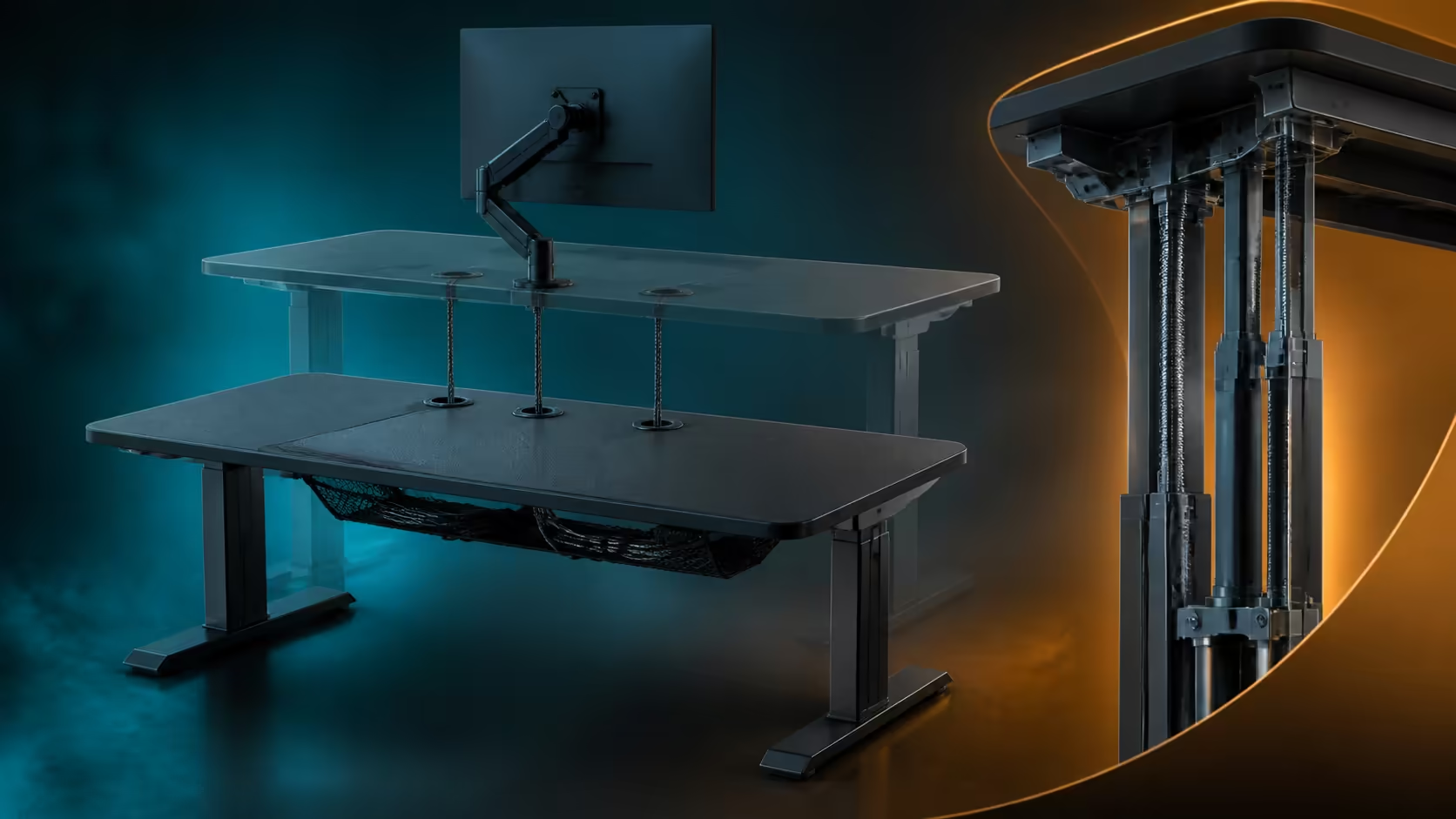
An adjustable desk works only when height, screen hardware and cables can change without fighting one another. South African guide to height-adjustable desks monitor mounts and cable management begins with the seated input position, followed by compatible display support and controlled slack. The R5,099 Arozzi Arena brings those relationships to a 160x82cm surface.
Quick Answer
Set the chair first, adjust the desktop near relaxed elbow level and position the monitor separately for a comfortable gaze. Verify any mount against its screen and installation point, then route cables with enough service slack for intended movement. The R5,099 Arena includes height adjustment, monitor attachment and three cable cut-outs, plus a huge water-resistant mousepad for the complete workstation.
🪑 Choose height from the user
Sit fully back with feet supported and knees comfortable. Let arms hang, bend the elbows towards the controls and bring the desktop towards that natural hand level.
Place keyboard and mouse close enough for relaxed shoulders. The top should carry equipment without becoming the forearm's main support edge.
Shared users need individual references that include chair, desk and input positions. One height number cannot recreate posture by itself.
Compare height-adjustable gaming desks with the same body-led setup sequence.
🖥️ Make mount compatibility explicit
Check the monitor's weight, dimensions and mounting interface against the chosen arm. Then measure the intended desk attachment point from above and below.
Grommet and clamp bases have different contact requirements. A cable cut-out does not automatically become a mount opening, and a lower plate needs clear flat space away from frame parts.
The Arena includes monitor attachment, but exact screen and arm hardware still govern the installation. Follow the supplied directions without improvised drilling, spacers or fasteners.
Use Arozzi gaming layout ideas to consider screen positions, then map the real arm movement arc.
🧵 Let cables follow every movement
Assign the Arena's three cut-outs to nearby display, PC and peripheral groups. Label both ends before leads disappear below the worktop.
Leave controlled loops for monitor movement and the chosen height. Support adapters and excess length beneath the desk, keeping organisers away from knees and moving frame areas.
Move the screen and adjust the setup slowly while another person watches cables where practical. Stop if a connector tightens, hardware shifts or a loop enters leg space.
Keep changeable chargers separate from stable display routes. A serviceable system should release one lead without dismantling all three drops.
📐 Test the whole South African setup
Trace the Arena's 160x82cm footprint, including chair travel, door clearance and access to plugs. The large surface needs room around it as well as equipment on it.
Protect a centred keyboard and full mouse sweep. The water-resistant, easy-clean pad covers the broad top but cannot remove physical obstacles.
Browse complete gaming setup options after height, display and routes pass. Additional gear should occupy remaining zones rather than altering posture.
At R5,099, the dark grey Arena supplies a concrete local package. Recheck alignment and slack after moving the desk, changing screens or adding a PC.
Keep a setup card for each regular user with chair relationship, desktop position, monitor placement and cable check. Reset in that order so one change does not chase another around the workstation.
Inspect the underside after a week. Supported adapters should remain accessible, labels readable and cable loops clear of legs. Remove any temporary lead that bypassed the three planned routes.
Maintenance completes the system. Lift dry debris from the full mouse surface, blot spills promptly and keep cleaning liquid away from attachment hardware and cut-outs. Restore electronics only after the top is dry.
Frequently Asked Questions
How should adjustable desk height be chosen?
Start from a supported chair position and bring the keyboard and mouse surface near relaxed bent elbows.
What makes a monitor mount compatible?
The screen, arm, attachment method, worktop contact and underside clearance must all meet their requirements.
How should cable routes accommodate adjustment?
Use controlled service loops, support adapter weight and watch every connection through intended movement.
Why are three cut-outs useful on a 160cm desk?
They let equipment groups use short distributed surface drops rather than one congested route.
What surface supports mouse and keyboard placement?
The Arena uses a huge full-surface mousepad that is water-resistant and easy-clean.
How does room fit affect the purchase?
The 160x82cm footprint must preserve chair, door, walking and cable-service clearance.
What is the exact price?
The dark grey Arozzi Arena costs R5,099.
Ready to test height, screen movement and cable slack as one connected setup?
Compare adjustable desks at Evetech, begin from the seated user, and approve the installation only after every lead follows the chosen position safely.