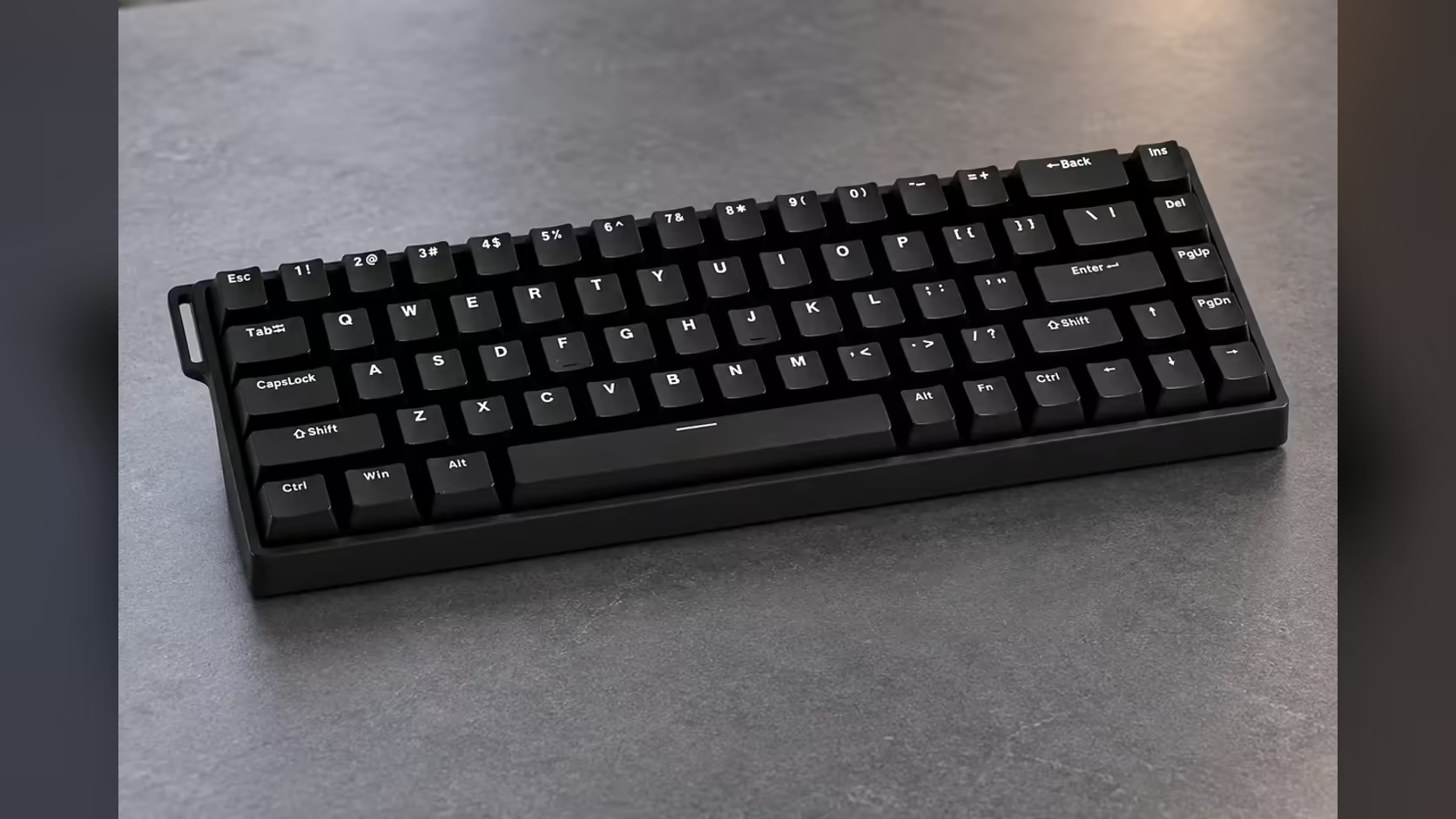
Sooner or later, most keyboard owners look at a keycap set online and wonder whether it would fit. On the AULA WIN68 HE, one detail in the specification makes that question easier to answer: south-facing per-key RGB. Where the LED sits on each switch affects which keycap profiles clear the housing and how evenly legends glow, so it is worth understanding before you spend on a new set.
Quick Answer
South-facing RGB on the AULA WIN68 HE places each LED on the side of the switch nearest you, the lower side. That keeps the LED clear of the space where Cherry-profile keycaps can catch on some boards, so many aftermarket sets sit cleanly. The LEDs cover about 16.8 million colours and are set from AULA's web driver or with Fn shortcuts. You can buy the WIN68 HE from Evetech for R449.
🧭 Which way the LEDs face, and why it matters
Every lit keyboard has a small LED per switch, and it sits either at the top edge of the switch, north-facing, or the bottom edge, south-facing. Neither is right for every board, but they suit different priorities.
North-facing LEDs sit close to where legends are printed on many stock keycaps, so they light those legends brightly. South-facing LEDs point towards the typist and spill light from underneath, which looks softer and is designed with aftermarket keycaps in mind.
The WIN68 HE uses the south-facing layout. AULA lists it as per-key, so each key can take its own colour.
🧢 Cherry-profile caps and the clearance question
Cherry profile is one of the most popular aftermarket keycap shapes, low and sculpted. On some boards with north-facing LEDs, the lower edge of certain Cherry-profile keycaps can sit close to the switch housing at the top and rub or catch on the way down. South-facing designs move that housing detail out of the way, which is why they are a favourite on enthusiast boards.
For a WIN68 HE owner, that means the most common style of custom keycap set is a reasonable fit. As always, check a set's description for compatibility with magnetic switches before buying, since the stems still need to match.
💡 Shine-through legends: what to expect
South-facing lighting has one trade-off. On shine-through keycaps where the legend is printed near the top of the cap, the light has further to travel, so legends can glow less evenly than on a north-facing board. Keycaps with legends printed lower down, or on the front face, pair better with south-facing LEDs.
If lit legends matter to you, look for sets designed for south-facing boards. If you prefer solid caps and an underglow look, south-facing is ideal as it stands.
🔧 Changing caps on a 65% board
The WIN68 HE is a 65% board with 68 keys in an ANSI US arrangement. When shopping for keycaps, make sure the set includes the right keys for a 65% layout, which often differ in size from a full-size board around the right Shift, Enter and bottom row. Sets that advertise 65% support, or include multiple size kits, save disappointment.
Removing the stock caps is straightforward: the HE box includes a keycap puller, along with two spare magnetic switches and a WIN68 ribbon. Lift each cap straight up to avoid stressing the switch stem.
Everything here holds for the black-and-red WIN68 MAX too, since its LEDs are positioned identically. You can weigh the pair against other layouts in Evetech's gaming keyboards section, and because the switches are hot-swappable, Evetech's switches for custom boards are another way to personalise the board later, sticking to magnetic ones. Evetech provides a 2 Years Local Warranty on the WIN68 HE.
Frequently Asked Questions
Which direction do south-facing LEDs point?
Towards the typist, from the lower edge of each switch, so light spills out from underneath the keycap.
Why do Cherry-profile keycaps care about LED position?
On some north-facing boards, the housing can sit where certain Cherry-profile caps travel. South-facing layouts avoid that clash.
Will shine-through legends glow evenly?
Not always. Legends near the top of a cap can look dimmer; sets made for south-facing boards light more evenly.
What keycap set size do I need for a 65% board?
One that includes the keys for a 65% layout, as the modifier and bottom-row sizes differ from a full-size set.
How do I remove the stock keycaps?
With the keycap puller in the box, lifting each cap straight up.
Does the WIN68 MAX light the same way?
Yes. AULA lists the same underside LED placement on the MAX, one per key, with the same colour count.
Planning to personalise your keyboard?
Start with a board built for custom keycaps and browse Evetech's gaming keyboard range for south-facing RGB options.