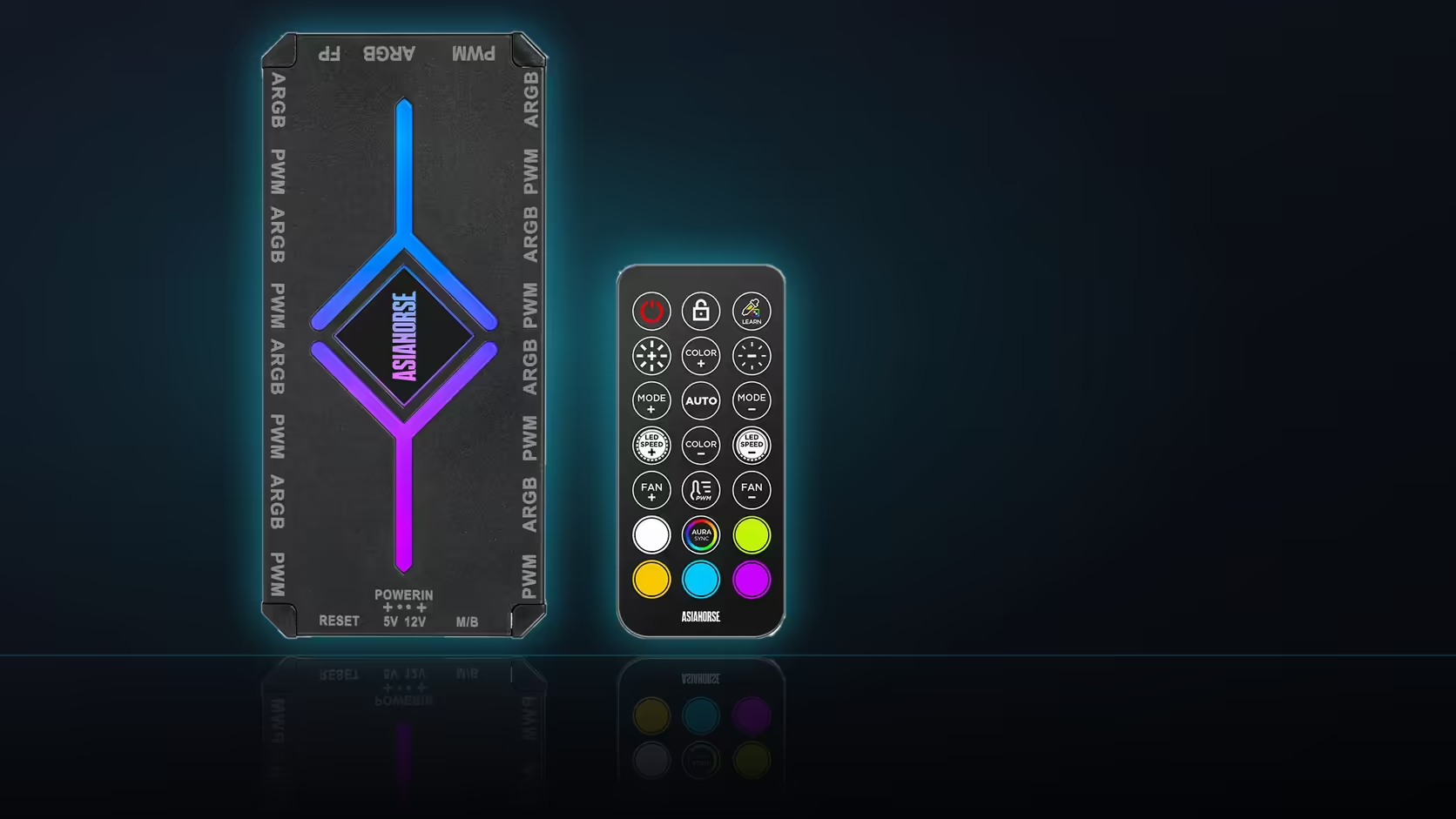
Somewhere in the ASH-S1's feature list, tucked between the preset count and the control modes, sits a name that gets far less explanation than it deserves: Color-Learning. It is listed as its own feature, distinct from the twenty stored presets, and worth exploring properly rather than assumed from the name alone.
Quick Answer
Color-Learning is named in the ASH-S1's description as a feature separate from the twenty presets and the auto-temp and motherboard-sync modes, though the description does not detail exactly what it does beyond naming it. The sensible approach is to try it on the hub itself once it is running, rather than guessing at its behaviour from the name. The hub costs R349 with the remote included.
🏷️ A named feature, not a preset
Reading through the description carefully, Color-Learning sits in its own line alongside auto-temp and motherboard-sync, which tells you it is a mode or function in its own right rather than one of the twenty numbered presets. That distinction matters because presets are selected and cycled through, while a mode named like this is more likely something the hub does actively - responding to or adapting a colour scheme in some way, going by the name, though the product listing itself does not spell out the mechanism.
🔍 Why the detail is worth chasing before assuming
Product descriptions for accessories like this one are often written tightly, listing features by name without a paragraph of explanation for each. That is normal, but it means the honest answer here is that Color-Learning is best confirmed by using the hub rather than inferred from marketing copy. If the exact behaviour matters for a specific plan - matching an existing lighting scheme, say - checking with AsiaHorse directly or testing it once the hub is running beats assuming based on the name.
🎛️ Where it sits relative to everything else
However it behaves, Color-Learning is accessed the same way as the rest of the hub's lighting features - through the remote, which is what drives the addressable side generally. It presumably steps aside the same way presets do if the hub is switched into motherboard-sync mode, since that hands lighting control to board software entirely. Devices that would show any colour-adaptive behaviour clearly are worth pairing this with, and Evetech's case fan range is a fine place to look; where a simpler, better-documented feature set matters more than trying something new, the NZXT fan controller is worth comparing instead.
Frequently Asked Questions
Where is Color-Learning mentioned in the listing?
In the product description, listed among the hub's features alongside auto-temp and motherboard-sync modes.
Is it one of the twenty presets?
It is named separately from the presets, so the description presents it as its own feature rather than a scene among them.
What does it do exactly?
The description names it without detailing its behaviour, so it is best explored on the hub rather than assumed.
Is it controlled from the remote like everything else?
The remote drives the hub's lighting features, so that is where the feature would be accessed.
Does it still work in motherboard-sync mode?
Sync hands control to board software, so hub features generally apply when the hub itself is driving the lighting.
Is the hub worth choosing for this feature alone?
Better to choose it for the port count and the control modes, treating this as an additional feature to try.
Curious what a hub with Color-Learning can actually do?
Browse Evetech's case fan range and see what a nine-port lighting bank would look like running it.