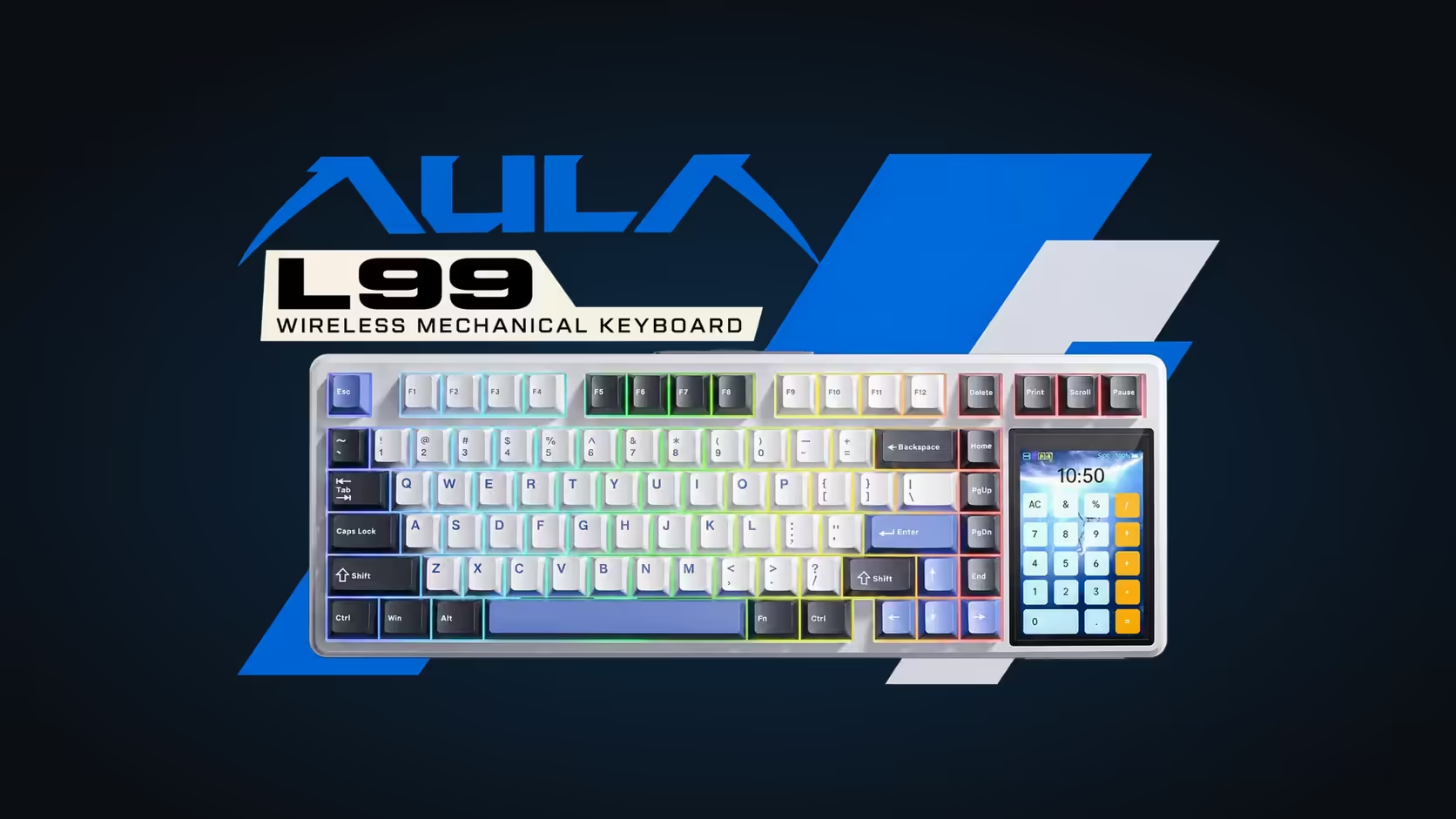
Most compact keyboards save space by cutting things out. The AULA L99 goes the other way: it keeps a 75% key block and then adds a 3.98-inch touchscreen keyboard panel on the right-hand side, a small control centre that handles jobs you would normally open an app for. Lighting, a number grid, a calculator, basic pointer control and your own animations all live on that one strip of glass.
Quick Answer
The L99 is a tri-mode 75% mechanical board with a 320 x 480 touchscreen built into its right edge. From that panel you pick lighting effects, switch it into a numpad or a calculator, use a mouse-simulation mode and play GIF or JPG files you upload. It ships in two colourways, both priced at R1,099, with a 1 Year Local Warranty through Evetech.
🖥️ What the panel is actually for
Think of the screen as the part of a keyboard that usually hides inside companion software. On the L99, changing the RGB effect, adjusting a setting or checking the charge happens on the board itself, with a tap.
Lighting without a driver window
Per-key RGB covers roughly 16 million colours and 20 preset modes, and you choose between them on the touchscreen. Effects can also be imported, exported and shared, so a lighting scheme a friend built can move onto your board without rebuilding it by hand.
Numbers and sums
A 75% layout drops the dedicated number block to save width. The L99 answers that with a numpad mode on the panel, plus a separate calculator for quick arithmetic. Both live on the board's own glass, right beside the keys.
Pointer and pictures
AULA also lists mouse simulation among the screen's tools, handy as a stopgap rather than a replacement for a real mouse. And the panel can loop a GIF or show a JPG you load onto it, which turns the right side of the board into a small picture frame between sessions.
⌨️ The keyboard under the gadget
A screen means little if the typing is poor, and the L99 is built as a proper enthusiast board underneath. The keys sit on a gasket-mounted PCB over a slotted PC plate, with six sound-absorbing layers inside the case. Sockets are hot-swappable and accept mixed switches, so no soldering iron is needed to change the feel later.
Switches come factory-lubed and linear. The Grey/White/Blue version uses Raindrop switches with a 1.8mm actuation point; the Red/Black version uses Caramel Latte, which actuates at 2.0mm. Both need about 45gf to start moving and 55gf at the bottom, over 3.6mm of total travel.
Polling is 1000Hz on the cable and on the 2.4GHz receiver, with full N-key rollover. Bluetooth pairs with up to three devices, and an 8000mAh battery feeds both wireless modes. Windows and Mac modes are built in.
📏 The cost of the extra panel
The screen has to go somewhere, so the L99 is wider than a plain 75% board: 390.5mm across, 140.7mm deep and 43.3mm tall at its thickest. Measure your desk before choosing it, especially if your mouse lives close to the keyboard's right edge. Two-stage feet let you set the typing angle.
If you want to see how it sits against other compact layouts, the full range of gaming keyboards at Evetech is the easiest place to compare widths and features, and the current keyboard best sellers show what other buyers have gone for.
Frequently Asked Questions
Is the touchscreen on the left or the right?
It sits on the right, beside the arrow cluster, in a display area that makes the board 390.5mm wide.
Can I use the numpad and the calculator at the same time?
They are separate modes on the same panel, so you switch between them rather than running both together.
Do I need software to change the lighting?
No. Effects and colours are selectable straight from the touchscreen, and lighting schemes can be exported or imported to share them.
Does the screen replace the wireless features?
No. The L99 still offers a 2.4GHz receiver, Bluetooth for three devices and a USB-C cable, powered by an 8000mAh battery when unplugged.
What kind of files can the panel display?
AULA lists GIF animations and JPG images, uploaded to the board and shown on the 320 x 480 panel.
Which colourway should I pick?
Pick by the switch you prefer as much as the look: Raindrop actuates slightly earlier at 1.8mm, Caramel Latte at 2.0mm.
Ready to put a control panel on your desk?
Browse Evetech's gaming keyboard range and compare the L99 with other compact boards before you choose.