



How to Fix FPS Drops on an RTX 5090 Build
FPS drops on an RTX 5090 build often have a fixable cause. Check settings, drivers, thermals, background tasks, network conditions, and bottlenecks before assuming a part must be replaced.
Read moreThe practical OLED monitor spec floor should be shortlisted around the job it must do. South African buyers should compare panel type, resolution, refresh rate, and ports, warranty path, and upgrade room before treating any pick as best.
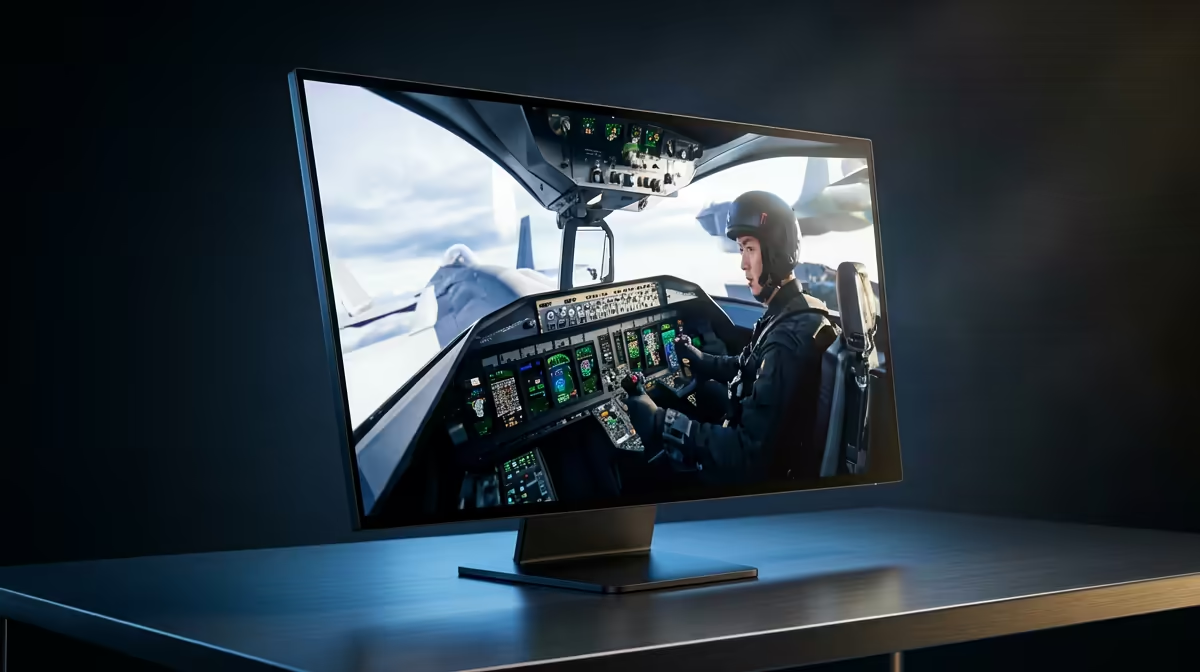
The practical floor is 27-inch 1440p OLED, 240Hz, HDMI 2.1 or DisplayPort and burn-in care settings. For flight simulation in SA, that keeps the setup useful without paying for specs that the room, desk or workload will not use. Use R14,000-R25,000 for many OLED gaming monitors, with premium 4K models above that as a broad planning band and verify current Evetech stock before checkout.
Start with 27-inch 1440p OLED, 240Hz, HDMI 2.1 or DisplayPort and burn-in care settings. That floor protects the experience before extras such as RGB, curved panels or premium chassis design. A useful reference shortlist includes Samsung Odyssey OLED G8 or LG UltraGear OLED-class displays; use those names as comparison anchors, not guaranteed live stock promises.
Simulation rigs benefit from wider screens, steady frame pacing and USB room for wheels, pedals or flight controls. Target 60 fps as the comfort floor and 100 fps or more for competitive racing where input feel matters. 0.03ms pixel response is the reason OLED feels cleaner than basic LCD. If the monitor target is 1080p, do not overspend on hardware meant for 4K; if the workload includes recording, CAD, VM labs or simulation, leave headroom for RAM, storage and cooling.
Use ZAR bands as planning guides, not live-price promises: R14,000-R25,000 for many OLED gaming monitors, with premium 4K models above that. Check that the case or desk has room, that the PSU has the correct connectors, and that the screen ports match the GPU or laptop. Local warranty handling through Evetech matters when a student, creator or family PC cannot sit unused for weeks.
Choose 27-inch 1440p OLED, 240Hz, HDMI 2.1 or DisplayPort and burn-in care settings. That gives enough headroom for normal SA gaming, coursework or creator use without forcing every connected part to be replaced at once.
Buy budget when the task is light and the current screen is modest. Buy balanced when you want the setup to last longer, and choose premium only when 1440p, VR, CAD, OBS or large project files will use the extra performance.
Check the number that changes daily use: refresh rate for monitors, VRAM for graphics cards, cores for CPUs, RAM for AI PCs and capacity for SSDs. A single headline spec is not enough if cooling, ports or warranty support are weak.
Before checkout, write down your current screen resolution, PSU wattage, desk space and storage size. Pick the oled monitor option that fixes the first real limit for flight simulation in SA, then confirm the exact stocked model and warranty notes on Evetech.
FPS drops on an RTX 5090 build often have a fixable cause. Check settings, drivers, thermals, background tasks, network conditions, and bottlenecks before assuming a part must be replaced.
Read more
How to fix low FPS on 240Hz monitor starts with refresh rate, GPU load, and game caps. In South Africa, also check power mode, thermals, and display cable quality before assuming your PC cannot keep up.
Read more
31.5-inch 4K OLED gives SA gamers sharp work space and rich contrast for play. It suits buyers who want one high-end display for study, streaming, or editing by day, then immersive gaming after hours. Check desk depth and panel care first.
Read more
All-in-One PCs are niche in SA because they package the display and desktop into one tidy unit. That helps with space and setup, but SA buyers should weigh repair access, upgrade limits, monitor choice, and gaming expectations.
Read more
All-in-One PCs are niche in SA because the neat design comes with upgrade, repair, and performance trade-offs. They appeal to tidy desks and shared spaces, but buyers often compare them against laptops, towers, and separate monitors.
Read more
ARGB Cases In Mid-Tier SA Builds can change budget, compatibility or upgrade plans. SA PC builders should compare fit, warranty, platform needs and real workload value before committing.
Read more
Pre-Black Friday AIO cooler needs practical checks before buyers act. Build the shortlist around specs, warranty, fit, and real discount checks before campaign prices or ranges change. Keep it guide-safe for South African readers.

Used parts can lower the build cost, while buying new gives the SA warranty angle named in the title.

Choosing the right USB-C hub is essential for a clean, efficient desk setup. 🖥️ Discover exactly how many ports you need to replace your bulky desktop docking station without sacrificing performance or connectivity. ⚡

Black Friday Gaming PC Wait can help if your PC need is flexible. On a R5,000 SA budget, compare deal risk, component balance, warranty, and timing before waiting.

A gaming pc with a current mid-range GPU roughly matches the PS5 Pro's ray tracing and upscaled 4K performance, paired with a modern six or eight core CPU. The PC route also adds mouse and keyboard support and a far wider game library.

An overseas gaming pc quote is priced in foreign currency, so the Rand you pay shifts with the exchange rate on invoice day, not order day. Evetech prices locally in Rand, removing that daily currency risk from the final bill.

DisplayPort 2.1 carries more raw bandwidth than HDMI 2.1, so it generally wins for the highest refresh rates at full resolution, though cable choice can still cap either port. Evetech's high-refresh monitors list both port options to match your PC's output.

New console games routinely land near R1,400 in South Africa once import duties and Rand conversion are baked into the shelf price. Regional sales, bundle deals and a PC controller from Evetech all trim that bill legitimately, no piracy or grey imports needed.
FPS drops on an RTX 5090 build often have a fixable cause. Check settings, drivers, thermals, background tasks, network conditions, and bottlenecks before assuming a part must be replaced.

The real world difference between PCIe 5.0 and PCIe 4.0 in competitive esports is rarely raw FPS. SA esports players should compare GPU lane needs, CPU limits, latency goals, and NVMe loading before upgrading.
How to fix low FPS on 240Hz monitor starts with refresh rate, GPU load, and game caps. In South Africa, also check power mode, thermals, and display cable quality before assuming your PC cannot keep up.

PCIe 5.0 vs PCIe 4.0 for aAA single-player gaming buyers - what changes is mostly about compatibility, budget, upgrade path, and setup fit. SA buyers should check device support and real needs before expecting a clear win from either option.