



How to Fix FPS Drops on an RTX 5090 Build
FPS drops on an RTX 5090 build often have a fixable cause. Check settings, drivers, thermals, background tasks, network conditions, and bottlenecks before assuming a part must be replaced.
Read moreWhat breaks first in cheap gaming mice used should be shortlisted around the job it must do. South African buyers should compare fit, performance, compatibility, and upgrade room, warranty path, and upgrade room before treating any pick as best.
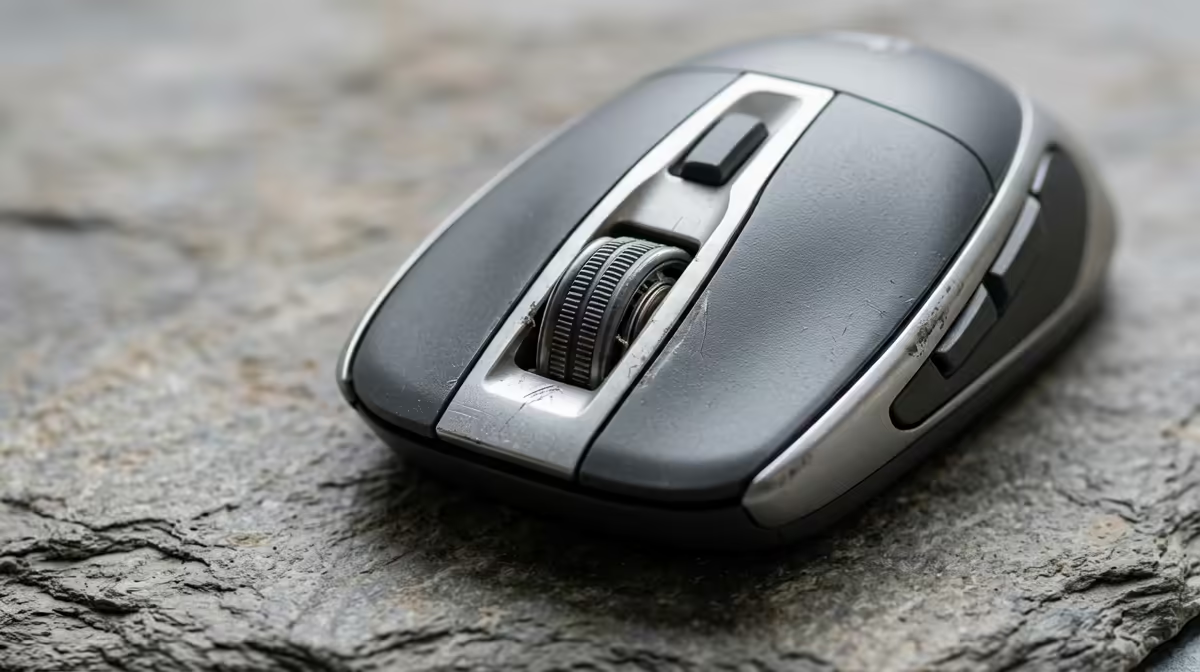
Cheap gaming mice used for engineering work, like CAD and simulation navigation, tend to fail in predictable ways the bargain spec sheet never warns you about. Knowing what breaks first guides a smarter buy.
In cheap gaming mice used for engineering simulations and CAD, the switches and scroll wheel fail first, with double-clicking and erratic scrolling appearing after months of heavy use. Buy a mouse with durable switches rated for high click counts, around R600 to R1,200, and a precise sensor. For CAD navigation, comfort and reliable buttons matter more than high DPI.
Engineering work means constant clicking, dragging and scrolling through CAD models and simulation views, which wears the cheapest components fastest. The micro-switches under the main buttons start double-clicking, and the scroll wheel becomes erratic, often within months on a bargain mouse. The sensor usually outlives the switches. These failures interrupt precise work, so durability of the switches and wheel is the spec that actually matters for CAD.
Choose a mouse with switches rated for a high number of clicks and a quality scroll encoder, since these are the parts that fail under engineering use. A precise sensor matters for accurate cursor placement in CAD, but you do not need extreme DPI. Comfort over long modelling sessions reduces strain, so match the shape to your grip. A R600 to R1,200 mouse with durable switches outlasts several bargain units.
A mouse with durable switches and a precise sensor at R600 to R1,200 is the sensible engineering choice. The cheap unit that double-clicks within months costs more in lost precision and replacements than buying a reliable one once.
The micro-switches and scroll wheel. Double-clicking and erratic scrolling appear after months of heavy CAD use, interrupting precise work.
Durable switches rated for high click counts, a quality scroll encoder and a precise sensor. Comfort matters more than extreme DPI for long sessions.
Only briefly. The switches and wheel wear fast under constant clicking and scrolling. A more durable R600 to R1,200 mouse lasts far longer.
and simulation work, choose a mouse with durable switches and a quality scroll wheel; those are the parts that fail first under heavy engineering use.
FPS drops on an RTX 5090 build often have a fixable cause. Check settings, drivers, thermals, background tasks, network conditions, and bottlenecks before assuming a part must be replaced.
Read more
How to fix low FPS on 240Hz monitor starts with refresh rate, GPU load, and game caps. In South Africa, also check power mode, thermals, and display cable quality before assuming your PC cannot keep up.
Read more
31.5-inch 4K OLED gives SA gamers sharp work space and rich contrast for play. It suits buyers who want one high-end display for study, streaming, or editing by day, then immersive gaming after hours. Check desk depth and panel care first.
Read more
All-in-One PCs are niche in SA because they package the display and desktop into one tidy unit. That helps with space and setup, but SA buyers should weigh repair access, upgrade limits, monitor choice, and gaming expectations.
Read more
All-in-One PCs are niche in SA because the neat design comes with upgrade, repair, and performance trade-offs. They appeal to tidy desks and shared spaces, but buyers often compare them against laptops, towers, and separate monitors.
Read more
ARGB Cases In Mid-Tier SA Builds can change budget, compatibility or upgrade plans. SA PC builders should compare fit, warranty, platform needs and real workload value before committing.
Read more
Pre-Black Friday AIO cooler needs practical checks before buyers act. Build the shortlist around specs, warranty, fit, and real discount checks before campaign prices or ranges change. Keep it guide-safe for South African readers.

Used parts can lower the build cost, while buying new gives the SA warranty angle named in the title.

Choosing the right USB-C hub is essential for a clean, efficient desk setup. 🖥️ Discover exactly how many ports you need to replace your bulky desktop docking station without sacrificing performance or connectivity. ⚡

Black Friday Gaming PC Wait can help if your PC need is flexible. On a R5,000 SA budget, compare deal risk, component balance, warranty, and timing before waiting.

A gaming pc with a current mid-range GPU roughly matches the PS5 Pro's ray tracing and upscaled 4K performance, paired with a modern six or eight core CPU. The PC route also adds mouse and keyboard support and a far wider game library.

An overseas gaming pc quote is priced in foreign currency, so the Rand you pay shifts with the exchange rate on invoice day, not order day. Evetech prices locally in Rand, removing that daily currency risk from the final bill.

DisplayPort 2.1 carries more raw bandwidth than HDMI 2.1, so it generally wins for the highest refresh rates at full resolution, though cable choice can still cap either port. Evetech's high-refresh monitors list both port options to match your PC's output.

New console games routinely land near R1,400 in South Africa once import duties and Rand conversion are baked into the shelf price. Regional sales, bundle deals and a PC controller from Evetech all trim that bill legitimately, no piracy or grey imports needed.
FPS drops on an RTX 5090 build often have a fixable cause. Check settings, drivers, thermals, background tasks, network conditions, and bottlenecks before assuming a part must be replaced.

The real world difference between PCIe 5.0 and PCIe 4.0 in competitive esports is rarely raw FPS. SA esports players should compare GPU lane needs, CPU limits, latency goals, and NVMe loading before upgrading.
How to fix low FPS on 240Hz monitor starts with refresh rate, GPU load, and game caps. In South Africa, also check power mode, thermals, and display cable quality before assuming your PC cannot keep up.

PCIe 5.0 vs PCIe 4.0 for aAA single-player gaming buyers - what changes is mostly about compatibility, budget, upgrade path, and setup fit. SA buyers should check device support and real needs before expecting a clear win from either option.