



1000W PSU Planning for RTX 5090 Builds in SA
1000W for RTX 5090 needs a full-build check, not a simple yes. Review GPU guidance, CPU draw, transient load, connectors, PSU quality, and upgrade plans before deciding.
Read moreThe Raspberry Pi 5 needs active cooling because its BCM2712 Cortex-A76 cores generate enough heat to throttle under load without a fan. Raspberry Pi's official Active Cooler combines a fan and heatsink to keep the Pi 5 at full 2.4GHz under sustained workloads.
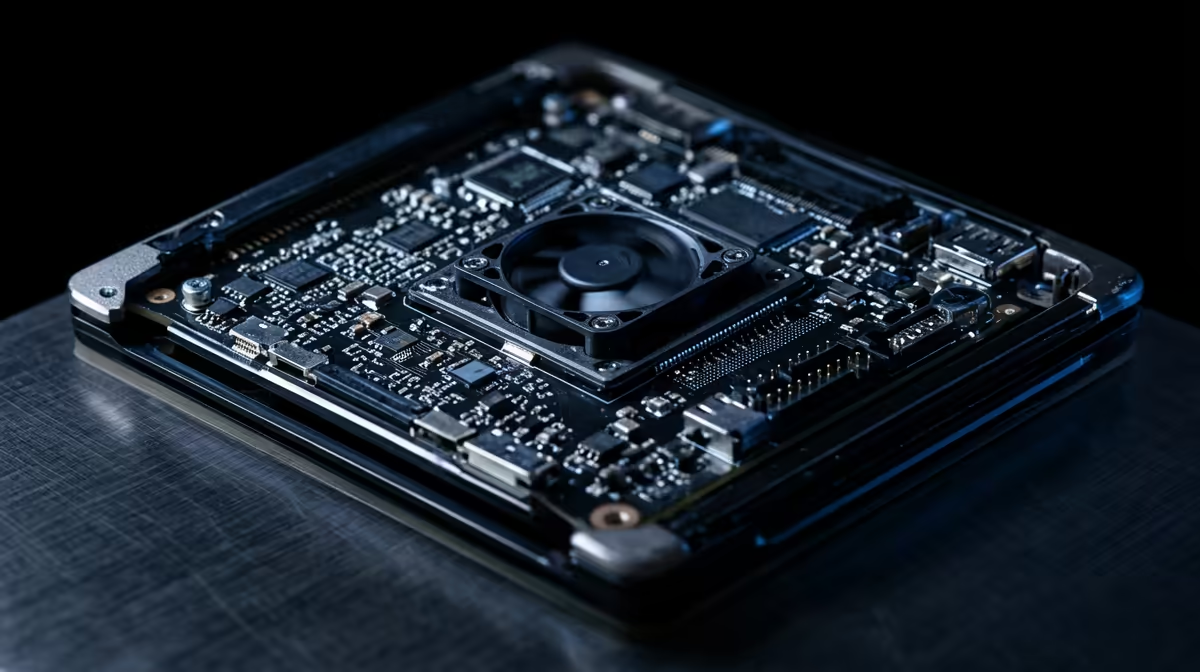
Plenty of people unbox a Raspberry Pi 5, leave the heatsink in the box, and wonder why it slows to a crawl under load. The honest answer is that the Raspberry Pi 5 needs active cooling in a way earlier Pis did not. Its faster processor runs hot enough to throttle itself within minutes of a real workload, and a small fan is what keeps it at full speed.
The Raspberry Pi 5 needs active cooling because its BCM2712 processor with Cortex-A76 cores generates enough heat to hit the 80C throttle point under sustained load without a fan. The official Active Cooler, a combined fan and heatsink, holds the chip around 60 to 63C under stress, well clear of throttling, so the Pi stays at its full 2.4GHz.
The Pi 5 is a big jump in performance over the Pi 4, and that performance comes from a faster, more power-hungry processor. The BCM2712 simply produces more heat than earlier boards. The chip has two thermal limits worth knowing: a soft limit at 80C where it starts reducing its clock speed to cool down, and a hard limit at 85C where it drops to minimum frequency to protect itself. Hit either under load and your fast little computer suddenly behaves like a slow one. That is throttling, and on a bare Pi 5 doing anything demanding it arrives quickly.
The Active Cooler clips directly onto the board and combines a heatsink with a small blower fan, driven by firmware that adjusts speed by temperature. The fan stays off when the Pi is idle and cool, kicks on at low speed around 60C, steps up near 67C, and reaches full speed by about 75C. In sustained stress testing the cooler holds the processor around 60 to 63C, roughly 20 to 25C below the throttle threshold at normal room temperature. The result is that the Pi 5 runs at its full 2.4GHz indefinitely instead of slowing down, and it stays quiet because the fan only spins as hard as the heat demands.
If you are kitting out a Pi or a small machine for the workbench, the mini PC range at Evetech sits alongside the compact-computing gear worth browsing for the same desk.
A large passive heatsink alone can help and may keep a lightly loaded Pi 5 in check, but it struggles under sustained heavy work where there is no airflow to carry heat away. For light, bursty tasks passive cooling might be enough. For anything continuous, a media server, compiling code, a small always-on service, active cooling is the dependable choice because the fan actively removes heat rather than just spreading it. For the price, the official Active Cooler is the simplest way to guarantee the Pi never throttles, and you can compare it against other small-format options in the best-selling PCs at Evetech.
It will boot and run light tasks, but under sustained load it heats up to 80C and starts throttling its clock speed, slowing performance. For reliable full-speed use, cooling is effectively required rather than optional.
It begins reducing clock speed at a soft limit of 80C and drops to minimum frequency at a hard limit of 85C. Good cooling keeps it well below both so it never has to slow down.
Yes. It holds the processor around 60 to 63C under full stress at normal room temperature, roughly 20 to 25C below the throttle point, which keeps the Pi 5 at its full 2.4GHz during sustained workloads.
For light or bursty tasks a large passive heatsink can keep it in check. For continuous heavy workloads, active cooling with a fan is far more dependable because it actively carries heat away.
Setting up a Raspberry Pi 5 or a compact machine? Explore the mini PCs and small-format computers at Evetech and keep your build running cool and at full speed.
It will boot and run light tasks, but under sustained load it heats up to 80C and starts throttling its clock speed, slowing performance. For reliable full-speed use, cooling is effectively required rather than optional.
It begins reducing clock speed at a soft limit of 80C and drops to minimum frequency at a hard limit of 85C. Good cooling keeps it well below both so it never has to slow down.
Yes. It holds the processor around 60 to 63C under full stress at normal room temperature, roughly 20 to 25C below the throttle point, which keeps the Pi 5 at its full 2.4GHz during sustained workloads.
For light or bursty tasks a large passive heatsink can keep it in check. For continuous heavy workloads, active cooling with a fan is far more dependable because it actively carries heat away.
1000W for RTX 5090 needs a full-build check, not a simple yes. Review GPU guidance, CPU draw, transient load, connectors, PSU quality, and upgrade plans before deciding.
Read more
RTX 5080 Super with a 750W PSU is more comfortable than lower wattage if the unit is quality. SA builders should still confirm GPU guidance, CPU draw, connector type, airflow, and upgrade room.
Read more
How to fix FPS drops after a RX 9070 XT starts with driver cleanup, chipset updates, thermals, and power checks. For SA gaming PCs, confirm PCIe seating, monitor refresh, frame caps, and per-game graphics settings before replacing parts.
Read more
How to fix low FPS Windows 11 Wi-Fi 7 issues starts by checking whether the problem is frame rate or network lag. Test ping, drivers, power settings, Ethernet, and game FPS before adjusting visuals.
Read more
AM5 is smart for SA builders because it supports newer Ryzen CPUs, DDR5 memory, and a longer upgrade path. Compare board cost, cooling, gaming needs, and local part availability before choosing your next PC platform.
Read more
AM5 gives Randburg gaming builders a longer upgrade path. For SA buyers, DDR5 support, newer board features, and future CPU options can justify the platform. Weigh board cost, cooler support, BIOS maturity, and upgrade timing before choosing.
Read more
A fake 113GB GTA VI ISO reportedly used empty padding around a small malware payload. SA gamers should delete unofficial builds, keep Windows security active and wait for official channels.

Wi-Fi 6E vs Wi-Fi 6 matters for 4K video editing when files move across a network. The real-world difference between Wi-Fi 6E and Wi-Fi 6 for video editing in 4K depends on NAS access, cloud uploads, router range, and SA creator workflows.

The difference between PCIe 5.0 and PCIe 4.0 for SA gamers is mostly bandwidth headroom. Compare GPU slot needs, NVMe speed, motherboard support, and upgrade timing before paying extra for a newer platform.

Gaming PC stuck pixel checks in South Africa should confirm the monitor fault first. Use colour tests, screenshot comparison, cable swaps, display menu checks, and clear photos before deciding on support.

Shokz OpenFit Air 2 earbuds weigh 7.2g each and use a redesigned dual-driver open-ear layout. SA buyers should choose them for comfort and awareness, not maximum isolation.

AMD's current driver now lists a Radeon RX 9050 4GB, while product coverage details a narrowed memory system. SA buyers should weigh the low VRAM ceiling against current local Radeon options.

Samsung Display has demonstrated a 16-inch 2.5K OLED laptop panel running at 300Hz. SA buyers should wait for a named notebook, full panel specifications and a local price before planning an upgrade.

Microsoft says some Windows 11 game crashes after recent updates are linked to RGB-related drivers. Affected SA gamers should confirm the update and driver before using the published registry workaround.
Shokz OpenFit Air 2 earbuds weigh 7.2g each and use a redesigned dual-driver open-ear layout. SA buyers should choose them for comfort and awareness, not maximum isolation.
A fake 113GB GTA VI ISO reportedly used empty padding around a small malware payload. SA gamers should delete unofficial builds, keep Windows security active and wait for official channels.

The ROG Flux Charger Dock combines 260W total output, 140W laptop charging and HDMI 2.1. SA buyers should check laptop USB-C limits, display needs and local warranty first.

ASRock's Rock 360 Digital AIO adds a 1.05-inch CPU temperature display, 360mm radiator and simplified wiring. SA builders should check case fit, socket support and local warranty.