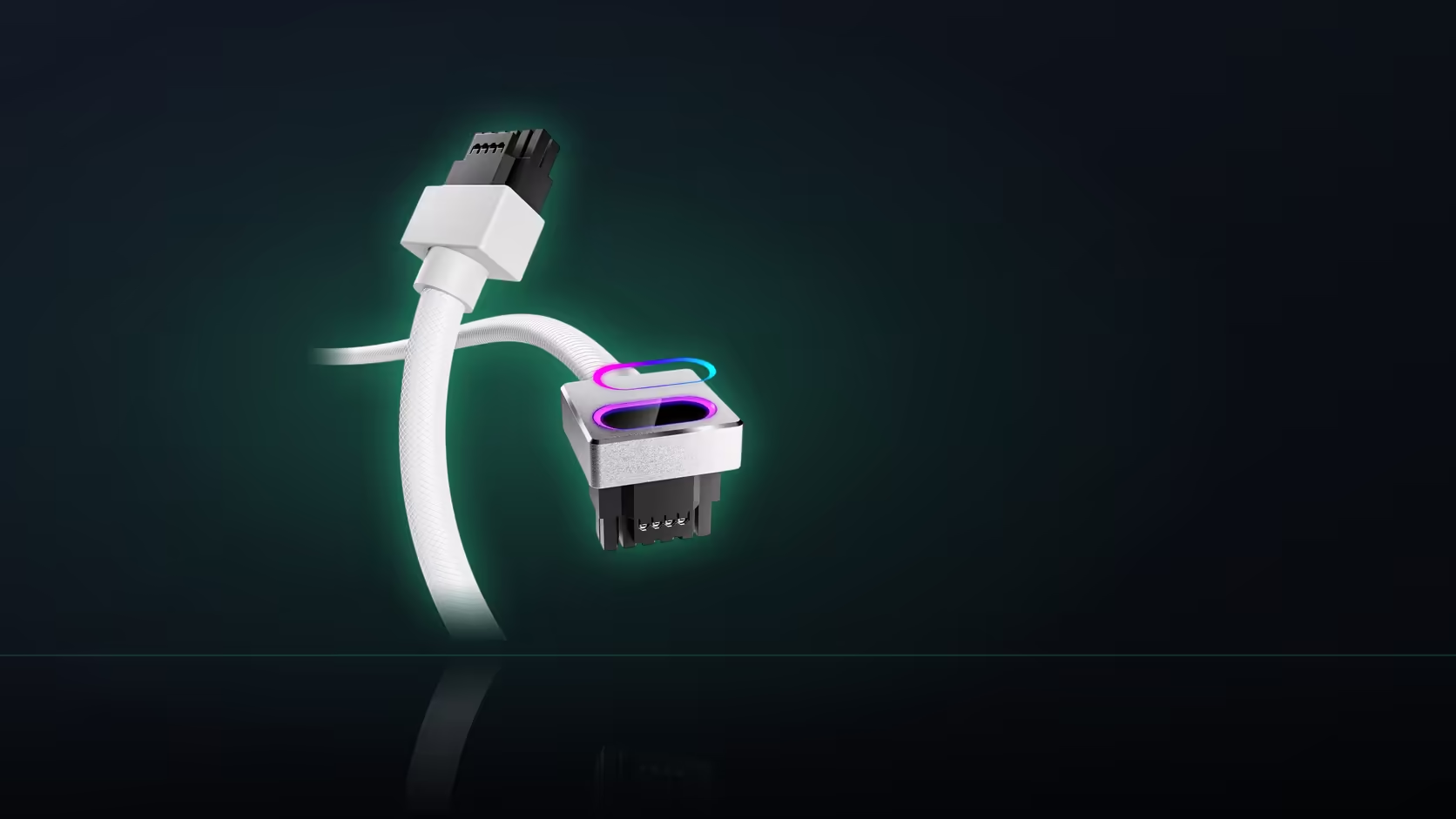
Product photos show a cable at one specific angle, in one specific case, mounted in one specific way - and none of that necessarily matches your own build. The Hydrus 16-pin cable's right-angle head turns in a fixed direction once it is fitted, and whether that direction points toward your backplate, your cooler, or open space depends entirely on how your own card sits.
Quick Answer
The right-angle head on this R699 AsiaHorse cable turns at the card's power socket, and which way it points depends on how the card is mounted in your specific case - horizontal or vertical, and which orientation your motherboard's slot puts it in. There is no single answer that covers every build; compare the product images against your own card's actual position.
What actually decides the direction
The head's turn is set by its physical design, but which way that turn ends up facing in your case depends on how the card itself is oriented once installed. A card mounted the conventional horizontal way presents its power socket facing one direction; the same card mounted vertically, on a riser bracket against a side panel, presents that same socket rotated a quarter turn from where it would otherwise sit. The cable does not change - the card's orientation around it does.
Vertical mounting changes more than you might expect
If your build uses vertical GPU mounting, this is worth checking specifically rather than assuming standard product photos apply. Rotating the card changes both the direction the head points once connected and, as a result, where the cable then has to travel to reach the power supply - a route that made sense for a horizontal mount can become awkward once the card and its socket have effectively rotated ninety degrees.
Can the head be rotated to face a different way?
No. The connector seats one way at the card's socket, so its orientation is entirely fixed by the cable's own design rather than something you can adjust during fitting. If the direction it happens to turn does not suit your case, there is no way to correct that at install - it is worth knowing before ordering, not after.
Checking this before you buy
Compare AsiaHorse's product images, which show the head from a specific angle, against where your own card's power socket sits and which direction it faces. This is most reliably done with the card already physically installed, since that removes any guesswork about exact positioning.
What if it turns the wrong way for your case
A head pointing an inconvenient direction generally means a longer, more awkward route to the power supply rather than a hard failure - the cable can usually still be made to work, just with a less tidy path than a favourably oriented head would allow. Knowing this ahead of time, rather than discovering it after the cable arrives, at least lets you plan the route accordingly.
A cosmetic side note worth mentioning
A glossy backplate positioned near a lit ARGB head can reflect some of that glow back, which is purely a visual consideration rather than anything to do with fit - worth knowing if the aesthetic result matters to you, separate from the clearance question itself.
The surest way to check
Installing the card first and then assessing both the direction and the available space is the most reliable method available - published images and specifications can only approximate what your specific case and card combination will actually look like.
Browse comprehensive cable solutions for the range, and once orientation is confirmed, graphics card accessories covers the rest of a 12VHPWR build.
Frequently Asked Questions
What actually sets the direction the head turns in my case?
The head's own design combined with how your card is mounted - a horizontally fitted card presents its socket differently from a vertical one.
Does vertical GPU mounting change things significantly?
Considerably. It rotates the socket, which changes both the direction the head turns and where the cable then has to travel.
Can the head be rotated during installation to face a different way?
No. The connector seats one way, so its orientation is fixed by the design rather than adjustable at fitting.
How can I check this before buying?
Compare AsiaHorse's product images against your own card's position, looking at where the cable leaves the head relative to the socket.
What if the head turns out to point the wrong way for my case?
The route to the power supply becomes longer and more awkward, which is worth knowing before the cable arrives rather than after.
Does the backplate matter for anything beyond clearance?
A glossy backplate near a lit head can reflect some of the glow, which is a visual consideration rather than a fit one.
Is this best checked with the card fitted or from specifications alone?
With the card installed - that is the surest way, since socket position and available space are both clearest in the actual build.
Trying to work out which way the head will point in your case?
Fit the card first and compare it against the product photos, then browse Evetech's cable range once orientation is confirmed.