Quick Answer
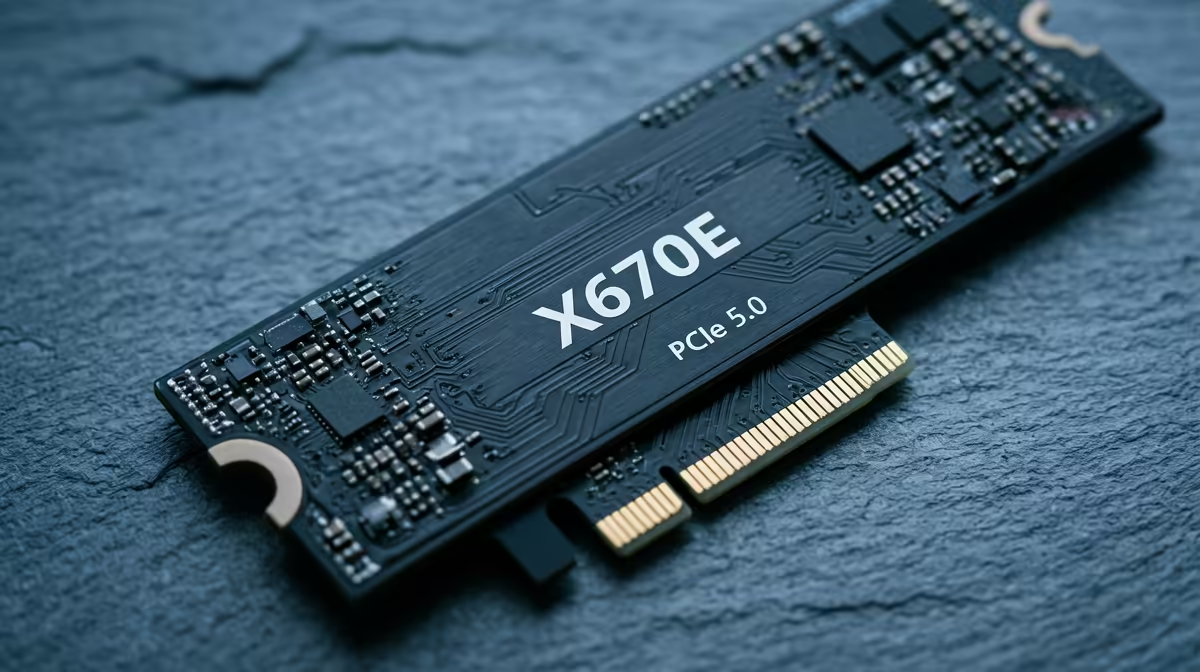
PCIe 5.0 x4 to M.2 adapter cards let SA builders install Gen 5 NVMe drives in an X670E's primary PCIe x16 slot (using a PCIe 5.0 x4 bifurcation) or in a spare PCIe x4 slot. The result is full Gen 5 speeds (14,000 MB/s) on X670E boards that lack native PCIe 5.0 M.2 slots. Adapter cards cost R600–R1,800 at Evetech and require the BIOS to support PCIe bifurcation.
When a PCIe 5.0 M.2 Adapter Makes Sense for X670E
A PCIe 5.0 M.2 adapter is worth considering when:
- Your X670E board has no native PCIe 5.0 M.2 slot (most budget and mid-range X670E boards)
- You have a Gen 5 NVMe drive (Crucial T705, Samsung 9100 Pro class) and want full 14,000 MB/s performance
- You have a spare PCIe x4 slot on your X670E board not used by other devices
- You don't mind using a second PCIe slot for the adapter (removing the GPU from the primary x16 slot is not advisable — use a secondary x4 slot)
How PCIe Bifurcation Works on X670E
X670E boards support PCIe bifurcation — splitting a PCIe x16 slot into multiple smaller lanes (x8+x8, x8+x4+x4, x4+x4+x4+x4). An adapter card using x4 lanes from a bifurcated slot provides PCIe 5.0 x4 bandwidth for the Gen 5 drive. Enable bifurcation in BIOS > PCIe Configuration before installing the adapter.
Adapter Cards and ZAR Pricing
| Adapter |
Interface |
Est. ZAR |
| Sabrent PCIE-5040-1X M.2 |
PCIe 5.0 x4 |
R600–R900 |
| Asus Hyper M.2 X16 V2 |
PCIe 4.0 x16 (4× Gen 4 NVMe) |
R1,200–R1,800 |
| Generic PCIe 5.0 M.2 adapter |
PCIe 5.0 x4 |
R500–R700 |
Note: Adapter cards deliver the PCIe 5.0 lanes to the M.2 drive but do not provide cooling — the Gen 5 drive still needs its own heatsink (included with premium drives like the Crucial T705, or R150–R300 as an add-on).
FAQ
Does installing a PCIe 5.0 M.2 adapter in the primary GPU slot on X670E affect GPU performance?
Yes — if you bifurcate the primary x16 slot (x8+x4+x4 for GPU+NVMe adapter), the GPU runs at x8 instead of x16. Most gaming GPUs lose 0–3% performance at x8 vs x16, but it reduces resale value and is not recommended. Use a secondary x4 or x8 PCIe slot for the adapter if your X670E board has one.
What BIOS setting enables PCIe bifurcation on X670E boards for an M.2 adapter?
Navigate to BIOS > Advanced > PCIe Configuration and look for "Bifurcation" settings for the relevant slot. Common options: x16, x8+x8, x8+x4+x4, x4+x4+x4+x4. Set to the mode matching your adapter card's requirements (usually x8+x4+x4 or x4+x4+x4+x4).
Is a PCIe 5.0 M.2 adapter card faster than the X670E's native M.2_1 PCIe 4.0 slot?
Yes — a PCIe 5.0 x4 adapter delivers 14,000 MB/s, double the 7,000 MB/s of the X670E's native PCIe 4.0 M.2_1 slot. For gaming, the practical difference is minimal; for large sequential file operations, the PCIe 5.0 adapter provides a genuine throughput upgrade.
a PCIe 5.0 M.2 adapter on X670E, check HWiNFO64's NVMe sensor to confirm the drive is running at PCIe 5.0 speeds (14,000+ MB s sequential read) — if it shows only 7,000 MB s, the slot is running at PCIe 4.0 mode and the BIOS bifurcation setting needs adjustment.