


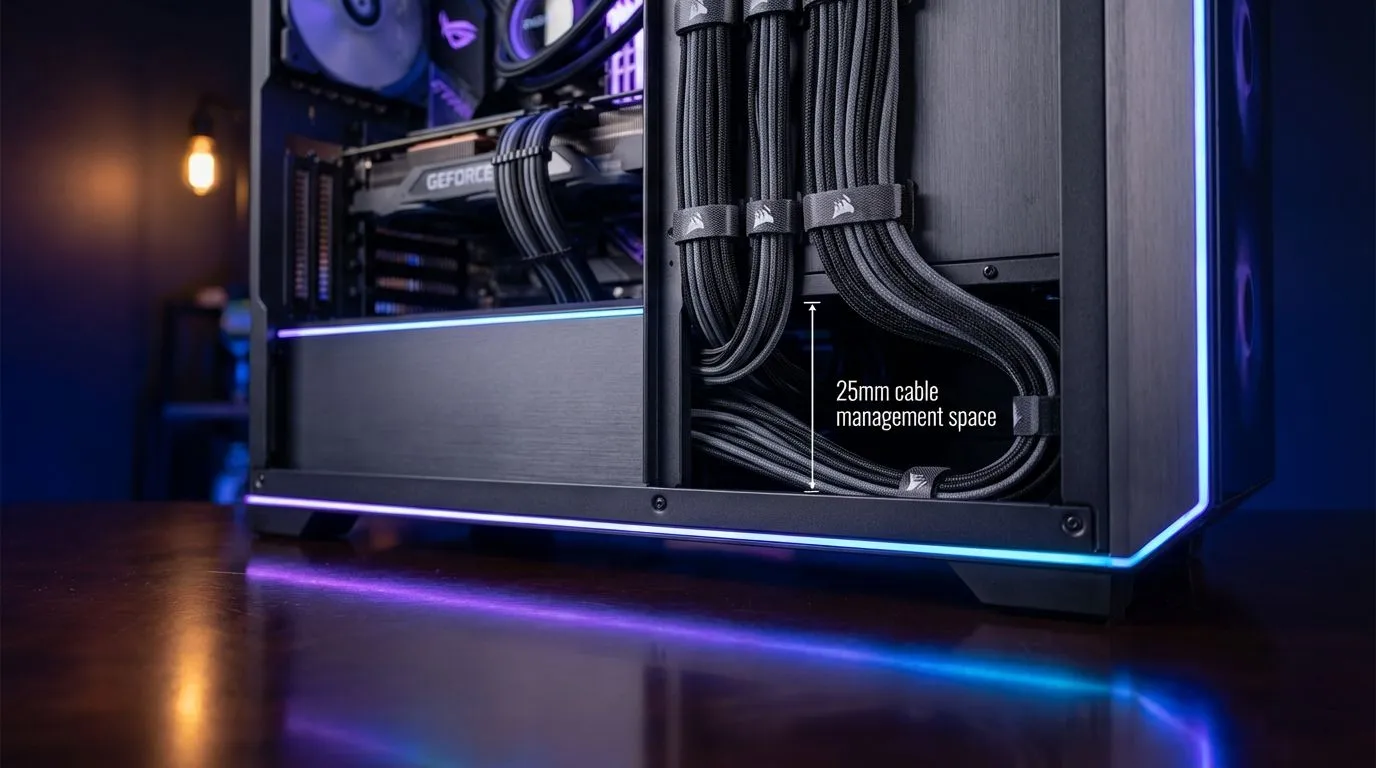
Why 25mm Cable Management is the Secret to Cool Components
Ever opened your PC side panel and felt a wave of anxiety? We have all been there. In South Africa, where summer ambient temperatures often climb above 30°C, your PC needs to breathe. If your chassis lacks 25mm cable management space, you are likely choking your airflow. Let us fix that birds' nest and get your hardware temperatures under control 🔧.
The gap between the motherboard tray and the side panel is often overlooked. Most modern computer cases now prioritise this 25mm clearance. It is the sweet spot for hiding thick 24-pin ATX cables without forcing the side panel shut. When you clear the main chamber of "cable spaghetti," your intake fans can push cool air directly onto your GPU and CPU.
Choosing a Chassis with Proper Routing Space
Not all cases are built equal. If you are on a budget, you can still find excellent options. Many Gamdias gaming cases offer dedicated routing channels and tie-down points. These features make the building process much smoother for beginners... and seasoned pros alike.
For those looking for high-quality builds without breaking the bank, there are several affordable gaming cases under R1500 that do not compromise on internal volume. Look for cases that feature rubber grommets. These help hide the transition from the back of the tray to the front components... keeping everything looking sleek and professional.
Cable Routing Pro Tip ⚡
Always route your smallest cables first, like front panel headers and fan wires. Use the 25mm cable management depth to lay these flat against the tray. Then, lay your thicker power cables over them. This prevents "bulging" and ensures your side panel slides on effortlessly every time.
Premium Solutions for Enthusiast Airflow
If you are building a high-end rig with multiple storage drives or RGB controllers, space becomes even more critical. Brands like Fractal Design PC cases are legendary for their cable management layouts. They often provide more than the standard 25mm of clearance... along with built-in Velcro straps to keep everything organised 🚀.
Properly routed cables do more than just look good. They prevent dust buildup in the "dead zones" behind cable clusters. In the dusty South African climate, this can extend the lifespan of your fans significantly. Remember to use zip ties or Velcro to group cables by their destination... such as the GPU or the top EPS power connector.
Maximising Your Airflow Efficiency
Once you have utilised that 25mm cable management space, check your fan curves. With the obstructions gone, you can often run your fans at lower RPMs. This results in a quieter gaming experience without sacrificing thermal performance. A clean build is a happy build ✨.
Ready to Route Like a Pro? A clean PC is a fast PC. Whether you are looking for a budget-friendly tower or a premium enthusiast chassis, we have the stock to get your airflow sorted. Explore our massive range of computer cases and give your components the room they deserve to breathe.











