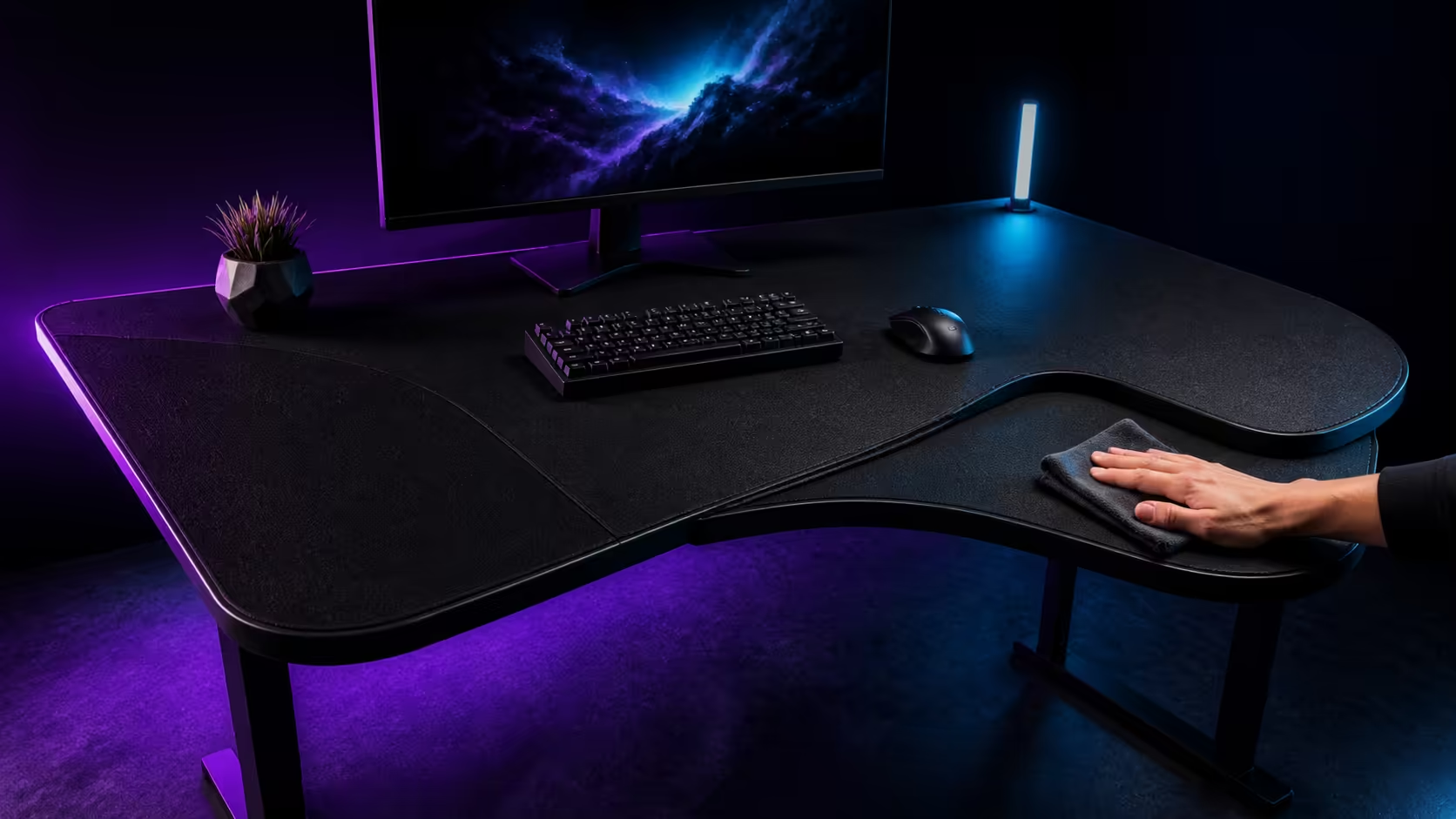
A full-surface deskpad collects everything the hands, keyboard and room place on the desk, so maintenance must protect both the fabric and the equipment above it. Cleaning a full-surface microfiber deskpad starts with dry debris, careful spot treatment and complete air drying. Evetech's gaming-desk category ranges from around R2,499 to R8,499.
Quick Answer
Use the Evetech category range of about R2,499 to R8,499 when budgeting for a gaming desk. For a microfiber deskpad, disconnect equipment, remove dry dust gently, blot spills promptly and follow the pad's care guidance for deeper cleaning. Never return electronics until the surface and underside are fully dry.
🧹 Build a light weekly routine
Power down and remove the keyboard, mouse, controllers and loose accessories. Lift items rather than dragging sharp feet across the fabric. Shake or gently brush away crumbs, then use an appropriate low-suction approach when the care guidance permits.
Wipe the exposed desk around the pad before returning equipment. Dust trapped beneath a large cover can create uneven contact or mark the furniture. Evetech's gaming desk category helps buyers compare surface areas and desk features while planning how much maintenance space a full-width cover requires.
Inspect stitched edges, corners and high-contact wrist areas. Small debris near an edge is easier to remove before it becomes ground into the fibres.
Keep food and drink zones deliberate
Place drinks away from power strips, cable cutouts and the main mouse area. A stable coaster or separate side surface reduces the chance that one spill spreads beneath the keyboard and across a large cover.
💧 Respond to spills without rubbing them wider
Move electronics away immediately and disconnect power safely if liquid approaches equipment. Blot with a clean absorbent cloth, working from the outside of the wet area inward. Rubbing can spread the spill and push residue deeper into the fabric.
Use only a cleaning approach compatible with the deskpad's care instructions. Test any permitted solution on a discreet area and avoid excessive liquid. Water resistance, where present on a surface, does not turn the entire workstation into a washable electronics area.
Check the underside as well
Lift the pad carefully and inspect whether moisture passed beneath it. Dry the desk and the backing separately. Trapped dampness can affect grip, odour and the furniture surface even when the top feels nearly dry.
🌬️ Air-dry the cover flat
After an approved deeper clean, support the pad so it retains its shape and air can reach both sides. Avoid high heat, harsh sunlight or folding that creates a permanent crease. Drying time depends on thickness, room conditions and how much moisture was used.
Do not reinstall the PC, power strip or peripherals on a damp surface. For complete room-layout ideas, Evetech's Arozzi gaming setup page can help buyers think about a separate drying or temporary work area.
Before returning equipment, run a dry hand across the top and inspect the backing. Check for ripples that could change mouse tracking or make a keyboard rock.
🖱️ Preserve tracking and consistent wear
Clean the mouse feet and sensor area separately so debris is not immediately returned to the fabric. Place the mouse on a flat region without curled edges. If one area receives constant friction, shift the keyboard and mouse layout slightly when posture and available space allow.
Use Evetech's broader gaming setup selection to plan accessory placement around a maintainable surface. A large deskpad is convenient only when equipment can be removed without dismantling a tangled cable system.
Record the safe cleaning method
Keep the pad's care instructions and a note of the permitted products. This prevents a future deep clean from relying on memory. Schedule cleaning around equipment maintenance so cables, dust and the desk surface can be checked together.
Replace a cover when damaged backing, persistent curling or a worn tracking region interferes with stable use. Cosmetic marks alone may not affect function, but uneven contact deserves attention.
Coordinate cleaning with cable maintenance
Removing all equipment creates an opportunity to inspect cable labels, desk cutouts and the underside of the keyboard. Photograph connections before unplugging them and return leads to their proven routes only after the surface is dry.
Clean the desk beneath the pad with a method suitable for that furniture finish. Allow it to dry separately and check for trapped grit before placing the backing down. Small particles beneath a large cover can create raised points or marks over time.
Avoid folding the working surface
Roll or support the pad according to its care guidance when moving it. A sharp fold can create a ridge that affects mouse travel and keyboard stability. Do not store heavy equipment on top of the folded or rolled material.
After reinstalling, move the mouse across the complete usable area and inspect for ripples. Reposition the pad rather than stretching one edge aggressively. The surface should lie naturally before cables and accessories make another adjustment difficult.
Recheck keyboard stability at every corner before starting work.
Preserve the result.
Include the successful cleaning products and drying interval in that record.
Frequently Asked Questions
Should a microfiber deskpad be rubbed during a spill?
No. Blot from the outside inward to lift moisture without spreading the affected area.
Can equipment return when the top feels dry?
Check both surface and backing, and wait until the entire pad plus desk are fully dry.
How often should dry debris be removed?
A light weekly routine helps stop crumbs and dust from becoming embedded in high-contact areas.
What is the Evetech gaming-desk budget range?
The live category runs from about R2,499 to R8,499.
Should cleaning products be tested first?
Yes. Follow the care guidance and test any permitted cleaner on a discreet area.
Ready to keep a wall-to-wall desk surface clean without putting electronics back too soon?
Explore Evetech gaming desks, preserve the pad's care instructions, and make dry-down time part of the maintenance plan.