Repeatedly pressing Shift during a game can bring up a Windows prompt at exactly the wrong moment. The Windows Sticky Keys shortcut is an accessibility feature, not evidence that the keyboard needs cleaning or replacing. Checking its trigger is a more useful first step than treating every interruption as a hardware fault.
Quick Answer
In Windows 11, open Settings > Accessibility > Keyboard and inspect Sticky Keys. Review both the feature and its keyboard-shortcut option, which can respond to repeated Shift presses. Adjust the unwanted trigger and retest safely. This costs R0 in extra hardware, and it leaves physical key faults as a separate question.
⌨️ Identify the prompt before changing anything
Sticky Keys helps people enter a combination one key at a time rather than holding several keys together. That can be valuable accessibility support. The problem for another user may be the shortcut appearing accidentally, rather than the existence of the feature itself.
Read the prompt and check whether it follows a repeated Shift sequence. If the symptom is instead a keycap that binds, a character that repeats or a key that fails to register, describe that separately. Similar everyday wording can hide very different causes, and turning off an accessibility option will not repair a physical switch.
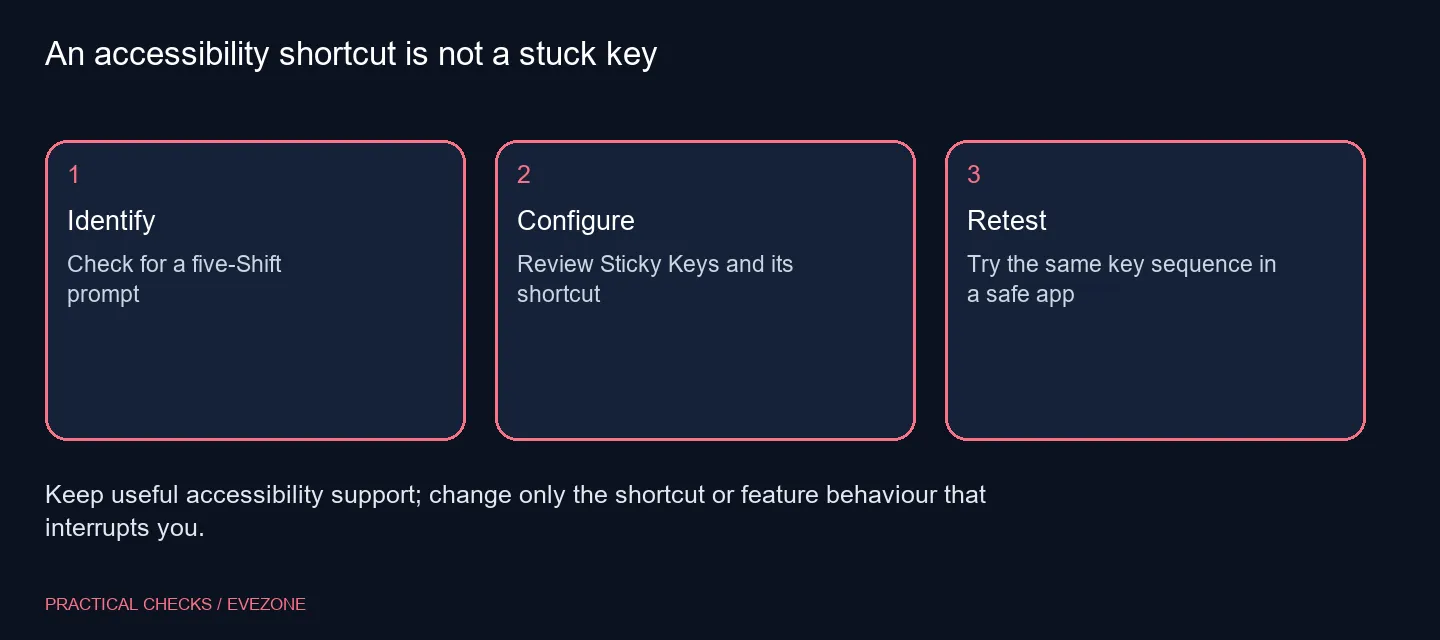
⚙️ Review the feature and its shortcut separately
Open the keyboard accessibility page and expand Sticky Keys if the additional controls are not visible. Note whether the aid is currently enabled and whether its keyboard shortcut is permitted. Change the option that matches the unwanted behaviour rather than resetting the whole keyboard configuration.
If you rely on entering shortcuts sequentially, keep that support. A shared PC can have users with different needs, so check the active account and avoid removing an aid somebody depends on. The useful outcome is an intentional keyboard setup, not simply disabling every accessibility control on the page.
🎮 Retest outside an important match
Try the same key sequence in a harmless desktop context before returning to a game. Watch for the prompt and check that ordinary typing and your usual shortcuts still behave as intended. Make one change at a time so the result is clear.
A game may also assign its own action to Shift. Windows shortcut behaviour and the game's control bindings are separate, so a change in one does not necessarily explain the other. If the interruption remains, record the exact message and sequence instead of repeatedly changing unrelated input settings.
🧰 Buy for a hardware need you can demonstrate
If the prompt disappears after the preference change, the keyboard may be working normally. There is no reason to replace it solely because Windows recognised a shortcut. Keep a note of the setting so you can find it again after a fresh installation or on another PC.
Browse gaming keyboards when your requirements concern layout, switch feel or a verified input fault. For a quieter work-focused choice, compare office keyboards. In either case, distinguish what the replacement should improve from a Windows setting you can already control. That avoids spending a South African hardware budget on a problem the new keyboard would trigger in exactly the same way.
Frequently Asked Questions
What does Sticky Keys do?
It lets a multi-key shortcut be entered one key at a time instead of requiring the keys to be held together.
Why does repeated Shift show a prompt?
The keyboard shortcut can invoke Sticky Keys. Review that shortcut in the keyboard accessibility settings.
Where are the Windows 11 controls?
Open Settings > Accessibility > Keyboard, then inspect Sticky Keys and the additional options under it.
Can I change the shortcut separately?
Review the feature and its keyboard-shortcut control separately. Preserve the aid if you need it and disable only the unwanted trigger.
Will this clean a sticky switch?
No. A physically binding key or repeated character needs separate keyboard checks; accessibility settings do not clean switches.
Should I buy a keyboard immediately?
No. A five-Shift accessibility prompt can be a software preference. Check it for R0 in extra hardware before shopping.
Choosing keys for a real hardware need?
Compare Evetech keyboards after checking the Windows shortcut, with layout and switch requirements clearly listed.