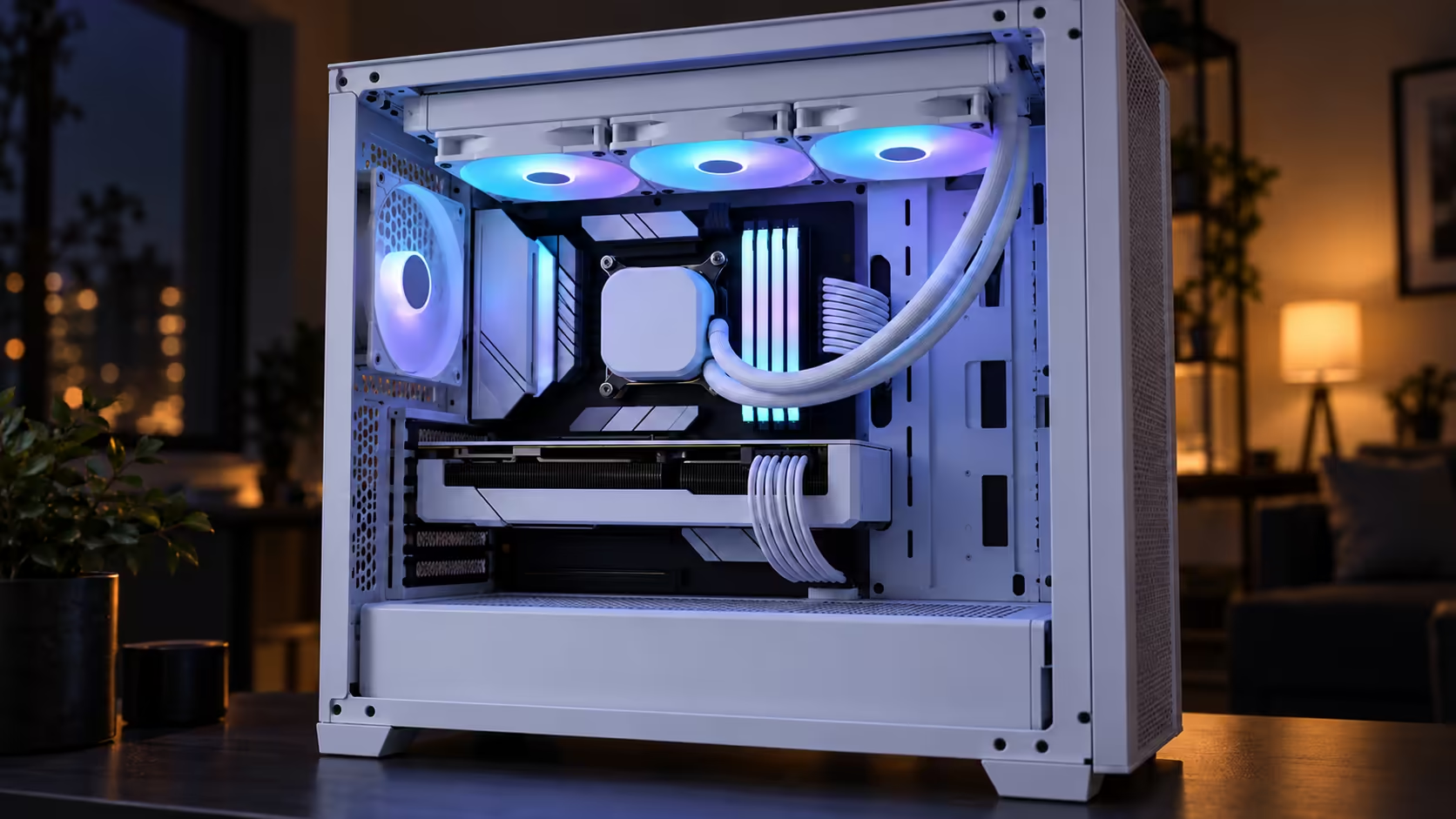
Choosing white or black is usually the last decision in a build, yet it sets the tone of the whole machine. A white ARGB liquid cooler can look crisp in a pale case and washed out in a dark one, while black tends to disappear inside a dark interior. Colour is a style decision here, since both finishes of the EliteLiquid 360 are priced identically. The task is picking the finish that suits your panels, then keeping the rest of the parts in step.
Quick Answer
White suits light or glass-panel builds, and black suits darker cases. Both versions of the EliteLiquid 360 cost the same R2,099 at Evetech, so the finish is purely about appearance. Match the radiator tone to the fans and cabling so the result looks planned.
🎨 Let the case choose the colour
Start with the panels the cooler will sit behind. A white radiator inside a white or glass case reads as part of the design. Inside a black case it looks like a light fitting. Black reverses the effect, vanishing into a dark chassis and looking heavy in a bright one. Settle the front and side panels first, then pick the cooler to match.
Think about what a visitor sees. A glass side panel frames the radiator, so colour and fan finish count for more. A solid panel hides most of the cooler, and colour matters less, though a mesh front still reveals it.
Stand about 2 metres back and look at the build the way a guest would. That viewpoint is a fair test of whether the finish reads as intentional.
💡 Keep fans, cabling and lighting in one family
A clean finish depends on consistency. The radiator, fan frames and cabling should share a tone, or the eye notices the mismatch first. Black fans on a white radiator look like two products. Check the fan frames and grilles before ordering.
Sleeving gives the mismatch away too. Black sleeving on a white build reads as a patch job, and white sleeving on a black build shows every bend. Match the sleeving to the radiator and keep the ARGB lead out of the main view. The lead runs on 5V, so connect it to a 5V header and not a 12V one.
ARGB effects show best against dark panels. A white build with a dark backdrop displays colour changes properly, while a bright white case washes them out.
The visible parts should agree
The radiator, fan frames, RAM heatsinks and rear panel belong in one colour family. Silver, white and black mixed across visible parts make a build look unplanned, even when each component is good on its own.
🧽 Keeping white looking white
Pale surfaces show dust sooner, so a white build needs a light clean every 2 to 3 weeks. A grey film on white fins stays hidden until the room lights come on, and visitors spot it first. Keep a cloth and compressed air beside the case rather than in a cupboard elsewhere in the house.
In a dusty room, plan cleaning around the season. A Highveld spring with the windows open lays dust on a white radiator faster than a sealed winter room does. Wipe the exterior with a dry microfibre cloth, and blow the fins from inside whenever the case is opened.
The finish is easy to compare in the liquid cooler listings, and the CPU cooler range shows both colourways. If the case front needs lighting to match, the NZXT case lighting range is the place to check connector types before the colour is chosen.
Frequently Asked Questions
Is the black version more expensive?
No. Both finishes of the EliteLiquid 360 are R2,099 at Evetech, so the decision rests on the look of the build.
Should the fans match the radiator?
Usually. Matching frames to the radiator is the simplest way to make the cooler read as one product.
Which colour is easier to keep clean?
Black hides dust, while white shows it sooner. A white build in a dusty room needs more regular wiping.
Do ARGB effects look good on white?
Yes, especially against dark panels. In a bright room colours look softer, so test the effects where the PC will sit.
Which finish suits a first build?
Black is more forgiving because it blends with most cases. White works better when the case, fans and cabling are already light.
Choosing the finish for your build?
Compare our white and black CPU liquid coolers, then match the radiator to your case and fans.