


Free broadcasting software can handle a serious production while weak sound or lighting stays visible to everyone. A streaming gear budget belongs on the hardware and room problems that software cannot repair.
Quick Answer
Start with free broadcasting and editing software that supports your sources, platform, and operating system. Put the first hardware budget into the weak part viewers can hear or see: microphone placement, lighting, camera stability, or a PC bottleneck proven by a test.
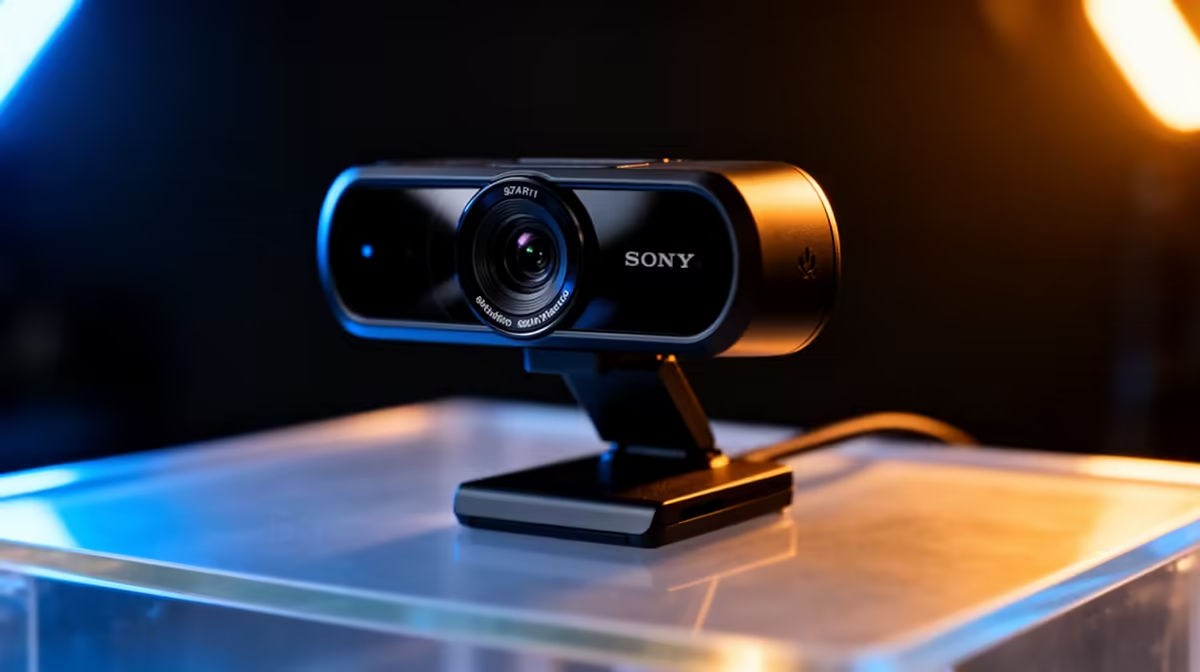
Build the physical chain from the streaming essentials collection. Compare devices in the webcam range when the current camera cannot deliver the needed framing or connection. Free software can cover core broadcasting, but each plugin, remote service, music source, and platform still has its own current terms.
Prove the free workflow first
Install the current official version of the chosen broadcasting tool. Add one camera or screen source, one microphone, and one local recording target. Create a live scene, a break scene, and a safe scene that reveals no private desktop information.
Record locally before connecting an account. Check resolution, frame rate, audio sync, microphone level, and dropped frames. A ten-minute recording with the real game or presentation load tells you more than an empty preview.
Set keyboard shortcuts for microphone mute, safe scene, start or stop, and a marker when supported. Rehearse them. Add alerts, overlays, chat bots, and plugins one at a time after the core recording remains stable.
Free does not mean unsupported forever. Check the project's official documentation, release notes, licence, and system requirements. Download from the official source and review plugin permissions before installation.
Spend on audio when speech is the limit
Move the existing microphone closer and lower gain before replacing it. Aim the capsule according to its pickup design, place it off the direct breath path, and monitor through headphones. This can reduce room sound and plosives without spending anything.
Buy a microphone when the current device is damaged, incompatible, too noisy after correct setup, or unable to fit the format. Include the mount, cable, pop control, interface, and monitoring route needed by the exact model.
Treat the room with existing soft furnishings before buying decorative foam. Curtains, rugs, and a filled bookshelf can reduce reflections. They will not block traffic or building noise, so schedule around external sound where possible.
Spend on light before chasing camera specs
A modest camera needs enough light on the subject. Raise one softened source beyond the lens line and angle it across the face, set exposure for skin, and lock white balance once the room is arranged.
Use a webcam when you need long-session USB convenience and the PC supports it. Upgrade when the current camera cannot hold focus, exposure, resolution, or frame rate for the job after the lighting is fixed.
Mounting matters. A stable stand near eye level can improve a working webcam more than a new model shaking on the desk. Check the camera thread, clip, field of view, and cable length.
Keep lights cool enough for the session and clear of fabric, ventilation, and walkways. Do not create a bright frame by making the presenter squint for hours.
Pay for software only when a feature earns it
Paid tools may offer remote guests, cloud switching, asset libraries, collaboration, support, captions, or a simpler workflow. Compare the exact feature with what your free stack can do now.
Test the paid option during a real rehearsal and read current limits. A trial may restrict resolution, branding, storage, guests, or commercial use. Count recurring software as part of the production cost rather than a once-off hardware purchase.
Avoid paying to hide a hardware or room problem. A subscription cannot restore clipped audio, add light to a dark face, repair a dropping USB port, or raise a weak upload route.
Pay when the feature saves enough preparation or editing time, enables a format you publish, or provides support required by the production. Cancel tools that no longer serve an active workflow under their current terms.
Put the PC and network through a full-load test
Run the game, camera, audio, overlays, local recording, and stream encoder together. Watch dropped frames, frame times, CPU and GPU load, storage behaviour, and temperatures. Change one setting before repeating the same scene.
Hardware encoding can reduce CPU load when the graphics platform and software support it. Choose a quality and bitrate target the PC and upload can sustain. More output resolution is poor value when motion breaks during the busiest moment.
Use Ethernet where practical. Measure upload stability and packet loss at the streaming position. Keep bitrate headroom and pause large background transfers. A software purchase cannot stabilise an unreliable local wireless path.
Upgrade the PC only after monitoring shows the limiting component. A capture card is required for certain external video sources, not as a universal performance booster for a single-PC stream.
Build the spending order from evidence
Make a short list after each rehearsal: what the viewer heard, what the viewer saw, what interrupted you, and what the system dropped. Rank the problems by how often they occur and whether a free setup change can solve them.
If speech is distant, fix microphone distance. If the face is noisy or blurred, add light. If the camera wobbles, improve the mount. If the software workflow causes missed scenes, map hotkeys before buying a control pad.
Price named hardware from current July 2026 listings only after the test points to it. Include stands, cables, ports, power, and compatibility. A low device price does not make an incomplete signal chain good value.
FAQ
Is free streaming software good enough to start?
Yes, when it supports your sources, platform, encoding path, and recording needs. Build and rehearse the core show before adding plugins or paid services.
What hardware should I buy first?
Buy for the clearest proven problem. Audio placement and monitoring often come first, followed by light and a stable camera mount. PC upgrades need full-load measurements.
When is paid streaming software worth it?
It earns its cost when a specific feature, support route, or time saving serves a format you publish. Test the current plan and limits against a real episode before committing.
Prove the free production path with a full rehearsal, then spend on the one hardware or workflow fault your recording exposes.











