South African gamers comparing options here usually want a straight answer they can act on, not a wall of spec jargon.
Quick Answer
Colour banding after a Ryzen 7 9800X3D change is almost always a display-pipeline setting, not faulty hardware. Set the output to 10-bit, switch the desktop to RGB Full at the native refresh, and update the GPU driver to clear visible stepping in gradients.
Rule out the panel and content
Some banding lives in the source video or a compressed wallpaper, not your Ryzen 7 9800X3D. Test a true 10-bit gradient image; if that looks clean, the earlier banding was content, not hardware. On a genuinely 6-bit+FRC panel, a firmware-correct setup minimises but cannot fully erase steps.
Set the right bit depth and colour format
Open the GPU control panel and force 10-bit (or 12-bit) output if your monitor and cable support it. Then set the colour format to RGB Full range rather than Limited, which is the most common cause of crushed gradients after a Ryzen 7 9800X3D swap. Use a certified DisplayPort 1.4 or HDMI 2.1 cable so the higher bit depth actually negotiates.
Update drivers and firmware
Banding often appears straight after new hardware because Windows installed a generic driver. Install the latest GPU driver cleanly, and check for a monitor firmware update if the panel supports it. A fresh driver restores the full output range that the default install sometimes drops.
How to decide for your setup
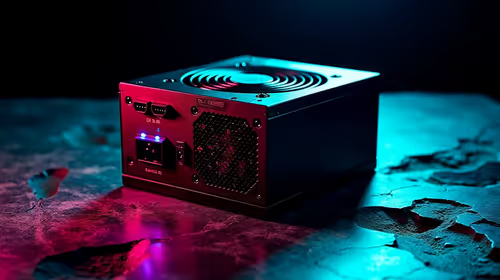
Rand pricing and local stock shift week to week, so anchor the decision to your real use case rather than the loudest spec. Set a firm budget, list the must-haves versus the nice-to-haves for colour calibration, and shortlist two options you can actually buy in stock now. That discipline beats chasing a headline number you will never feel in daily use, and it keeps the rest of the build from being starved. A quality 650W 80+ power supply runs about R1,400 locally, the kind of unglamorous part that is worth budgeting for properly.
FAQ
Did the Ryzen 7 9800X3D cause the banding?
Almost never directly. New hardware just triggers a default driver and colour setting; forcing 10-bit RGB Full and updating the driver usually clears it without any part being faulty.
Do I need a new monitor to fix banding?
Usually not. A true 8-bit or 10-bit panel set to RGB Full at native refresh shows clean gradients once drivers are current. Only a low-grade 6-bit panel has a hard limit.
Should I turn HDR on or off to stop banding?
Test both. If banding only appears in HDR, the tone-map or a weak HDR mode is the cause; in that case use HDR for video and SDR for the desktop.
Buy once, buy right. Check live Evetech pricing and stock on colour calibration, shortlist two contenders, and choose the one with the cleaner upgrade path.