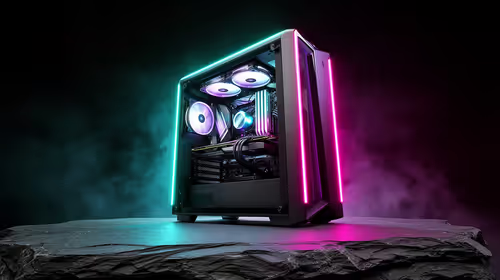
Tired of your PC lagging when you're deep in a creative flow? For many South Africans, the line between a work machine and a gaming rig is blurry. You need something that can smash through video renders and complex spreadsheets, then still deliver smooth frames after hours. A dedicated productivity PC build is the answer, and building one in South Africa is easier and more affordable than you might think. Let's get into what makes a great PC for work and creativity. 🚀
Why a Dedicated Productivity PC is a Smart Move
A standard office computer is designed for emails and web browsing. A productivity PC build, on the other hand, is engineered for heavy lifting. Think 4K video editing, 3D modelling, complex coding, or running multiple demanding applications at once without breaking a sweat. The core difference lies in components chosen to minimise waiting and maximise creating.
For freelancers, content creators, and professionals across South Africa, this means faster project turnarounds and a smoother, frustration-free workflow. You're not just buying a faster computer; you're investing in more efficient hours. Even many of our budget-friendly builds have the foundational power for a solid creative start.
Core Components for Your Productivity PC Build
When planning your productivity PC build in South Africa, three components deserve the most attention: the CPU, RAM, and storage. Getting this trio right is crucial for a responsive and powerful system.
CPU: The Brain of the Operation
For productivity, the processor's core count is king. More cores mean better multitasking and faster performance in applications that can use them, like Adobe Premiere Pro or Blender. Look for an Intel Core i5/i7 or AMD Ryzen 5/7 (or higher) with at least 6-8 cores. This ensures you have the raw power to handle demanding timelines and complex compilations.
RAM: Your Multitasking Workspace
Random Access Memory (RAM) is your PC's short-term memory. 16GB is the absolute minimum for any serious creative work today. However, if you're working with large files, 4K video, or complex design layers, upgrading to 32GB is one of the best investments you can make. It allows you to keep multiple apps open and running smoothly. You can find many excellent options under R20k that hit this sweet spot.
Storage: Speed is Everything ⚡
Your storage drive dictates how quickly your PC boots, loads applications, and accesses files. A fast NVMe (Non-Volatile Memory Express) SSD is non-negotiable for your operating system and primary programs. The difference in speed compared to a traditional hard drive is staggering. A 1TB NVMe SSD is a great starting point, providing ample space and lightning-fast performance.
The Graphics Card: More Than Just for Gaming
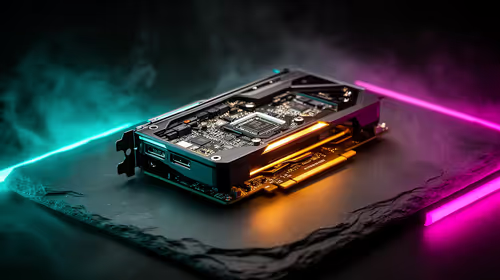
While a powerful GPU is essential for gaming, it's also a massive accelerator for creative software. Many apps in the Adobe Creative Suite, DaVinci Resolve, and 3D rendering engines use the GPU to speed up rendering and viewport performance. This is why browsing our best gaming PC deals is a great way to find a machine with a GPU that excels at both work and play. An NVIDIA RTX card, for example, offers CUDA cores and dedicated RT/Tensor cores that can dramatically cut down your export times.
Productivity Pro Tip 🔧
On Windows, use the PowerToys FancyZones utility to create custom snap layouts. It's a lifesaver for managing multiple apps on an ultrawide monitor, letting you organise your video timeline, preview window, and asset folders perfectly without constantly resizing windows.
Balancing Your Budget in South Africa
We know that budget is a major consideration. The beauty of building a PC is that you can allocate your funds where they matter most for your specific needs. If you're a video editor, prioritise CPU cores and RAM. If you're a 3D artist, the GPU takes precedence.
For those who need uncompromising power for professional workloads, exploring premium rigs over R20,000 will reveal systems built with the best components on the market. But if you'd rather skip the part-picking process entirely, you can't go wrong when you check out our pre-built PC deals, which are expertly configured for a perfect balance of price and performance. ✨
Ready to Build Your Ultimate Productivity Powerhouse?
From editing 4K video to compiling code, the right PC makes all the difference. Stop waiting and start creating. Explore our massive range of custom and pre-built PCs and find the perfect machine to bring your ideas to life.