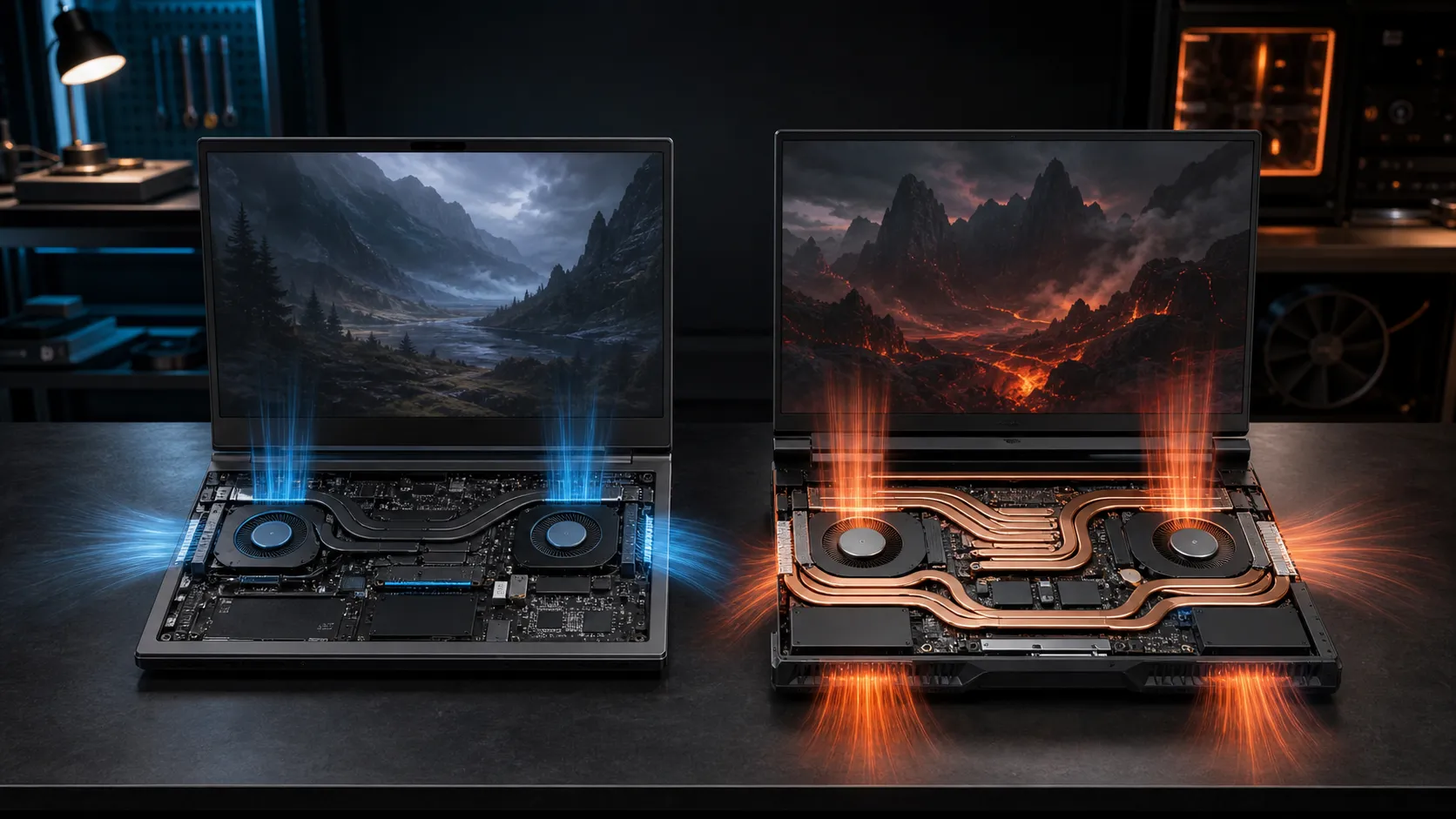
Two notebooks can carry the same GPU badge and deliver different sustained performance because RTX 5060 Laptop TGP controls part of the available power headroom. The chip still has 3,328 CUDA cores and 8GB GDDR7, but a 60W-class implementation cannot be treated as identical to a model specifying up to 115W. Cooling and firmware decide how much of that headroom becomes stable gaming speed.
Quick Answer
A 115W RTX 5060 laptop has substantially more power budget than a 60W-class design, but no honest universal FPS percentage applies across different notebooks. Compare the exact TGP wording, Dynamic Boost, sustained temperatures, CPU, memory and MUX mode. In South Africa, pay extra only when the higher-power model also has cooling and a display that let you use the performance.
⚡ Decode the Wattage Label
Manufacturers may advertise maximum graphics power including a conditional Dynamic Boost allowance. Lenovo, for example, specifies a 115W RTX 5060 configuration as 100W plus 15W boost. That final 15W depends on the system's combined CPU and GPU power management, so it is not guaranteed during every workload.
A thin machine may use a much lower limit to control temperature, noise and adapter size. Some monitoring tools also show momentary draw rather than the configured maximum. Ask for the specific SKU's maximum graphics power, not a family-level marketing page.
Compare current RTX 5060 gaming laptops by full model code because one chassis name can contain several CPU, panel and power configurations.
🌡️ Power Only Helps When Cooling Holds
Extra TGP can support higher sustained clock speed, but heat must leave the GPU, memory, voltage components and shared heat pipes. A 115W value in a thermally limited chassis may appear only briefly. A well-cooled lower setting can feel smoother than an unstable higher setting that repeatedly hits thermal or acoustic limits.
Look for long gaming tests, not a single benchmark pass. Track GPU power, clock, temperature and frame time after the laptop is fully warm. Keep it on a hard surface with unobstructed intakes and use the manufacturer's performance mode. A cooling pad may improve airflow on a suitable base, but it cannot rewrite firmware power limits.
🎯 Check the CPU and Display Pairing
At competitive 1080p settings, the CPU can cap frame rate before a 115W GPU is fully occupied. At higher resolution or visual quality, the GPU usually carries more of the load and wattage can matter more. That is why one game's gap cannot be pasted onto another.
A MUX switch or advanced Optimus path can avoid routing rendered frames through integrated graphics. Dual-channel memory also protects CPU-limited performance. The 8GB VRAM capacity stays the same at both power limits, so higher wattage does not solve a texture set that exceeds memory.
Match the laptop to its screen. Paying for more GPU headroom makes sense with a responsive high-refresh panel and games that can use it. If the display is slow, dim or limited to a low refresh rate, the complete machine may still be poor value.
💰 Compare Complete-System Value
Do not assign a fixed Rand premium to wattage alone. Compare CPU, RAM configuration, SSD capacity, display gamut, warranty, adapter, mass and battery alongside TGP. The gaming laptop specials and laptop best sellers provide useful starting points, but the specification for the exact listed SKU remains decisive.
If two machines are otherwise equivalent, the higher-power model is the safer choice for sustained gaming. If it costs enough to move into a better GPU class or forces a poor processor and display compromise, compare the whole next tier instead.
🧪 Test a New Laptop Before Settling In
Install the current manufacturer firmware and graphics driver, choose the intended performance profile, connect the original charger and run a repeatable game scene. Confirm that the GPU reaches the advertised class of power under a GPU-bound load without unsafe temperatures or severe clock oscillation.
Do not modify power tables or flash firmware from another model. These changes can exceed the cooling and electrical design and complicate warranty support. A notebook is an integrated power system, not a desktop card with an arbitrary slider.
Frequently Asked Questions
Does every RTX 5060 Laptop GPU perform the same?
No. TGP, cooling, CPU, memory, MUX routing and firmware all change sustained results despite the shared GPU name.
Is 115W always available during gaming?
Not necessarily. A listed maximum can include Dynamic Boost that depends on workload, temperatures and combined system power.
Does a 115W model have more than 8GB VRAM?
No. The RTX 5060 Laptop GPU still uses 8GB GDDR7; power headroom does not change memory capacity.
How do I verify TGP before ordering?
Use the manufacturer's exact SKU specification and look for maximum graphics power plus any included Dynamic Boost amount.
Is a lower-TGP laptop a bad purchase?
Not automatically. It may suit portability, noise or a lower Rand budget, provided its measured performance meets your target.
Ready to compare RTX 5060 laptops properly?
Put the exact TGP, cooling design, MUX path and panel beside the price so the badge does not hide the machine you are actually buying.