Quick Answer
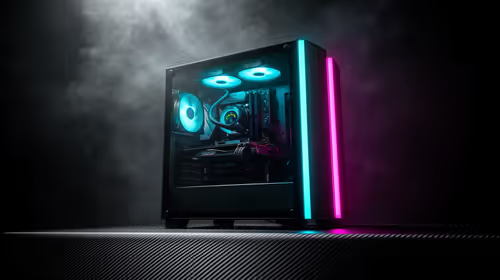
A R25,000 gaming PC budget in Gauteng comfortably covers an RTX 4060 Ti self-build or a prebuilt equivalent, plus a 27-inch 1440p 144Hz monitor. Allocate roughly R17,000 to the desktop system (Ryzen 7 5700X + RTX 4060 Ti + 16GB DDR4 + 500GB NVMe) and R5,500 for the monitor, leaving R2,500 for peripherals. This tier delivers 100–130 fps in Fortnite at 1440p High and 75–90 fps in Cyberpunk 2077 at 1440p Medium.
Splitting R25,000 for maximum performance in Gauteng
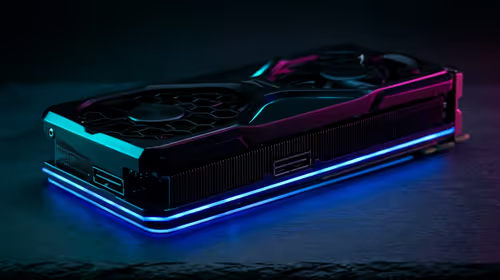
The GPU gets the biggest share at this budget. An RTX 4060 Ti (8GB) sits around R9,500–R10,500 at Evetech, which is the sweet spot for 1440p gaming without paying RTX 4070 prices. Pair it with a Ryzen 7 5700X (R3,800) on a B550 board (R2,200), 16GB DDR4 3200MHz (R1,200), a 500GB NVMe SSD (R700), 600W 80+ Bronze PSU (R1,400), and a solid mid-tower (R1,200). Core system total: ~R20,000. That leaves R5,000 for a 27-inch 1440p 144Hz IPS monitor and basic peripherals.
Monitor and peripherals at R25,000
A 27-inch 1440p 144Hz IPS monitor costs R4,500–R6,000 at SA retail. Pair it with a mid-range gaming mouse (R600) and a TKL mechanical keyboard (R900) for a clean desk setup. Gauteng buyers in Sandton, Pretoria, or Soweto get next-business-day Evetech delivery. If the desk space allows, a 34-inch ultrawide 1440p 100Hz (~R7,000) is an alternative that benefits cinematic and simulator games more than raw FPS gaming.
Performance benchmarks to expect
An RTX 4060 Ti + Ryzen 7 5700X setup hits 120–145 fps in CS2 at 1440p High, 85–100 fps in Fortnite at 1440p Epic, and around 70–85 fps in Red Dead Redemption 2 at 1440p Medium-High. For the FIFA/sports gaming crowd, 144 fps is consistently achievable at 1440p Medium. Streaming at 1080p while gaming is possible with OBS using NVENC encoding.
Upgrade path from R25,000
An RTX 4060 Ti on a B550 board has a natural upgrade path to a Ryzen 9 5950X without changing the board. The next GPU step is a used RTX 4070 or a new RTX 5070 in 12–18 months. Bumping RAM to 32GB DDR4 (~R1,200 extra) is worth it if the build doubles as a work or editing machine.
FAQ
What resolution and fps should I target at R25,000?
Target 1440p at 100–144 fps in esports and 1440p at 60–90 fps in AAA titles. An RTX 4060 Ti handles both comfortably. Only step up to a 4K monitor if you are willing to drop AAA fps to the 50–60 range.
Is a Ryzen 7 5700X or Intel Core i5-13600K better at R25,000?
Both are strong choices within a few fps of each other in gaming. The Core i5-13600K (~R4,500) offers slightly better single-core performance for CPU-heavy titles, while the Ryzen 7 5700X is typically R500–R700 cheaper and performs within 3–5% in GPU-bound games.
Does R25,000 cover streaming and content creation?
Yes — 16GB DDR4 and the RTX 4060 Ti handle 1080p60 OBS streaming simultaneously with gaming. For heavy Premiere Pro or DaVinci Resolve work, bump RAM to 32GB and consider a second 1TB NVMe drive for project files, adding roughly R1,800 to the total.
600W 80+ Bronze PSU minimum at this tier — the RTX 4060 Ti draws up to 165W peak and you need headroom for future upgrades. Cheap PSUs are the most common cause of system failures in self-builds.