A banking app can be well protected while the phone around it is already compromised. That is why the most useful defence starts before the app opens.
Quick Answer
South African warnings point to stolen credentials, malicious apps, social engineering and device control rather than criminals breaking bank software. SABRIC recorded 97,975 digital-banking incidents and R1.888 billion in gross losses during 2024. The first response costs R0: update the phone, install apps only from its official store, ignore message links and open the bank app independently. A secure home networking setup helps, but careful account behaviour remains essential.
📱 The phone is part of the bank boundary
An infostealer can collect usernames, passwords, cookies, card information and browser autofill data. Kaspersky says credentials linked to more than one million accounts at major banks were compromised globally in 2025. The South African report adds that bank-themed phishing made up a large share of detected financial threats in Africa.
SABRIC's 2024 report is more specific to local harm. It says digital-banking incidents rose to 97,975 and gross losses reached R1.888 billion. App fraud represented the largest channel by incidents and more than R1.2 billion in losses. The report says social engineering featured in every reported incident, which moves the practical focus toward the person, phone and communication path.
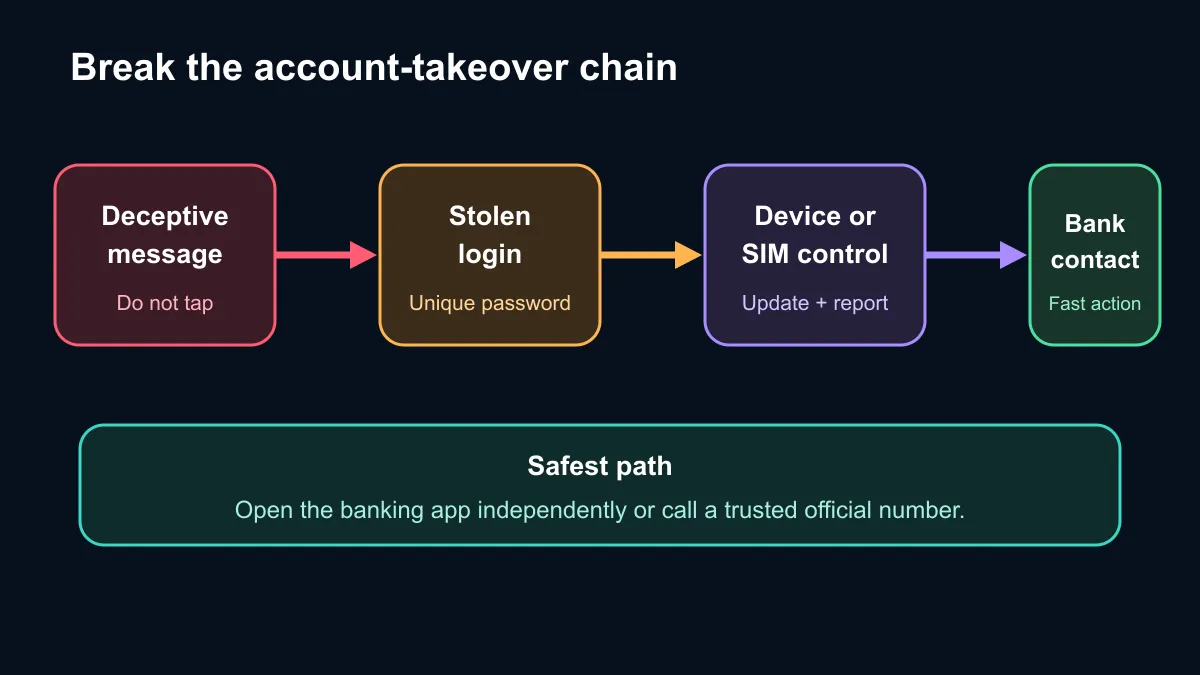
🔐 Break the chain before login
Treat an unexpected bank message as untrusted even if it uses the right logo or personal details. Do not tap its link. Open the installed banking app from the phone's normal launcher or call a trusted number from the bank's official material. Never approve a prompt you did not initiate.
Keep the operating system and apps current. Install only from the official store and check the developer name. Remove apps that demand accessibility, screen-sharing or notification access without a clear reason. A current laptop can support safer account administration, but it also needs updates, a protected sign-in and clean browser extensions.
If the phone suddenly loses mobile signal, contact the network and bank immediately. An unexpected loss can indicate a SIM swap. A stolen phone needs the same urgency: use the device account's remote lock feature, tell the bank and change important passwords from a trusted device.
🧾 Recovery depends on fast, clean action
When something looks wrong, record the time, transaction reference and contact channel without forwarding sensitive messages. Use a different trusted device if the original phone may be controlled. Contact the bank first, then the mobile network when a SIM or number is involved. Change the email password because email is often used to reset other accounts.
Storage also matters for recovery. Keep important documents and a current backup away from a single device. The SSD category can help when building a local backup plan, but a backup drive should be disconnected when it is not being updated so malware cannot reach every copy at once.
No single tool removes all risk. Security software can catch known threats, yet it cannot safely decide whether a caller is really from a bank. Strong unique passwords, multi-factor protection, current software and a refusal to follow surprise links work together. The aim is to stop the takeover chain at its earliest available point.
Frequently Asked Questions
Can a legitimate-looking bank SMS still be fraudulent?
Yes. Sender names and message context can be copied. Open the bank app independently instead of using the message link.
What permissions are especially risky for an unknown app?
Accessibility, screen-sharing, notification reading and device-administrator access can expose or control sensitive activity.
Why does a sudden signal loss matter?
It can be a network fault, but it can also warn that the number was moved to another SIM. Contact the network and bank promptly.
Is public Wi-Fi the only way an account is taken over?
No. Phishing, infostealers, fake apps, reused passwords and social engineering can work on any connection.
Protecting the devices used for banking? Update them, remove unneeded app permissions and write down the trusted contact path before an emergency.