


The best monitor for World of Warcraft 2026 is the display that keeps the interface readable while matching the frame rate your PC can hold in raids, cities and open-world play. For many desks, a 24-inch Full HD or 27-inch 1440p monitor with at least 120Hz refresh and Adaptive Sync is the practical starting point.
Quick Answer
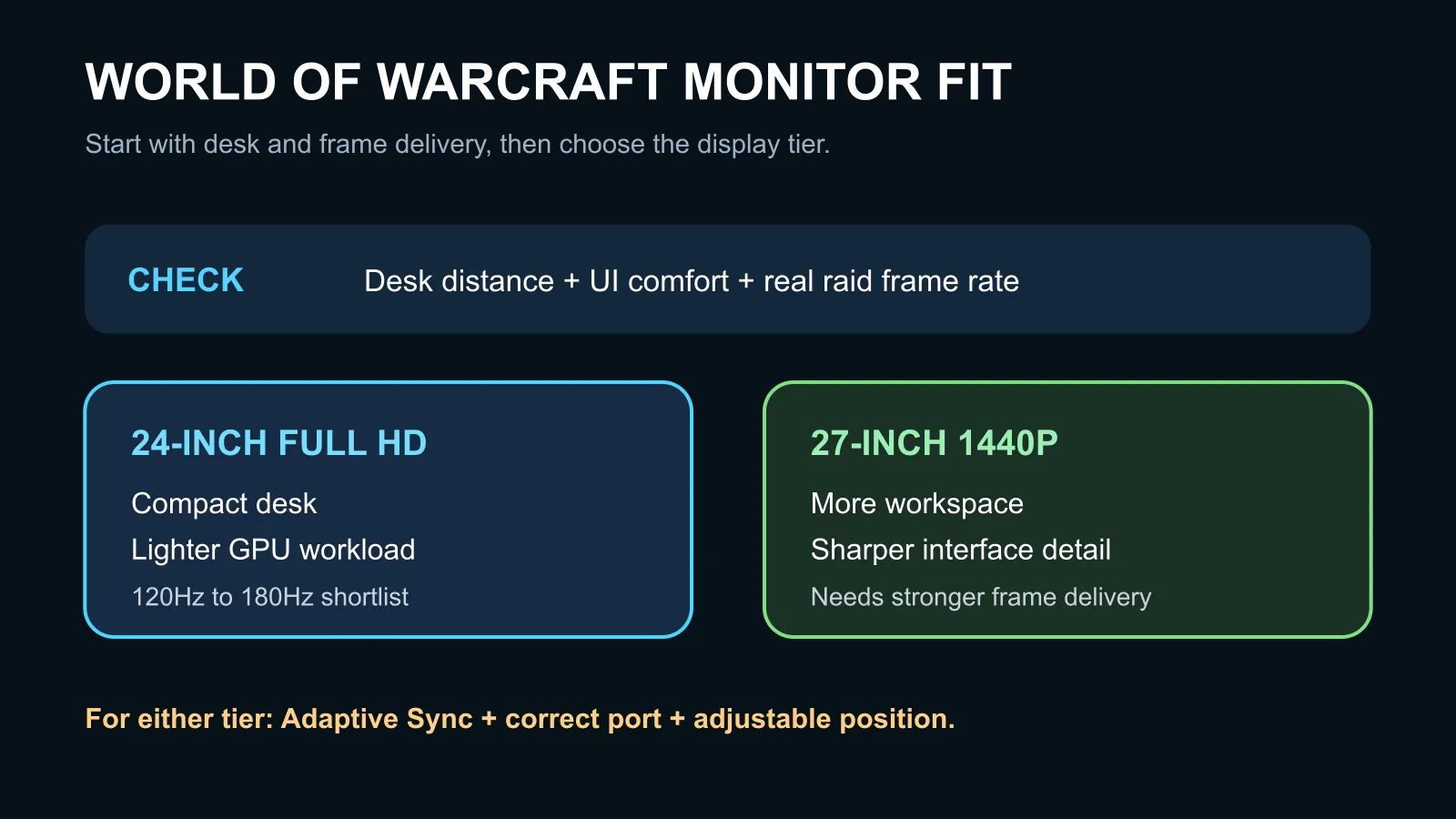
Choose 24-inch Full HD when the desk is compact or the graphics card needs an easier workload. Choose 27-inch 1440p when you want more desktop space and sharper interface detail and the PC can sustain the extra pixels. A 144Hz or 180Hz monitor can make camera movement and cursor response feel smoother without demanding a 240Hz-class budget.
Match resolution to the real PC
World of Warcraft's current Windows requirements list 1280 x 720 as the minimum display resolution, but that is a compatibility floor rather than a buying target. The game can load the CPU heavily in busy group content while higher resolution puts more work on the graphics card. Test the current system during the scenes you actually play.
Record average and low frame rates at the preferred quality settings. A monitor cannot display extra frames that the PC does not render, and raising resolution can reduce output. If the machine regularly sits below the desired refresh target, choose a sensible panel now and plan the PC upgrade separately.
Readability beats size alone
World of Warcraft places action bars, chat, maps, nameplates and encounter information around the screen. A larger panel can create more physical room, but viewing distance and pixel density decide whether the interface feels comfortable. A 27-inch Full HD monitor may make text larger, while 27-inch 1440p provides more pixels and can present finer detail.
Ultrawide screens provide extra horizontal space, but interface placement and game support should be tested before buying around that shape. Curved panels can help the edges sit at a more even viewing distance on a wide desk. Neither format is automatically better for every player.
Adaptive Sync can reduce tearing and visible stutter when frame delivery changes. Confirm that the feature works through the intended port at the required resolution and refresh rate. Also check stand height or VESA support so the centre of the screen can sit comfortably.
Use the local catalogue as a live shortlist
The captured Evetech range included an in-stock 24-inch Full HD 144Hz gaming monitor at R1,699, another at R1,899 and a 24-inch Full HD 180Hz option at R1,999. Prices and stock can change, so these are timestamped examples rather than permanent recommendations.
Compare gaming monitors, monitor specials and monitor best sellers. Filter by resolution and refresh first, then check panel type, ports, stand adjustment, warranty and dead-pixel policy.
Frequently Asked Questions
Is 4K necessary for World of Warcraft?
No. It can sharpen the image, but it also increases graphics workload and cost.
Is 60Hz still usable?
Yes, but 120Hz or higher can make motion and input feel smoother when the PC delivers enough frames.
Should a raider buy the highest refresh rate?
Not automatically. Stable frame delivery, readable UI and a suitable resolution usually matter more than the largest number.
Buy for your desk, eyesight and measured PC performance rather than one universal specification.
Build the display around real play. Test frame rate, choose a readable resolution and then match refresh, ports and stand.









